What is it
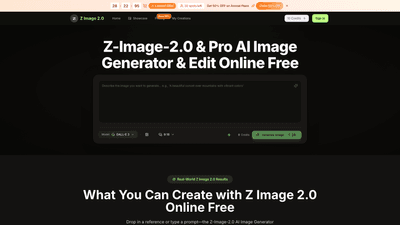
Z-Image-2.0 is a browser-based AI image generator and editor designed to turn text prompts and image references into high-resolution, publication-ready visuals. Built around the Z Image 2.0 engine (sharing capabilities with Z Image V2), it delivers 4K output in seconds without any software install. Users can generate new artwork from prompts, merge multiple references into a single cohesive image, and apply styles from one image to another (realistic, anime, watercolor). The platform supports both a free online testing mode (Z Image Online Free) and paid plans (Z Image 2 & Pro) that unlock higher limits, faster processing, and advanced features. This solution is ideal for creators, brands, teams, and agencies seeking scalable, consistent visuals for e-commerce, social media, campaigns, and more. Who should consider Z-Image-2.0 includes solo creators, marketers, animators, and design teams aiming for rapid, on-brand artwork across multiple projects.
What you can create with Z-Image-2.0 spans a wide range:
- E-commerce visuals and lifestyle imagery without a full studio
- Brand-consistent avatars, characters, and assets
- Concept art, boards, and pre-production visuals for filmmaking or animation
- Social graphics, ads, thumbnails, and hero imagery
- Restored or enhanced historical photos with color correction and detail recovery
- Virtual try-ons, background swaps, and on-image text updates
Key value: 4K-ready output, browser-based convenience, and a single interface that blends prompts, image refs, and tweaks—so you stay in your current workflow rather than juggling multiple tools.
Features
-
4K Output and Fast Rendering
- Generate high-resolution visuals suitable for social, ads, product pages, and client deliverables in seconds.
-
Browser-Based, No Install
- Open in any modern browser (desktop, tablet, or mobile) with no download required. Start with Z Image Online Free or upgrade for higher throughput.
-
Prompt- and Reference-Driven Creation
- Create from text prompts, upload image references, or combine both. The Z Image Prompts Guide helps you craft clearer prompts for stronger results.
-
Merge Multiple References into One Image
- Upload several images and have the model merge subject, setting, and look into a single 4K result. Z Image Online Free supports this; Z Image 2 & Pro offer higher caps and priority output.
-
Style Transfer Across Subjects
- Apply a chosen style (realistic, anime, watercolor) from a source image to a subject image. The engine (Z Image 2.0) supports consistent styling across variations.
-
All-in-One Interface
- A single interface handles prompts, image references, and tweaks—no jumping between tools.
-
On-Demand Edits and Enhancements
- Z-Image-2 edit enables quick refinements to existing images, with high-resolution export options.
-
Background, Text, and Detail Tweaks
- Background removal or replacement, background swaps, and changes to text inside images while preserving layout.
-
Consistency and Branding
- Reuse prompts and references to maintain character, color, and composition consistency across multiple outputs and campaigns.
-
Scalable for Teams
- Presets and outputs designed to scale from individuals to large teams, with queue prioritization and collaborative workflows.
-
Commercial Use Licenses and No Watermark (Premium)
- Paid plans include commercial-use rights and watermark-free outputs, plus priority support.
-
Diverse Model Suite
- Seedream 5.0 AI Generation, Seedream 5 Model, Seedream 5 downloads, and additional models (Veo 3, Sora 2, Seedance, Wan 2.5) are available on higher-tier plans to broaden creative options.
-
Clear Pricing and Free Trial Credits
- A free tier (Z Image Online Free) lets you test capabilities with starter credits before upgrading.
How to Use
- Open in Your Browser
- No software installation is required. Access Z Image Online Free to test capabilities, or log in to Z Image 2 & Pro for expanded features and higher limits.
- Add a Photo or Describe Your Idea
- Upload an image, enter a text prompt, or combine both. The Z Image Prompts Guide helps you phrase prompts for better results.
- Hit Generate
- The AI generates a 4K image in seconds. Pro and higher tiers offer more control, higher limits, and faster priority output.
- Tweak and Download
- If needed, refine with Z-Image-2 edit and export in high resolution. All paid plans support high-res downloads and streamlined workflows.
Practical use cases include creating catalog-ready product visuals without a studio, producing consistent character designs for a brand, rapidly iterating environment sketches for concept art, generating avatars or social assets, and repairing or recoloring historic photos. The single-interface approach also makes it easy to test multiple prompts and references in quick succession, speeding up iteration cycles in marketing and design pipelines.
Pricing
Note: The platform currently offers a free testing option and several paid tiers with annual discounts (Flash Sale 50% off on annual plans). Prices below reflect the structure visible in the available plan descriptions and are subject to change.
-
Free Tier: Z Image Online Free
- Starter credits to explore core features
- No card required
-
Basic (Yearly)
- Credits: 6,000 per year (about 500 credits per month)
- Images: Up to 50 images per month
- Includes Seedream 5.0 AI Generation, unlimited Seedream 5 downloads
- Permanent history, Commercial Use License
- Seedream 5 Model and AI image enhancer, background remover
- Priority generation queue, no watermark, priority support
- Yearly billing with 50% annual discount during flash sale
-
Professional (Yearly)
- Credits: 24,000 per year
- Images: Up to 200 images per month
- Everything in Basic, plus: Z Image 2 & Pro capabilities
- Additional Seedream 5.0 features, unlimited downloads
- Priority queue and support, no watermark
-
Enterprise (Yearly)
- Credits: 72,000 per year
- Images: Up to 600 images per month
- Everything in Professional, plus enterprise-grade features
- Highest-volume throughput, multi-model access (Seedream 5.0, Veo 3, Sora 2, Seedance, Wan 2.5)
- Priority customer support and dedicated assistance
- No watermark
-
Z Image 2 & Pro (Yearly)
- Credits: 24,000 per year
- Images: Up to 200 images per month
- Everything in Basic, plus Z Image 2 & Pro advanced features
- Commercial license, priority queue, no watermark
Important: Prices and exact feature availability may change. A limited-time offer provides 50% off on annual plans, encouraging users to commit annually for greater value.
Tips
- Start with Z Image Online Free to test prompts and prompts-guide phrases before upgrading.
- Use the Style Transfer feature to maintain a consistent look across a campaign—perfect for inventory visuals, social avatars, and branding visuals.
- Reuse prompts and references across batches to preserve character designs and color schemes.
- When working with teams, leverage presets and shared outputs to maintain consistency and speed up approvals.
- Combine multiple image references to quickly generate composite visuals (e.g., location, lighting, and subject merged into a single 4K scene).
- Use the background removal and color restoration tools to salvage older photos or prepare product images for marketplaces.
- For rapid production pipelines, plan around the priority queue in higher-tier plans to avoid bottlenecks during campaigns.
Frequently Asked Questions
-
What is Z-Image-2.0?
- It’s an AI image generator that converts text prompts or images into 4K artwork, with a browser-based interface and optional paid upgrades for higher throughput and advanced features.
-
How does Z Image 2 work?
- You can prompt with text, upload references, or both. The Z Image 2.0 Engine powers both free and pro tiers, delivering scalable 4K outputs and edits.
-
Is Z Image Online Free really free?
- Yes, it offers starter credits without requiring a payment method. Upgrade to Z Image 2 & Pro when you need higher capacity and speed.
-
Do I need design experience to use it?
- No. Plain-language prompts work well, and the Z Image Prompts Guide helps you phrase prompts for stronger results.
-
What can I create with Z-Image-2.0?
- A wide range: product imagery, avatars, concept art, social assets, and more—all in 4K with consistent styling.
-
Can I use Z Image 2.0 on my phone?
- Yes. It runs in a browser on desktop, tablet, and mobile—no app installation required.
-
Are outputs suitable for commercial use?
- Paid plans include commercial use licenses, enabling usage in marketing, advertising, and product catalogs.
-
How does the pricing work?
- The platform offers a Free tier and several paid annual plans (Basic, Professional, Enterprise, and Z Image 2 & Pro) with a 50% annual discount during flash sales. Each plan specifies monthly image limits and credits.
Z-Image-2.0 brings high-quality, 4K AI visuals into a flexible, browser-first workflow. With a blend of prompt-driven generation, image merging, style transfer, and robust editing, it provides a practical, scalable solution for creators and teams seeking fast, on-brand visuals without complex software setups. If you’re looking to accelerate visual production while keeping control over style and branding, Z-Image-2.0 offers a compelling combination of power, usability, and cost efficiency.