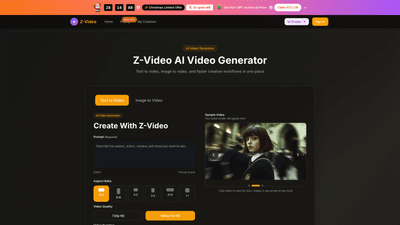
What is it
Z-Video is an AI-powered video generator designed for prompt-based creation, image animation, and rapid content iteration. It helps creators, marketers, and teams turn rough ideas into clean, ready-to-publish short-form videos without the overhead of a traditional video production workflow. With text-to-video and image-to-video capabilities, Z-Video emphasizes clear storytelling across multiple scenes, consistent motion, and fast turnarounds for social posts, ads, product launches, and landing pages. Output is optimized for real-world use cases with HD quality and flexible aspect ratios, so clips can work across social platforms and campaigns.
Features
- Text to Video and Image to Video
- Start from a detailed prompt or animate a still image to preserve a visual reference while introducing motion.
- Prompt-Led and Reference-Led Creation
- Translate creative briefs into readable scenes with clear subject, action, and framing. Switch between text-first and image-first workflows to balance freedom and guidance.
- Flexible Visual Direction
- Control style, lighting, shot feel, and motion without writing overly technical briefs.
- HD Output and Formats
- Export clips in high-definition (720p/1080p) with multiple aspect ratios and durations suitable for product pages, social ads, and landing pages.
- Consistent Narrative Flow
- Build multi-scene sequences that maintain tone, direction, and motion across shots for cohesive storytelling.
- Fast Iteration Loop
- Rapidly test concepts with quick generation-and-export cycles, helping you identify winning hooks and visuals faster.
- Output-Ready Clips
- Deliver clean, launch-ready clips that feel polished enough for campaigns and brand pages without a traditional edit timeline.
- AI Image Enhancement and Background Cleanup
- Improve visuals and remove distractions to maintain strong visual quality across outputs.
- Commercial Use License
- Includes license rights for commercial use, making assets suitable for client work, marketing, and product launches.
- Saved Generation History and Priority Queue
- Keep track of iterations and prioritize important renders for faster delivery.
- No Watermark and Priority Support
- Professional-grade outputs without watermarks and with enhanced support options on eligible plans.
How to Use
- Start with a Prompt or Image
- Write a clear scene description or upload a still image you want to animate. The more specific the subject and action, the stronger the result.
- Shape the Output
- Choose visual style, aspect ratio (e.g., 16:9, 9:16, 1:1, and other common formats), duration (e.g., 5–10 seconds), and video quality to fit your distribution channel.
- Generate and Export
- Render your clip, review motion and framing, then download the version that matches your campaign, post, or concept. You can iterate to refine results and export multiple variants for testing.
Start with a prompt or image, define the output constraints, generate, and export—delivering clips that are ready for publishing across social, ads, and landing pages. Z-Video is designed for speed, control, and cleaner outputs, so you can move from idea to shareable video in minutes rather than days.
Pricing (annual plans with limited-time offers)
- Basic (Ideal for hobbyists and beginners)
- Price: $9.9/month (annual billing with 50% off during the holiday promotion)
- Credits: 800 credits per month (9600 per year)
- Up to 80 videos per month
- Access to text-to-video and image-to-video
- Unlimited downloads
- Saved generation history
- AI image enhancement and background cleanup tools
- Commercial use license
- Priority generation queue
- No watermark
- Priority customer support
- Yearly pricing available (annual billing)
- Professional (For creators and professionals)
- Price: $19.9/month
- Credits: 24,000 credits per year (2,000 credits per month)
- Up to 200 videos per month
- All Basic features plus: additional credits, higher output capacity
- Commercial use license
- Priority generation queue
- No watermark
- Priority customer support
- Yearly pricing only
- Enterprise (For teams and businesses)
- Price: $49.9/month
- Credits: 72,000 credits per year (6,000 credits per month)
- Up to 600 videos per month
- All Professional features plus higher volume and priority services
- Commercial use license
- Priority generation queue
- No watermark
- Priority customer support
- Yearly pricing only
- All plans include: no watermark, commercial use license, saved generation history, AI image enhancement tools, background cleanup tools, and access to both text-to-video and image-to-video workflows. The current promo emphasizes a 50% discount on annual plans, and there is a limited number of spots available for the offer.
What makes Z-Video unique
- Speed-focused workflow: prompt-first and reference-led options keep the creative process fast without sacrificing control.
- Flexible outputs for real-world use: adjustable aspect ratios and durations tailored to social, ads, product pages, and landing experiences.
- Clean, usable motion: emphasis on motion readability across scenes, making outputs more ready for immediate publishing than typical quick generators.
- Scalable for teams and clients: enterprise-ready features like higher quotas, priority queues, and robust support.
Tips
- Be specific in prompts: clearly describe the subject, action, and camera direction to improve motion consistency.
- Use image references when consistency matters: start from a still image to maintain brand visuals or product visuals across scenes.
- Plan for distribution: choose aspect ratios and durations aligned with destination channels (e.g., 9:16 for stories/reels, 16:9 for landing pages).
- Iterate efficiently: test multiple prompts and variations in quick succession to identify top performers before finalizing assets.
- Leverage enhancements: use AI image enhancement and background cleanup to maintain professional quality in product shots and hero visuals.
- Manage assets and licenses: ensure commercial use rights are in place for marketing and client work, and keep track of saved generations for reuse.
Frequently Asked Questions
- What is Z-Video?
- Z-Video is an AI video generator for text-to-video and image-to-video creation, designed for fast production of short-form video content.
- What is Z-Video Pro?
- Z-Video Pro is the higher-capacity option with more credits, faster generation, and a smoother workflow for frequent publishing or client work.
- How does the Z-Video workflow work?
- Start with a prompt or image, set output preferences, generate a clip, review and iterate if needed, then download the final video.
- What can I use Z-Video for?
- It’s well-suited for product videos, social content, ad concepts, visual storytelling, and quick creative tests where speed matters.
- Can I use Z-Video for image-to-video?
- Yes. You can upload a still image and guide motion direction to convert it into a moving clip while keeping the starting visual reference.
- What is the Z image app in this workflow?
- The image app refers to the image-led workflow to prepare still assets before turning them into video outputs.
- What export formats and settings are available?
- Generated clips can be downloaded as video files with multiple aspect ratios, durations, and quality levels.
- How long does generation take?
- Most renders complete quickly, though timing depends on queue load, duration, resolution, and prompt complexity.
- Can I use Z-Video on mobile?
- Yes. Z-Video runs in the browser, so you can create and manage projects from desktop or mobile without a separate app.
- How do I upgrade or start with Z-Video?
- You can start with standard use and upgrade to Z-Video Pro for higher volume or faster rendering as your needs grow.
If you’re seeking a fast, flexible AI video solution that scales from solo creators to teams, Z-Video offers a prompt-driven and image-guided workflow with HD outputs, commercial licensing, and a pathway from rapid ideation to publish-ready clips.