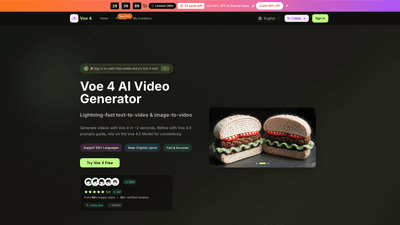
What is it
Voe 4 is an AI-powered video generator that converts text prompts and images into professional video content in seconds. Using the Voe 4.0 Model and a guided prompts system, it delivers consistent, high-quality results with quick iteration. Key capabilities include text-to-video, image-to-video, multi-model access, 4K-ready output, native audio generation, and support for 100+ languages. The platform emphasizes fast, studio-grade output with commercial-use rights, no watermark on paid plans, and an end-to-end workflow designed for creators, marketers, and agencies. New users can sign in to claim free credits and try Voe 4 online.
Features
- Lightning-fast generation: typical results in as little as 2 seconds for text-to-video or image-to-video
- Voe 4.0 prompts guide: refined prompts to improve tone, pacing, mood, and storytelling
- Multi-model access: switch between models without leaving the platform
- 4K-ready quality: clean, professional-looking video with sharp detail
- Native audio generation: synced dialogue, ambience, and effects in one pass
- HD options: 720p and 1080p Full HD outputs
- 100+ languages supported: global reach for multilingual content
- Keep original layout: maintain brand and layout consistency
- Commercial usage rights: outputs suitable for ads, campaigns, and client work
- Flexible workflow tools: batch generation, scene splitting, prompt helpers, and sharing-ready pages
- Image editing integration: Seedream 5 AI editor supports polished 4K artwork in one place
- No watermark on annual plans: watermark-free output with annual billing
- Sharing-ready assets: ready-to-use videos for social, marketing, and clients
- Ready-to-use prompts and templates: quick-start options for common use cases
How to Use
- Start free: Sign in to claim free credits and try Voe 4 online
- Choose your output: Select aspect ratio (e.g., 16:9, 4:3, 9:16, etc.) and video quality (720p or 1080p)
- Create with text or image:
- Text-to-video: enter a plain-language brief and let Voe 4 assemble the full sequence (dialog, mood, flow)
- Image-to-video: use the Voe 4 image generator or the Seedream 5 AI editor to transform or enhance visuals
- Refine and tailor: use the Voe 4.0 prompts guide to adjust tone, pacing, camera moves, and transitions
- Generate and review: produce the video in seconds, preview, and iterate as needed
- Export and use: download your video (with commercial rights on paid plans) and publish across channels
- Image editing workflow (optional):
- Choose Voe 4 Image Generator
- Upload an image or enter a description
- Generate and download your artwork
- Refine colors and details for a professional finish
- Pricing and trials: Explore plans and lock in savings with annual billing (50% off during limited-time offers)
Pricing
Limited Time Offer: Save 50% on Annual Plans (availability limited; 32 spots left)
-
Basic (Yearly): $15.90/month (billed annually from $19.80/mo)
- 12,000 Voe credits per year
- Up to 100 images per month
- Unlimited Voe 4 downloads
- 6,000 Voe 4 credits with annual billing
- No watermark (annual billing)
- Commercial-use license
- Access to Voe 4.0 Model and Seedream/AI tools
- Seedream model and other legacy models available (yearly only)
-
Professional (Yearly): $25.90/month (billed annually from $31.80/mo)
- Everything in Basic, plus:
- 24,000 Voe credits per year
- Up to 200 images per month
- Priority generation queue
- No watermark (annual billing)
- Commercial-use license
- Enhanced support and access to advanced workflows
-
Enterprise (Yearly): $49.90/month (billed annually from $99.80/mo)
- Everything in Professional, plus:
- 72,000 Voe credits per year
- Up to 600 images per month
- Priority customer support
- No watermark (annual billing)
- Commercial-use license
- All-model access and advanced enterprise features
Notes:
- Plans are designed for AI video teams and creators, supporting the Voe 4.0 Model and Voe 4 sessions
- Cancel anytime; payment is secure
- Free credits available for new users to try the platform
Tips
- Leverage the Voe 4.0 prompts guide to fine-tune tone, pacing, and character consistency
- Choose the right model for each task; you can switch models mid-workflow without losing progress
- Use 4K-ready outputs for client deliveries and high-end campaigns; opt for 1080p for social-ready assets
- Apply native audio generation to save time on post-production
- Plan scripts with clear narrative beats to maximize the impact of automated generation
- Utilize batch generation to test multiple concepts or variations quickly
- Experiment with aspect ratios to optimize for different platforms (e.g., 9:16 for short-form social video)
- Take advantage of commercial-use rights to run campaigns, ads, and client work without legal concerns
- For image-heavy projects, combine Voe 4 with Seedream 5 for polished, publication-ready visuals
- Regularly review and update prompts to maintain brand consistency across videos
Frequently Asked Questions
-
What is Voe 4?
- A cloud-based AI video generator that turns text prompts and images into professional videos quickly, with a focus on consistency and speed using the Voe 4.0 Model and prompts guide.
-
Do I need technical skills to use Voe 4?
- No. Voe 4 is designed for creators of all skill levels. Simply describe what you want, choose settings, and generate.
-
What formats and qualities are supported?
- Outputs include 720p HD and 1080p Full HD. The platform offers 4K-ready options on supported plans.
-
How fast is generation?
- Voe 4 advertises generation in approximately 2 seconds for text-to-video and image-to-video, with fast previews and higher-quality runs for final production.
-
Can I use the outputs commercially?
- Yes. Paid plans include commercial-use rights, allowing you to use videos for business, ads, and client work.
-
Is there a free trial or credits?
- Yes. New users can sign in to claim free credits to try Voe 4 online.
-
Do videos include watermarks?
- Watermarks are removed on annual plans; standard versions may include branding if not on paid annual plans.
-
What languages are supported?
- The platform supports 100+ languages for global reach.
-
Can I edit after generation?
- Yes. You can refine results using the Voe 4.0 prompts guide and, for images, the Seedream 5 editor to tweak visuals and colors.
-
How do I cancel or change plans?
- Plans are cancellable anytime. For assistance, you can contact [email protected].
-
What kinds of use cases are ideal for Voe 4?
- Marketing videos, social media content, product demos, ads, campaigns, e-commerce product videos, and client-ready assets for agencies. The platform is designed to deliver fast, consistent, high-quality AI video outputs suitable for professional workflows.
If you’re seeking an AI solution to rapidly produce brand-consistent, high-quality videos from simple prompts or images, Voe 4 provides a comprehensive, scalable option with flexible pricing, robust features, and commercial-grade rights.