What is it
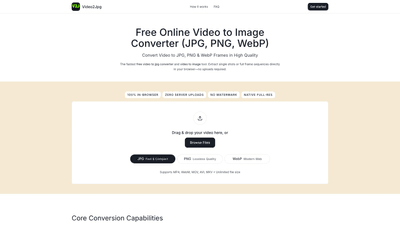
Video2Jpg is a free, in-browser video to image converter that lets you extract high-quality frames from videos directly in your web browser. No uploads to a server are required, and there are no watermarks. You can capture single shots or an entire frame sequence in formats such as JPG, PNG, and WebP. The tool supports common video formats including MP4, WebM, MOV, AVI, and MKV, and it emphasizes privacy, speed, and convenience by processing everything locally in the browser. Drag and drop your video or browse files to get started, then download your results as individual images or a ZIP archive.
Features
- In-browser processing with zero server uploads
- Formats: JPG, PNG, WebP (for both stills and sequences)
- Whole-frame sequences or single-frame captures
- Pixel-accurate PNG sequences (lossless) for VFX and animation work
- JPEG with customizable compression for smaller thumbnail-style outputs
- Unlimited file size support (within browser capabilities)
- Supports MP4, WebM, MOV, AVI, MKV
- No watermarks and privacy-first design
- Fast and lightweight engine designed for quick thumbnails, archiving, or asset creation
- Flexible extraction options: choose specific timestamps or set a frame interval for bulk extraction
- Easy export: download individual frames or export the entire sequence as a ZIP file
How to Use
- Upload Video: Open Video2Jpg and either drag your video into the drop zone or use the file browser to select an MP4, WebM, MOV, AVI, or MKV file.
- Set Format & Timing: Choose your output format (JPG, PNG, or WebP). Specify exact timestamps for single-frame extractions or set a frame interval if you want a bulk sequence. Adjust compression if outputting JPG to balance quality and file size.
- Download Frames: Export chosen frames as high-resolution stills or download the full image sequence as a ZIP file for easy storage, sharing, or integration into your workflow.
- Privacy and Speed: All processing is done in-browser with no uploads to any server, ensuring privacy and expedited results without waiting for upload/download cycles.
Pricing
Video2Jpg is described as a free online video to image converter. You can convert videos to JPG, PNG, or WebP at no cost, with no required account or sign-up. There are no indicated paid tiers or subscription requirements in the provided information, and users can access the tool to extract frames directly in their browser without payments or watermark restrictions.
Tips
- Choose PNG for lossless, pixel-perfect frame exports—ideal for VFX work, rotoscoping, and high-quality archival assets.
- Use JPEG with adjustable compression when you need lighter thumbnails or smaller file sizes for quick sharing.
- Use WebP for modern web graphics to optimize loading speeds while preserving image quality.
- For bulk extractions, set a frame interval (e.g., every 2 seconds or every nth frame) to build a representative sequence without excessive file counts.
- If you need a complete sequence, export as a ZIP file to keep frames organized and easily downloadable.
- Always verify frame timing after extraction to ensure important moments aren’t missed, especially for highlight reels or cut-downs.
- Ensure you’re using a modern browser with WebP support for optimal results, particularly when exporting WebP frames.
Frequently Asked Questions
-
How to convert a video to JPG online?
- Upload your video to Video2Jpg, select JPG as the output format, and specify the timestamps or frame interval you want. Download the resulting high-quality JPG frames directly from the browser without uploading the video to any server.
-
How to convert video to JPG on iPhone or Android?
- Open Video2Jpg in a mobile browser, drag or select a video file from your device, choose JPG (or PNG/WebP) and frame parameters, then download the frames as images or a ZIP. All processing occurs in-browser, and no server uploads are required.
-
Can I export a complete video to a PNG sequence?
- Yes. Video2Jpg supports PNG sequences and can export the entire frame sequence. You can download individual PNG frames or the entire sequence as a ZIP file for easy use in editing, compositing, or archival projects.
-
Is this video to image converter really free and private?
- Yes. Video2Jpg is designed to be free to use with no hidden costs or sign-up requirements. It runs entirely in your browser, so there are no server uploads, no watermarking, and no compromise on privacy.
-
What formats are supported for input and output?
- Input formats include MP4, WebM, MOV, AVI, and MKV. Output formats include JPG, PNG (lossless), and WebP, with options for single stills or full image sequences.
-
Can I adjust the quality or compression of the output?
- Yes. For JPG outputs, you can customize compression to balance image quality and file size. PNG outputs are lossless for pixel-perfect results, and WebP provides a modern balance of quality and efficiency.
-
Do I need to install software or create an account?
- No installation or sign-up is required. Video2Jpg runs directly in your web browser, making it quick to access and easy to use.
-
Are there any limits on file size?
- The tool mentions unlimited file size in its core capabilities, restricted only by what your browser and device can handle. Large videos can be processed entirely in-browser without uploading to a server.
-
Can I use it for professional workflows like VFX or animation work?
- Absolutely. The PNG sequence export and lossless quality options are designed for professional pipelines, enabling precise frame-by-frame extraction for rotoscoping, compositing, and frame-level editing.
-
Is there a watermark on the exported images?
- No. Video2Jpg exports frames without watermarks, preserving the original quality of your footage.
This comprehensive, in-browser video to image solution delivers fast, private, and high-quality frame extraction for developers, designers, animators, and content creators. Whether you need thumbnails, reference frames, or a complete PNG sequence for VFX work, Video2Jpg provides a flexible, cost-free toolset that keeps your workflow efficient and privacy intact.