What is it
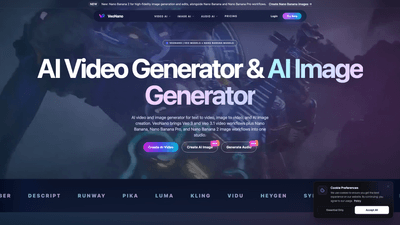
VeoNano is a cinematic AI video and high-fidelity AI image studio that brings together Veo and Nano Banana model families in one unified workspace. It enables text-to-video, image-to-video, and AI image generation, along with native audio capabilities, to streamline the creation of cinematic visuals for ads, product demos, moodboards, storyboards, social clips, and marketing campaigns. By integrating Veo 3.1’s advanced video workflows with the Nano Banana image-generation family (including Nano Banana Pro and Nano Banana 2), VeoNano provides a single studio for AI video, AI images, sound, and rapid campaign production. It’s designed to absorb future releases, so creators can grow their toolkit as new models become available.
Features
- AI Video Generator (Veo 3.1): Generate cinematic AI video from prompts or reference frames. Benefits include smoother motion, stronger prompt adherence, and improved scene consistency for narrative clips, product demos, and ads.
- AI Image Generator (Nano Banana family): Create high-fidelity images, concept frames, storyboards, and marketing visuals with Nano Banana, Nano Banana Pro, and Nano Banana 2 workflows for rich detail and consistent subject rendering.
- AI Audio Generator: Produce sound effects, voice, and music to complete trailers, commercials, and short-form edits within the same studio.
- Unified Studio: One platform for AI video, AI images, and audio, enabling faster campaign production without switching tools.
- Model Studio Access: Explore Veo models (Veo 3, Veo 3.1) and Nano Banana models (Nano Banana, Nano Banana Pro, Nano Banana 2) in a single interface, with future releases supported.
- Content Safety: Built-in protections to block impersonation, non-consensual content, misinformation campaigns, and other harmful uses. Users must hold rights to prompts, media, faces, voices, or brand assets uploaded.
- Free Starter Access: A starter tier provides credits to test AI video generation, image-to-video, AI image creation, and creative audio, serving as an entry point before upgrading to paid plans.
Keywords: VeoNano, Veo 3.1, Veo 3, Nano Banana, Nano Banana Pro, Nano Banana 2, AI Video Generator, AI Image Generator, Text to Video, Image to Video, AI Audio, cinematic AI, model studio, content safety, credits, starter tier, pricing.
How to Use
- Sign up and access VeoNano: Create an account, log in, and start in the VeoNano studio. A free starter tier is available to test AI video generation, image-to-video, AI image creation, and creative audio.
- Choose your workflow:
- Create AI Video (text to video or video from prompts, possibly with reference frames)
- Create AI Image (image-to-image generation or standalone AI images)
- Optional: Generate Audio to accompany visuals
- Select models:
- For video: use Veo 3.1 workflows to maximize cinematic quality, motion smoothness, and scene coherence
- For images: use Nano Banana family (Nano Banana, Nano Banana Pro, Nano Banana 2) to achieve high-fidelity outputs with strong subject consistency
- Input prompts and references:
- Provide descriptive prompts to guide cinematic style, mood, and actions
- For image-to-video, upload a reference image to enable camera motion and better subject alignment with prompts
- Generate and refine:
- Run generations, review outputs, and refine prompts or reference frames to improve results
- Add AI Audio to finish trailers, ads, or short-form edits without leaving the studio
- Export and reuse:
- Download final videos, images, and audio assets
- Save prompts and settings for reuse in future campaigns
- Pricing decisions:
- Start with the free starter tier to evaluate capabilities
- Upgrade to paid pricing for higher resolutions, longer generations, faster queues, and additional credits
Pricing is described as starter credits in the free tier, with paid pricing offering higher resolutions, longer generation times, faster queues, and more credits. Access to a pricing page or in-app pricing information is available after login.
Pricing
- Free Starter Tier: Includes credits to test AI video generation, image-to-video, AI image generation, and creative audio. Ideal for evaluating VeoNano’s capabilities and exploring workflows without an upfront investment.
- Paid Tiers: Provide higher resolution outputs, longer generation times, faster processing queues, and more credits to support ongoing production needs and larger campaigns.
- Note: Specific price points and tier names are not published in the available materials; pricing details are accessible via the in-app Pricing page after signing in.
Keywords: free starter tier, credits, higher resolutions, longer generations, faster queues, paid pricing, model access.
Tips
- Leverage the right model for the job:
- Use Veo 3.1 for cinematic video to maximize motion quality, prompt adherence, and scene consistency
- Use Nano Banana 2 (or Nano Banana Pro) for high-fidelity images with strong subject stability
- Start with clear prompts and reference frames:
- Provide specific cinematic style cues (lighting, camera angles, lens effects) to guide the model
- Upload reference images for image-to-video to improve camera motion and subject consistency
- Plan your production pipeline:
- Create storyboards with Nano Banana images first, then convert to video with Veo 3.1
- Generate accompanying audio with the AI Audio Generator to accelerate postproduction
- Optimize for safety and rights:
- Ensure you hold rights to all prompts, reference media, faces, voices, or brand assets used in your projects
- Follow VeoNano’s content safety guidelines to avoid impersonation or misrepresentation
- Explore model variety:
- The model studio combines Veo 3.x models with Nano Banana models, enabling experiments across video and image workflows
- Stay aware of future releases (e.g., potential Veo 4 or Nano Banana 3) as they become available
- Reuse assets and prompts:
- Save successful prompts and settings for rapid reuse in future campaigns
- Build a library of concept frames and moodboards to accelerate upcoming productions
Keywords: prompts, reference frames, cinematic style, lighting, camera angles, storyboard, moodboard, postproduction, safety, rights, model studio.
Frequently Asked Questions
-
What is VeoNano?
- VeoNano is a cinematic AI video and high-fidelity AI image studio that combines Veo 3.1 video workflows with Nano Banana image workflows in one platform, enabling text-to-video, image-to-video, image generation, and AI audio.
-
Which models are included?
- Veo models (Veo 3, Veo 3.1) for video and Nano Banana models (Nano Banana, Nano Banana Pro, Nano Banana 2) for images. The platform is designed to support future releases.
-
Can I do text-to-video and image-to-video in one workflow?
- Yes. VeoNano supports both text-to-video and image-to-video, plus AI image generation, all within the same studio.
-
Is VeoNano free to try?
- Yes. The starter tier provides credits to test AI video generation, image-to-video, AI image creation, and creative audio. Paid tiers unlock higher resolutions, longer generations, faster queues, and more credits.
-
How is content safety handled?
- VeoNano blocks impersonation, non-consensual content, misinformation campaigns, and other harmful uses. Users must have rights to any prompts, reference media, faces, voices, or brand assets uploaded.
-
What are typical use cases?
- Cinematic AI video for ads and product demos, concept frames and storyboards for marketing, moodboards for campaigns, social clips, virtual production tests, and fast campaign production.
-
How do I learn pricing and upgrade?
- Pricing information is available after logging in via the platform’s Pricing section. Starter credits are included in the free tier, and paid plans unlock more capabilities.
-
Can outputs be used commercially?
- Outputs are subject to VeoNano’s terms and licensing. Users should review usage rights and licensing terms within the platform to ensure compliance for commercial use.
-
Where can I see examples of outputs?
- VeoNano provides examples of AI video and AI image generation, including cinematic video scenes, high-fidelity images, and AI-generated audio, to illustrate capabilities across Veo and Nano Banana workflows.
This product overview highlights VeoNano as a comprehensive, SEO-friendly, and future-proof solution for creators seeking an all-in-one AI studio for cinematic video, high-quality images, and audio—designed to accelerate production timelines while maintaining control over quality, safety, and rights.