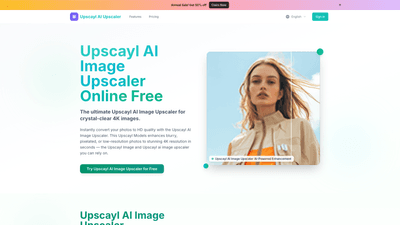
What is it
Upscayl AI Image Upscaler is a cloud-based, AI-driven tool designed to transform low-resolution photos into crystal-clear, print-ready 4K images. Powered by the Upscayl Models engine and the Upscayl AI Upscaler pipeline, this platform enhances blurred, pixelated, or noisy photos while preserving natural textures and details. It supports common image formats, offers adjustable upscaling up to 8K outcomes, and includes face enhancement with GFPGAN, noise reduction, texture reconstruction, and memory-preserving processing. Whether you’re restoring old photos, refining product shots for e-commerce, or producing social-ready images, Upscayl delivers near-lossless upscaling with professional, commercial-quality results in seconds.
Features
- AI-powered upscaling with crystal-clear details and high resolution
- Resolution options: 1K, 2K, 4K, 6K, 8K outputs
- Face enhancement via GFPGAN integrated with upscaling
- Noise reduction and texture reconstruction for natural realism
- Memory-preserving quality to maintain original texture and edges
- Print-ready 4K output suitable for professional use
- Multiple upscaling factors: 2x, 3x, 4x
- AI-enhanced, lossless-like upscaling that minimizes blur and pixelation
- Edge and texture refinement for accurate, lifelike results
- Commercial/Professional quality suitable for business needs
- One-click enhancement for fast HD conversion
- Light, fast processing with vibrant color enhancement
- Universal format support: JPG, JPEG, PNG, WEBP, BMP (up to 10MB)
- Batch processing and API access for larger workflows
- Simple, transparent pricing with free tier options
- Batch and API workflows ideal for photographers, designers, and e-commerce teams
Practical use cases and benefits:
- Restore old family photos or vintage images with sharp detail suitable for printing
- Improve product photography for catalogs, marketplaces, and social channels
- Prepare social media assets with vibrant color and crisp edges
- Streamline large-scale editing through batch processing and API access
- Achieve professional 4K results without specialized software or lengthy retouching
How to Use
-
Upload Your Image: Drop or click to upload a JPG, PNG, or WEBP image (up to 10MB). Upscayl handles a wide range of formats and can process multiple images in batch mode.
-
AI Processing: The platform analyzes the image, upscales the resolution, reduces noise, and enhances details. You can adjust options such as upscaling factor (2x/3x/4x) and enable face enhancement to optimize portraits and skin tones.
-
Download HD Result: Retrieve your crystal-clear, 4K-ready image instantly. The output is designed for print, website, or social media, with a quick before/after comparison to verify improvements.
How pricing fits usage:
- Free tier: Access to the core Upscayl AI Image Upscaler with limited credits for basic testing.
- Paid tiers: Increased credits and features (see Pricing). All plans support fast processing and high-quality outputs.
Tips for best results:
- Start with 4K outputs for print-ready needs; use 2x or 3x for web-ready assets to balance quality and file size.
- Use GFPGAN face enhancement for portraits to achieve natural-looking results without over-smoothing.
- Enable texture reconstruction and noise reduction for archival photos or low-quality captures.
- Leverage batch processing to speed up workflows when handling numerous images.
- Keep images under 10MB for optimal processing speed and reliability.
Pricing
Upscayl AI Image Upscaler offers a straightforward pricing structure with a free option and tiered plans designed for different user needs:
- Free (trial): Access to core Upscayl upscaling features with limited credits.
- Professional: Discounted to $4.90/month (regularly $7.90) when billed annually. Includes ~2400 credits/year or ~200 HD conversions per month, plus portrait mode and Ultra Clean AI upscaling, with priority email support.
- Business: Discounted to $7.90/month (regularly $9.90) when billed annually. Includes ~6000 credits/year or ~500 HD conversions per month, batch processing API access, and priority support.
- Enterprise: Discounted to $9.90/month (regularly $15.90) when billed annually. Includes ~36000 credits/year or ~3000 HD conversions per month, advanced API access, and dedicated support.
Note: Pricing reflects a 50% savings during flash promotions and annual billing. Plans provide access to Upscayl Models and Upscayl AI Upscaler workflows, with credits used for each upscaled image conversion and API operations.
Tips
- Choose the 4K output for print-ready marketing materials or high-quality product photography.
- Use batch processing for high-volume projects—great for studios, agencies, and e-commerce teams.
- Pair GFPGAN with upscaling for portraits to maintain natural facial features without oversharpening.
- Experiment with 2x, 3x, and 4x upscaling factors to balance detail and file size for various use cases.
- Take advantage of the API access in Business/Enterprise plans to automate repetitive tasks and integrate Upscayl into existing workflows.
- Keep images within the 10MB limit to ensure fast processing times and reliability.
Frequently Asked Questions
-
How does the Upscayl AI Image Upscaler work? It uses AI-powered models (Upscayl Models) to analyze content, reconstruct missing details, reduce noise, and upscale resolution while preserving textures and edges for natural-looking results.
-
What image formats are supported? Supports JPG, JPEG, PNG, WEBP, and BMP, with a maximum upload size of 10MB per image.
-
How long does processing take? Processing is described as lightning-fast, delivering results in seconds for most images.
-
Will I lose image quality when upscaling? Upscayl focuses on near-lossless upscaling, preserving textures and lines while reducing blur and pixelation. The aim is to deliver sharp, realistic results without over-sharpening.
-
Is Upscayl free to use? Yes, there is a free tier to try the tool. Paid plans unlock more credits, features, and API access to support larger workflows.
-
Are my photos stored on your servers? The platform provides information about storage and privacy in its privacy policy. Check the policy for details on temporary processing, storage duration, and data handling.
-
Do you offer API access? Yes. API access is included in Business and Enterprise plans, enabling batch processing and integration with other systems.
-
Who is this tool best suited for? Photographers, designers, and e-commerce teams needing reliable, fast 4K upscaling and image enhancement for marketing materials, product images, and archives.
Upscayl AI Image Upscaler stands out by combining AI-powered upscaling with advanced enhancement features (GFPGAN face support, texture reconstruction, noise reduction) and a clear, scalable pricing model. Whether you’re restoring legacy photos, preparing commerce-ready imagery, or optimizing social media visuals, Upscayl delivers professional-grade results with a streamlined workflow.