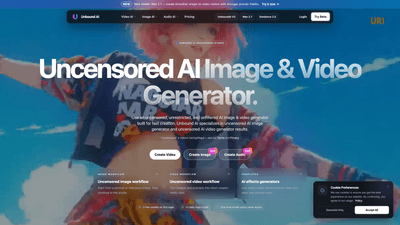
What is it
Unbound AI is an uncensored, unrestricted, and unfiltered creative platform for generating high-fidelity AI images and videos. Built for fast iteration and broad creative freedom, Unbound AI combines first-party models like Seedance 2.0 (cinematic image-to-video with improved face consistency), Wan 2.7 (smoother image-to-video motion and stronger prompt fidelity), and GPT Image 2 (rapid, high-quality text-to-image generation). The platform supports end-to-end workflows—from prompts or reference images to polished short clips—plus integrated audio tools for voice, music, and SFX. “Uncensored” on Unbound AI means fewer unnecessary style and content restrictions while still enforcing legal and safety boundaries per platform Terms.
Primary keywords: Unbound AI, uncensored AI image generator, uncensored AI video generator, Seedance 2.0, Wan 2.7, GPT Image 2, image-to-video, prompt fidelity, face consistency.
Features
-
Model Variety and Specializations
- Seedance 2.0: cinematic image-to-video with enhanced face consistency for character-focused motion.
- Wan 2.7: smoother motion transitions and stronger adherence to text prompts for predictable output.
- GPT Image 2: fast, high-quality image generation from text prompts.
- Additional models for image-to-image, video-to-video, and multimodal tasks (e.g., Seedream 5.0, Nano Banana, Kling 3.0).
-
Uncensored Creative Workflows
- Unrestricted Image Workflow: generate and refine nonsexual visual concepts with fewer prompt blocks.
- Unrestricted Video Workflow: produce short, creator-ready clips from text or images with motion controls.
- Prompt Control mode: flexible style and draft control with clear usage limits.
- Safety-Sensitive mode: plan mature-facing but nonsexual concepts with safer boundaries.
-
Studio and Templates
- Studio editor to iterate on prompts, reference images, and timing.
- Ready-made motion effects and templates for rapid prototyping.
- One-balance credit system across image, video, audio, and effects.
-
Integrated Audio Tools
- Add music, voice-over, and SFX to complete video projects.
- Convert video to audio or mix generated audio with visuals.
-
Fast Turnaround and Scalability
- Images generated in seconds, audio under a minute, videos typically in minutes (varies by model and queue).
- Batch processing, higher-resolution outputs, and priority queues available via credit packs.
-
Privacy and Data Controls
- Encrypted uploads in transit.
- Users control publishing and sharing; data-handling follows platform privacy policy.
How to Use
-
Sign Up and Get Started
- Create an account to receive 3 free credits on first login plus 1 daily login credit. Credits are used across image, video, audio, and effect generation.
- Explore model presets (Seedance 2.0, Wan 2.7, GPT Image 2) and select the workflow that matches your goal (text-to-image, image-to-video, etc.).
-
Basic Workflow Steps
- Choose a workflow: Image, Video, or Audio.
- Select a model and optionally upload a reference image.
- Write your prompt with target styles, motion cues, or facial details (use Seedance 2.0 for face-sensitive scenes; Wan 2.7 for motion-heavy shots).
- Generate a draft. Use the studio to refine prompts, adjust motion timing, and apply templates or effects.
- Add audio via the AI Audio tools or upload your own assets.
- Export or publish. Ensure you have rights to any uploaded content and confirm commercial permissions per your purchased credits and terms.
-
Credit Management and Production
- One-time credit packs never expire and unlock higher volume, resolution, batch processing, and priority queues.
- Use the same credit balance for combined image/video/audio projects to streamline billing.
-
Practical Use Cases
- Short-form social videos and motion assets for creators and marketers.
- Concept art and rapid visual prototyping for filmmakers and studios.
- Character animation drafts with improved facial consistency and prompt fidelity.
- Visual assets for advertising, game dev moodboards, and storyboard sequences.
- Voiceover and music integration for finished short clips.
Pricing
-
Free Tier
- New users receive 3 free credits on first login + 1 daily login credit to explore core generation capabilities.
- Free credits allow low-volume image and video tests and give hands-on experience with different models.
-
Paid Credits
- One-time credit packs available for purchase; credits never expire.
- Paid tiers unlock benefits such as higher-resolution outputs, batch processing, faster generation (priority queue), and access to advanced models or premium templates.
- Commercial use rights depend on purchased credit type, input rights, and platform terms—verify license details for monetization.
-
Performance Expectations
- Image generation: seconds.
- Audio generation: under a minute.
- Video generation: typically minutes, depending on complexity and queue.
Tips
- Model Selection Matters: Use GPT Image 2 for quick high-quality stills, Seedance 2.0 for scenes requiring consistent facial features across frames, and Wan 2.7 when smooth motion and strict prompt fidelity are priorities.
- Start with Templates: Leverage ready-made motion effects to prototype faster before investing credits in custom iterations.
- Iterative Prompting: Generate low-res drafts first to finalize composition and motion timing; then upscale with paid credits for production quality.
- Credit Efficiency: Consolidate multi-modal projects (image + video + audio) within the same session to optimize a single credit balance.
- Rights and Compliance: Always confirm commercial rights for any input content you upload. Unbound AI restricts illegal content despite “uncensored” nomenclature.
- Use Community Examples: Explore community creations for inspiration on prompts, motion phrasing, and model-specific behaviors.
Frequently Asked Questions
-
What is Unbound AI?
- Unbound AI is a platform for generating uncensored, high-quality AI images, videos, and audio, built to remove unnecessary stylistic restrictions while maintaining legal and safety controls.
-
Is Unbound AI free to use?
- Yes. New users receive free credits (3 first-login + 1 daily). Paid credit packs unlock higher volumes and premium features; purchased credits never expire.
-
Can I use generated content commercially?
- Commercial use depends on the specific credit package purchased, your rights to any uploaded materials, and adherence to platform terms. Verify license details before monetizing.
-
Which models are best for video generation?
- Seedance 2.0 is optimal for cinematic, face-consistent sequences. Wan 2.7 is recommended when motion smoothness and prompt fidelity are crucial.
-
How fast are generations?
- Images typically in seconds, audio under a minute, and videos in minutes (depending on workload and queue). Priority queues are available via paid credits.
-
What does “uncensored” mean on this platform?
- It means fewer unnecessary creative restrictions compared to heavily filtered systems; it does not permit illegal content, and some sensitive or third-party models may still apply safety checks.
-
How is data protected?
- Uploads are encrypted in transit, and data handling follows the platform’s privacy policy. Users control publishing and sharing settings.
-
Who should use Unbound AI?
- Creators, social media producers, indie filmmakers, concept artists, game developers, and marketing teams who need fast, flexible, and less-restricted AI-driven image and video production with integrated audio.
Unbound AI’s unique value lies in combining uncensored creative freedom with specialized models for face consistency and motion fidelity, integrated audio tools, and a single credit system that supports multimodal production—enabling creators to move from prompt to publish-ready content quickly and flexibly.