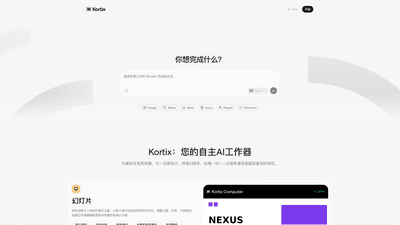
What is Kortix: Your Autonomous AI Work Assistant
Kortix is an autonomous AI work assistant designed to tackle complex tasks across a wide range of workloads. From simple requests to multi-faceted projects, Kortix acts as an ultimate AI collaborator that can handle everything you need. Whether you’re generating stunning slides, transforming raw data into actionable insights, drafting professional documents, conducting in-depth research, or producing on-brand visuals, Kortix is built to adapt to your workflow. It excels at turning disparate inputs into polished outputs with intelligent editing, formatting, and optimization—all while offering rapid updates as your needs evolve.
Core Features and Capabilities
-
Slide Creation and Presentation Enhancement
- Instantly generate compelling presentations for pitches, reports, and training materials.
- Customize themes, layouts, and content structure; rapidly edit and refine existing decks.
- Reorganize content, adjust tone, and apply consistent formatting to maintain a professional look.
-
Data Transformation and Visualization
- Convert raw data into insights by cleaning datasets, building charts, dashboards, and reports.
- From spreadsheets to dashboards to visualizations, Kortix streamlines data workflows.
- Quick updates to reflect new data, trends, or scenarios with minimal friction.
-
Document Writing and Editing
- Write and edit documents with ease, from proposals and guidelines to content snippets.
- Adjust tone, structure, and formatting; perform rapid rewrite and polishing to meet brand voice.
- Reorganize content fragments to ensure coherence and readability across sections.
-
Research and Scholarly/Market Analysis
- Conduct comprehensive research across topics, markets, and competitive landscapes.
- Collect sources, synthesize findings, and compile insightful reports.
- Update research quickly to incorporate new data, studies, and perspectives.
-
Visual Content Creation
- On-demand image creation for product photos, social graphics, and illustrations.
- Fine-tune style, lighting, color, and layout; edit visuals to perfection.
- Generate logos and branded assets; adapt imagery for different channels and formats.
-
All-in-One Workspace Integration
- A unified platform that brings slides, data, documents, and visuals into a cohesive workflow.
- Consistent styling and messaging across formats to maintain brand integrity.
- Efficient collaboration with real-time edits, version history, and updates.
How to Use
-
Getting Started
- Sign up and access Kortix’s autonomous AI workspace.
- Choose the task type: slides, data visualization, documents, research, or visuals.
- Upload or link your source materials (data sets, text, designs, or branding guidelines).
-
Working with Slides
- Input your core message, audience, and desired tone.
- Select theme and layout preferences; Kortix generates a new deck or updates an existing one.
- Refine by tweaking sections, reorganizing content, and applying consistent styles.
-
Working with Data
- Upload datasets or connect to data sources.
- Define metrics, charts, and dashboards; Kortix cleans data and builds visuals.
- Update visuals with new data and export reports or presentations.
-
Document Creation
- Provide a brief or outline; choose tone and structure requirements.
- Kortix drafts, rewrites, or polishes the document; apply formatting and style guidelines.
- Export to preferred formats (PDF, DOCX, etc.) with preservation of branding.
-
Research and Visuals
- Enter research questions or topics; Kortix aggregates sources and synthesizes findings.
- Generate visual assets, diagrams, and illustrations aligned with the research narrative.
- Update with new sources and revise conclusions as needed.
-
Pricing and Tiers
- Kortix offers a range of plans (free and paid tiers available, with advanced features in paid plans).
- Free tier typically includes core AI capabilities with usage limits.
- Paid tiers unlock higher usage quotas, priority support, full data processing capabilities, advanced editing tools, and premium templates.
- Pricing is designed to scale with team size and workflow complexity, offering flexible options for individuals and organizations.
Use Cases and Benefits
-
Accelerated Pitch Decks and Proposals
- Create polished, on-brand presentations quickly, enabling faster client or investor engagements.
- Consistent visuals, messaging, and layout reduce the need for manual formatting.
-
Data-Driven Decision Making
- Turn raw datasets into intuitive dashboards and reports that stakeholders can act on.
- Smooth data cleaning, transformation, and visualization pipelines without specialized data teams.
-
Efficient Knowledge Creation
- Produce well-structured proposals, guidelines, manuals, and content snippets with professional tone and formatting.
- Maintain a consistent voice across internal and external documents.
-
Research Intelligence
- Conduct comprehensive studies with properly cited sources and synthesized insights.
- Stay up-to-date with market trends and competitive analyses.
-
Visual Branding and Marketing
- Generate product imagery, social graphics, and illustrations tailored to branding.
- Rapidly adapt visuals for campaigns, websites, and social media without outsourcing.
-
Team Collaboration and Efficiency
- An integrated environment reduces switching costs between tools.
- Real-time collaboration, version tracking, and rapid updates improve productivity.
Advantages and Unique Value
-
All-in-One Autonomous AI Assistant
- Kortix consolidates multiple workflows into a single platform, reducing tool fragmentation.
- AI-driven automation handles repetitive edits and reformatting, freeing time for higher-value tasks.
-
Intelligent Content Adaptation
- The AI adapts tone, structure, and formatting to match brand guidelines and audience needs.
- Quick edits and reflows ensure materials stay current without starting from scratch.
-
Fast Turnaround with High-Quality Output
- From data visualization to slide decks to documents, Kortix emphasizes speed without compromising quality.
- Users can generate drafts rapidly and iterate with targeted refinements.
-
Flexible, Scalable Pricing
- A tiered pricing model accommodates individuals and teams, with scalable options as needs evolve.
- Free access allows experimentation, while paid tiers unlock deeper capabilities and higher throughput.
-
Continuous Improvement
- Frequent updates add new templates, features, and integrations to broaden use cases.
- The tool evolves with user input to better support complex projects and enterprise requirements.
Target Audience
- Professionals who produce presentations, reports, and proposals
- Analysts and data teams requiring rapid data transformation and visualization
- Writers and editors needing efficient drafting and polishing capabilities
- Researchers conducting market and competitive analyses
- Marketing and design teams needing on-brand visuals and assets
- Small to large organizations seeking an integrated AI-assisted workflow
Frequently Asked Questions
-
What can Kortix create for me?
- Kortix can generate slides, transform data into dashboards and visuals, draft and edit documents, conduct research, and create on-brand visuals.
-
Do I need technical expertise to use Kortix?
- No advanced technical skills are required. Kortix is designed for ease of use across various tasks, with intuitive controls for customizing tone, layout, and style.
-
Can Kortix handle sensitive data?
- Kortix emphasizes secure handling of data, with options to protect confidential information according to platform security standards. Review specific security and compliance details in the product documentation or pricing page.
-
Is there a free version or trial?
- Yes, there is a free tier available with core features and usage limits. Paid tiers unlock additional capabilities and higher usage quotas.
-
How does the collaboration work?
- The platform supports real-time collaboration, version history, and seamless sharing. Teams can work together on slides, documents, data projects, and visuals.
-
Can I export outputs to common formats?
- Yes, outputs can be exported to formats such as PPTX, PDF, DOCX, and image formats, preserving formatting and branding.
-
How does pricing work?
- Kortix offers multiple plans, including a free tier and paid tiers with enhanced features, higher usage limits, and priority support. Specific pricing varies by plan and team size.
-
Is there support or onboarding assistance?
- Paid plans typically include priority support and onboarding resources. Access to tutorials and templates is available to help you start quickly.
-
Can Kortix update outputs when data changes?
- Yes, you can quickly update slides, dashboards, and documents as new data or information becomes available, ensuring materials stay current.
-
Is Kortix suitable for enterprise use?
- Kortix is designed to scale from individuals to teams and organizations, with features that support collaboration, governance, and consistent branding across materials.
This comprehensive overview presents Kortix as a robust, adaptable AI assistant that unifies presentation, data, document, research, and visual tasks into a single, efficient workflow. By leveraging its autonomous capabilities, users can streamline complex projects, maintain brand consistency, and rapidly produce high-quality outputs.