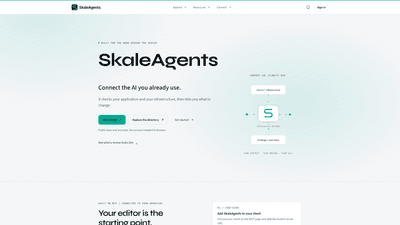
What is it
SkaleAgents is an AI-powered workflow assistant designed to streamline the work that happens behind the scenes of deployment. It connects to the AI you already use and sits at the start of your editor or web app workflow, where it analyzes your application and infrastructure, then returns concrete changes and next steps. By integrating with MCP (the platform that connects AI tools to your development work), SkaleAgents delivers context-rich review findings in the same conversation, linking findings directly to the code and configuration behind them. It’s built to align AI recommendations with your existing tools, teams, and governance processes, so you can review, validate, and apply improvements with confidence.
Features
-
MCP integration and workflow alignment
- Connect SkaleAgents to your preferred AI assistants and editors through MCP
- Works within your editor, chat, or web app
- Findings returned in the same conversation, connected to your code and infrastructure
-
AI-assisted architecture and code reviews
- Request architecture reviews with relevant source or infrastructure
- See concrete findings, operational impact, and focused fixes
- Practical next steps tied to your project context
-
Specialist bots and prompt library
- Browse a directory of public specialist bots and prompts
- Open a bot to read instructions and run prompts in your own project context
- Copy prompts for reuse in your own workflows
-
Flexible usage modes
- Use a prompt in chat, connect a tool in your editor, or review an audit with your team
- Start with a specialist bot or build a custom review playbook tailored to security, reliability, or capacity
-
Demo and hands-on exercises
- Interactive examples to preview checks (without needing a live audit)
- See sample findings, input, and suggested fixes
- Learn how a review maps findings to code and configurations
-
Public resources with no account required to browse
- Public prompts and prompts library are accessible to explore best practices
- Helps teams learn what a review looks like before integrating fully
How to Use
- Configure MCP integration
- Choose your AI client on the MCP page (e.g., Claude, ChatGPT, Grok, Codex, or others) and add the hosted server URL.
- This step wires SkaleAgents into your existing AI and editor environment so reviews and prompts flow into your workflow.
- Authorize and connect
- Use Google OAuth to authorize access through your chosen client.
- Sign in if needed and approve MCP access; credentials are handled automatically, keeping your workflow friction-free.
- Request a review
- Ask SkaleAgents to perform an architecture or infrastructure review using relevant source or configuration.
- Read the findings and suggested next steps in the same conversation, with each finding linked to the underlying code or deployment context.
- Put it to work
- Decide what to change and apply the recommended fixes in the context of your project.
- You can customize prompts, target specific areas (security, reliability, performance, etc.), and review how suggestions map to your deployment.
Pricing
- SkaleAgents provides access to public resources and demonstrations without mandatory accounts for browsing.
- Pricing for MCP-connected usage and enterprise features is not publicly listed here. For detailed pricing, including any free tiers and paid plans, contact SkaleAgents or your account representative. It’s common for AI workflow tools to offer a mix of free resources, trial access, and paid tiers for production-scale use; expect options to fit individual projects and team needs.
Tips
-
Start with a specialist bot
- Browse the public bot directory to find a specialist aligned with your current task (security, reliability, MLOps, etc.)
- Open the bot and run prompts using your own project context to get concrete, actionable guidance
-
Link findings to your code
- When you request a review, ensure you provide relevant source code or infrastructure (e.g., Terraform, Kubernetes manifests) so the tool can cite code and show exact impact
- Use the “Cite the relevant code” and “Explain the operational impact” prompts to get precise, verifiable guidance
-
Use the prompt library for repeatability
- Copy prompts from the library to standardize how you run architecture reviews or audits
- Create reusable playbooks for common scenarios (DevSecOps, reliability, performance)
-
Schedule audits and keep governance in view
- Take advantage of scheduled audits to monitor infrastructure and deployments over time
- Align reviews with your security and compliance requirements by selecting the appropriate checks
-
Start small, then scale
- Begin with a focused review (e.g., a single service or a single manifest)
- Gradually broaden the scope to cover more of your stack as you gain confidence and see measurable improvements
-
Privacy, boundaries, and control
- Review what data is shared with AI tools and configure access accordingly
- You can revoke tool access and adjust permissions as needed to protect sensitive information
-
Practical outcomes
- Expect clear next steps, who should implement changes, and how to verify fixes
- Use the included verification guidance to confirm improvements in your CI/CD and production readiness
Frequently Asked Questions
-
What is SkaleAgents, in plain English?
- SkaleAgents is an AI-assisted workflow assistant that hooks into your existing AI tools and development environment via MCP to audit your application and infrastructure and deliver actionable changes in the same conversation.
-
How is this different from a generic AI chatbot?
- Unlike generic chatbots, SkaleAgents connects directly to your code and deployment configurations, links findings to specific lines of code or manifests, and provides concrete, verifiable next steps tied to your workflow.
-
Can I try it without an account?
- Yes, public resources and prompts can be browsed without creating an account. For live reviews and full MCP integration, an account and authorization are required.
-
Which AI assistants and editors are supported?
- SkaleAgents supports a range of AI assistants (Claude, ChatGPT, Grok, Codex, Perplexity, and more) and can be used within your editor or web app through MCP.
-
Do I need to connect my cloud account or repository?
- Connecting your sources (code repositories, infrastructure manifests, etc.) enables precise, context-aware reviews. You control what is shared, and you can revoke access when needed.
-
Will an agent change my production infrastructure?
- The tool provides recommendations and next steps. Changes are applied by you or your team; the system highlights what to modify but does not enact production changes autonomously without your confirmation.
-
Can I keep my bots private and revoke tool access?
- Yes. You can manage which bots and prompts are available to your team, keep certain workflows private, and revoke access to maintain control over your environment.
-
What are the current limits or constraints?
- Details about usage limits, pricing tiers, and feature availability vary by plan and provider. Check with SkaleAgents for the latest limits tied to your account and MCP configuration.
-
Who is the ideal user for SkaleAgents?
- Engineering teams and DevOps professionals who want repeatable, evidence-based architecture and infrastructure reviews integrated into their existing AI-assisted workflows. It’s especially valuable for security, reliability, SRE, and MLOps-focused teams seeking actionable guidance linked directly to their code and configurations.
SkaleAgents helps you connect the AI you already use to the work you do, turning reviews into practical, verifiable improvements. By tying findings to your code and deployment context, it enables faster, safer, and more informed decisions—without leaving your current tools or workflows.