What is it
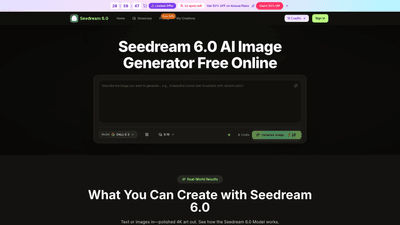
Seedream 6.0 AI Image Generator is a cloud-based, browser-first tool powered by Bytedance that turns text prompts and photos into high-quality 4K artwork. No download or installation is required—you can access Seedream 6.0 directly in your browser from the official Seedream site or dreamina web. The model excels at merging multiple inputs to produce cohesive visuals, supports powerful style transfer, and automates lighting and color for polished results. Whether you need product shots, avatars, social visuals, or concept art, Seedream 6.0 is designed to deliver professional-grade images in seconds, with a focus on speed, versatility, and ease of use—even for non-designers.
Features
- Multi-input image merging: Upload three references (subject, scene, and artistic style) and Seedream 6.0 analyzes and blends them into a single, harmonious artwork. This enables complex visuals that combine several elements seamlessly.
- Text-to-image generation: Type Seedream 6.0 prompts in natural language and generate professional images with proper lighting, composition, and mood—no design skills required.
- Style transfer across images: Copy the artistic style from one reference and apply it to a new subject. Works across realistic photography, anime, watercolor, and other styles while preserving consistency.
- Image editing capabilities: Edit text within photos, change clothing on models, remove backgrounds, restore faded photos with colorization and sharpening, and update dates or prices without disturbing layout.
- 4K export and polish: Output sharp 4K images suitable for campaigns, product catalogs, and marketing materials. Automatic lighting and color corrections help ensure a polished result every time.
- Quick, browser-based workflow: Access Seedream 6.0 in any modern browser, on desktop, tablet, or mobile—no app installs, no downloads, quick sign-in required.
- History and licensing: Comprehensive image history and a commercial-use license included with paid plans, enabling reuse in ads, campaigns, and other commercial projects.
- Flexible input methods: Use either text prompts, image uploads, or a combination of both to generate and refine visuals.
- Efficient performance: Typical image generation occurs in seconds, with a responsive queue that prioritizes faster delivery where possible.
How to Use
- Visit the Seedream 6.0 interface: Go to the Bytedance Seedream 6.0 official site or dreamina web. Access is browser-based, so no software installation is needed.
- Sign in and start: Create an account or sign in to access free starter credits. Seedream 6 Online Free provides an entry point to test capabilities before upgrading.
- Provide input: Upload up to three images (subject, scene, and style) or type a Seedream 6.0 prompt describing your vision. You can mix both approaches for greater control.
- Generate: Click Generate and wait a few moments for the Seedream 6.0 model to create your image. In many cases, results appear in under 30 seconds.
- Preview and refine: Review the output, adjust prompts or inputs, and re-generate if needed. When satisfied, download your 4K image.
- Optimize and reuse: Use built-in editing tools to tweak text, backgrounds, or color; save favored prompts and styles for future projects.
Pricing and tiers
- Free tier: Seedream Online Free with starter credits to explore capabilities without any card requirements.
- Basic: Ideal for hobbyists and beginners. Includes a yearly plan with thousands of credits and monthly image limits suitable for small-scale projects.
- Professional: Designed for creators and professionals, offering a higher credit count and more images per month.
- Enterprise: For teams and businesses requiring large-scale usage, priority processing, and advanced features.
Annual plans commonly offer around 50% savings compared to monthly rates (flash sale details may appear periodically). Each plan provides a defined credit bundle (e.g., thousands of credits per year) and a cap on the number of images you can generate per month. Credits are consumed per generation, and the system supports a straightforward “cost per 100 credits” model to help you estimate usage. In addition, paid plans include commercial-use rights and an enhanced workflow with priority generation queues and dedicated support.
Practical note: Seedream 6.0 emphasizes cost-effective access with a free entry point and progressively capable paid tiers, enabling individuals and teams to scale their image production without sacrificing quality.
Tips
- Start with a strong trio of inputs: subject, scene, and style. The model blends these inputs into a cohesive image, so clear, complementary references yield better results.
- Use natural language prompts. Describe lighting, mood, and composition in plain terms to guide the model toward your vision.
- Leverage style transfer to maintain consistency across campaigns. Apply a familiar aesthetic to new subjects to preserve brand identity.
- Experiment with edits in the in-app tools. Quick text edits, background removal, and color adjustments can dramatically improve final layouts without external software.
- Save and reuse prompts. If you like a particular look, store the prompt and reference images to reproduce or iterate with variants.
- Plan for scale. If your project requires many visuals, choose a plan with higher monthly limits to avoid bottlenecks.
- Consider the commercial-use license for campaigns. Ensure your chosen plan aligns with licensing needs for ads, social content, and product imagery.
Frequently Asked Questions
-
How do I access Seedream 6.0?
Visit the official Seedream 6.0 site or dreamina web and sign in. Seedream 6 Online Free runs in your browser, with no app installation required. -
Is Seedream 6.0 free to use?
Yes, you can start with Seedream 6 Online Free and receive starter credits. Upgrading to paid plans unlocks higher limits, more features, and commercial-use licensing. -
Do I need design experience?
No. The system is designed so you can describe your vision in plain language or upload reference images. Seedream 6.0 handles composition, lighting, and style automatically. -
Can I use Seedream 6.0 on my phone?
Yes. The service is browser-based and works across desktop, tablet, and mobile devices without installing an app. -
How long does it take to generate an image?
Most images are ready in under 30 seconds, depending on inputs and queue. -
What can I create with Seedream 6.0?
Seedream 6.0 supports a wide range of outputs, including product shots, avatars, concept art, social visuals, and marketing assets across photorealistic, anime, watercolor, and other styles. -
What about licensing and usage rights?
Paid plans include a commercial-use license, enabling use of generated images in ads, campaigns, and other commercial contexts. -
How do credits work?
Generation consumes credits. Plans define annual credit bundles and monthly image limits. The system provides pricing per 100 credits to help manage costs. -
Is there ongoing support or priority access?
Higher-tier plans typically offer priority generation queues and enhanced support. Enterprise plans emphasize priority assistance and team-scale features.
Seedream 6.0 presents a compelling value for creators and teams seeking fast, high-quality 4K visuals with flexible input methods, in-browser accessibility, and scalable licensing. Whether you’re crafting product imagery, branding visuals, or social assets, Seedream 6.0 combines ease of use with powerful editing and style capabilities to accelerate your creative workflow.