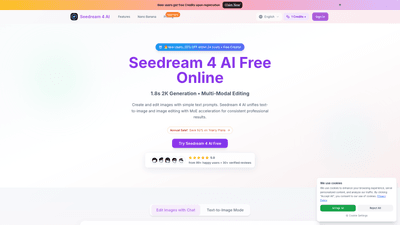
What is Seedream 4 AI
Seedream 4 AI is a powerful online image generation and editing tool that combines text-to-image creation with intelligent image editing. Leveraging multi-modal acceleration, Seedream 4 AI delivers consistent, professional 2K-quality visuals in seconds. Users can generate images from simple text prompts, upload their own images, and perform precise edits through natural language instructions. The platform emphasizes speed (approximately 1.8 seconds per generation) and ease of use, enabling both beginners and professionals to produce high-quality visuals without specialized design skills.
Key Features and Capabilities
- Text-to-Image Generation: Create stunning 2K images by entering concise or detailed prompts. The system interprets descriptive prompts to deliver high-resolution visuals quickly.
- Image Upload and Editing: Upload JPG, PNG, or WEBP images (up to 5MB) and edit them through plain text prompts. No complex tools or workflows required.
- Multi-Modal Editing: Combine generation and editing in one workflow. Use prompts to modify colors, lighting, backgrounds, styles, and more while preserving core composition.
- Context-Aware Editing: Seedream 4 AI analyzes the input image to maintain consistent lighting, perspective, and composition during edits.
- Natural Language Interface: Edit images using simple, intuitive prompts (e.g., “add a tattoo,” “make it Pixar,” or “change background to neon city”).
- 2K Output Quality: Output native 2K resolution without heavy post-processing, ensuring professional-grade results.
- Style Transfer: Apply a variety of artistic styles (photorealistic, anime, oil painting, etc.) while preserving the original composition.
- Quick Generation Speed: Achieve generation and editing in about 1.8 seconds with accelerated processing.
- Creative and Professional Templating: Suitable for both hobbyists and professionals, enabling rapid prototyping and final deliverables.
- Brand-Ready and Commercial Use: Plans include commercial use licenses for business-scale projects.
How to Use Seedream 4 AI
- Access and Sign In
- Free credits are available for new users upon registration. There are also promotional discounts (e.g., 50% OFF plans during sales) and annual billing options to maximize value.
- Generate from Text or Edit with Prompt
- Text-to-Image: Enter a detailed prompt describing subject, colors, lighting, mood, and style. Seedream 4 AI converts the prompt into a 2K image.
- Image Editing: Upload an image, then describe the desired changes using plain language. Examples include changing the background, applying a specific style, or adding/altering elements.
- Choose Style and Generate
- Select from Seedream 4 AI’s diverse style options to tailor the final piece (e.g., photorealistic, cartoon, oil painting, etc.).
- Preview results and iterate with additional prompts if needed.
- Pricing and Plans
- Basic Plan: Suitable for hobbyists and beginners with a yearly credit bundle. Includes a set amount of credits for image generation and downloads.
- Pro Plan: Designed for creators and professionals with higher credit limits, more downloads, and a commercial use license.
- Enterprise Plan: For teams and businesses requiring bulk credits and advanced permissions.
- Seasonal promos: 50% off annual plans during sales; ongoing credits for new users.
- Download and Use
- Outputs can be downloaded in high-quality formats suitable for social media, marketing, product visuals, and more.
- Permanent image history is available, allowing revisiting and re-downloading previous creations.
Use Cases and Benefits
- Social Media and Marketing Visuals: Quickly generate on-brand images for posts, ads, and campaigns with consistent lighting and style.
- Product Mockups and Demos: Create realistic product visuals or concept renders from textual descriptions to speed up prototyping.
- Creative Exploration: Experiment with multiple art styles and color palettes to discover the best look for a concept.
- Editorial and Presentation Graphics: Produce compelling visuals for reports, slides, and pitches without needing a designer.
- Image Transformation: Modernize or enhance existing photos—background changes, style shifts, or element additions—while retaining composition.
Benefits:
- Time Savings: Subseconds-per-image generation accelerates workflows and reduces design backlogs.
- Accessibility: A natural language interface lowers the barrier to high-quality image creation, enabling non-designers to achieve professional results.
- Consistency and Professionalism: Context-aware editing preserves core image integrity, ensuring cohesive visuals across projects.
- Flexible Licensing: Commercial use licenses in professional and enterprise plans support business creative needs.
- Cost Efficiency: Free credits for new users and promotional pricing help teams test and scale without large upfront investments.
Target Audience and Requirements
- Content Creators: Social media managers, bloggers, and influencers seeking quick, high-quality visuals.
- Digital Artists: Artists exploring concepts, styles, and rapid transformations without traditional software.
- Marketing Teams: Agencies and brands needing scalable image generation for campaigns.
- Small Businesses: Startups and e-commerce brands requiring product visuals, banners, and mockups.
- Teams and Enterprises: Organizations that need bulk credits, collaboration, and commercial licenses.
Tips for Best Results
- Be Specific: Mention colors, lighting, mood, and composition details to guide generation.
- Style Keywords: Include references like “photorealistic,” “anime,” or “oil painting” to shape output.
- Quality Focus: Add terms like “high resolution,” “detailed,” and “clean background” for sharper results.
- Iterative Refinement: Start with a base prompt, review results, and adjust prompts for improvements.
- Preserve Core Elements: When editing, describe changes while maintaining essential subject and composition.
Pricing Overview (Summary)
- Basic: Entry-level credits for hobbyists; annual plan with a starting monthly rate and a bundled credit allotment.
- Pro: Higher credit cap and unlimited downloads; ideal for professionals and frequent creators.
- Enterprise: Highest tier with substantial credits and team-oriented features.
- Promotions: Seasonal 50% annual savings; regular upgrades and new-user credits.
Note: Specific price points, credit quantities, and plan names are subject to change; refer to the current pricing page for the latest figures.
Frequently Asked Questions
- What is Seedream 4 AI? A versatile online AI tool that combines text-to-image generation with intelligent image editing using natural language prompts.
- How fast does it generate images? Approximately 1.8 seconds per generation, with rapid editing workflows.
- Do I need design skills? No. The natural language interface enables editing and creation without advanced tools.
- Can I use images commercially? Yes, commercial licenses are included in Pro and Enterprise plans.
- What formats can I download? Outputs are provided in professional formats suitable for web and print (typical 2K resolution).
- Is there a free trial or credits for new users? New users receive free credits upon registration, with ongoing promotions and discounts.
- Can I upload my own images? Yes, you can upload JPG, PNG, or WEBP images up to 5MB for editing.
- Are there style options? Yes, Seedream 4 AI offers multiple artistic styles to apply to generated or edited images.
This comprehensive overview highlights Seedream 4 AI’s core value: a fast, intuitive, and versatile AI-powered image generation and editing solution that empowers users to create, transform, and optimize visuals with minimal effort and maximum impact.