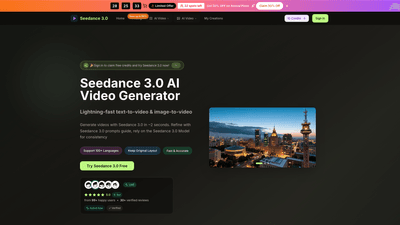
What is it
Seedance 3.0 is a cutting-edge AI video generator designed by Bytedance to transform text and images into high-quality videos rapidly. With Seedance 3.0, you can create text-to-video and image-to-video content in seconds, guided by a robust prompts system that ensures consistency and creative control. The platform supports 100+ languages, delivers HD output, and offers professional features that cater to both individual creators and teams. Key advantages include multi-modal references for precise direction, natural language video creation, and a comprehensive set of tools to tailor motion, lighting, camera angles, and audio—all without watermarking.
Features
- Lightning-fast generation: produce premium Seedance 3.0 AI videos in seconds (typical turnaround in the 15–30 second range, with some flows as fast as 2 seconds).
- Text-to-Video and Image-to-Video: convert descriptions or images into dynamic video content.
- Seedance prompts guide: the integrated prompts system helps you describe scenes, styles, motion, and mood for accurate results.
- Multi-modal reference control: guide composition, character appearance, camera angles, lighting, and audio using images, video clips, and sound cues.
- Native audio and audio sync: synchronized stereo audio aligned precisely with video cuts for immersive reels and product stories.
- Stable motion and realism: smooth, natural movements with consistent physical accuracy, reducing AI wobble.
- HD output: high-definition video quality suitable for professional use.
- 100+ languages: broad linguistic support for global creators.
- No watermark and priority options: professional outputs without branding overlays; enhanced processing queues available.
- Commercial use license: legally clear for marketing, advertising, and business projects.
- Additional capabilities: Seedance 3.0 AI video enhancer, AI video background remover, and a range of model presets (Seedance, Seedream, Veo 3, Sora 2, Wan 2.5) for specialized workflows.
- User-friendly workflow: a streamlined, four-step process—from choosing the generator to refining results.
How to Use
- Step 1: Choose Seedance 3.0 Video Generator
- Select the integrated AI editor for professional HD videos and access the Seedance 3.0 model.
- Step 2: Upload or Describe
- Upload an image for image-to-video or enter a clear text description to generate a new video. Use the Seedance 3 prompts guide to shape scene, style, and motion.
- Step 3: Generate and Download
- Click generate and you’ll receive a finished video in seconds, ready to download.
- Step 4: Refine
- Fine-tune details, adjust aspect ratio (e.g., 16:9, 4:3, or other presets), and tweak settings to achieve professional-grade results.
Pricing in Seedance 3.0 reflects a tiered approach designed for individual creators and teams, with annual plans that offer substantial savings and credits to fuel ongoing production. Users can start with free credits or trial options where available, and there are time-limited offers to save up to 50% on annual plans. Access can be via the official Seedance 3.0 website, the Seedance3.0 app, or online demos such as Dreamina-powered previews.
Pricing
- Basic (Yearly): approximately $20.9/month (listed as $29.9 down to $20.9 with annual billing)
- Includes 12,000 credits per year
- Up to 100 images per month
- Seedance 3.0 AI generation and unlimited downloads
- 12,000 Seedance 3.0 credits with annual billing
- Commercial use license and no watermark
- Access to Seedance 3.0 Model, Seedream model, and AI video enhancements
- Priority generation queue and yearly-only features
- Professional (Yearly): approximately $29.9/month (listed as $49.9 down to $29.9 with annual billing)
- Includes 24,000 credits per year
- Up to 200 images per month
- Everything in Basic, plus additional priority support
- 24,000 Seedance 3.0 credits per year
- Commercial use license and no watermark
- Access to Seedance 3.0 Pro features and related models
- Enterprise (Yearly): approximately $49.9/month (listed as $99.9 down to $49.9 with annual billing)
- Includes 72,000 credits per year
- Up to 600 images per month
- Everything in Professional, plus unlimited downloads and extended support
- Priority customer support and priority generation queue
- All Seedance models and advanced collaboration tools
- Limited-time offers
- “Limited Offer: 32 spots left” with up to 50% off annual plans
- “Flash Sale” savings across Basic, Professional, and Enterprise tiers
- Free credits and trial
- Sign in to claim free credits and try Seedance 3.0, with optional online demos to try Seedance 3 Online Free
Note: Pricing and credits are subject to change. Verify current plans on the official Seedance 3.0 website for exact terms and conditions.
Tips
- Start with clear prompts: describe scene composition, character appearance, camera angles, lighting mood, and audio cues to maximize model alignment.
- Use the prompts guide: leverage Seedance 3.0’s built-in prompts to standardize your inputs for consistent outputs.
- Optimize for length and aspect: select appropriate video duration and aspect ratio early to reduce revisions.
- Leverage multi-modal references: combine text and images to guide motion, style, and environment with precision.
- Prioritize audio alignment: pair visual cuts with synchronized audio for more engaging reels and product stories.
- Experiment with models: if your project requires specific aesthetics, switch between Seedance 3.0 Model, Seedream, Veo 3, Sora 2, and Wan 2.5 presets.
- Maintain a consistent voice: use standardized prompts to ensure characters and scenes remain coherent across scenes or multiple videos.
- Use credits strategically: plan a batch of videos to maximize the value from your annual credit allotment, especially if you’re a team or agency.
Frequently Asked Questions
- How to access Seedance 3.0?
- Access Seedance 3.0 on the Bytedance Seedance 3.0 official website or via the Seedance3.0 App. You can also try Seedance 3 Online Free through supported online demos.
- How to use Seedance 3.0?
- Enter a text prompt or upload an image, choose your style and settings, then click generate. The Seedance 3.0 AI Video Generator creates your video in seconds.
- Where can I use Seedance 3.0 online free?
- You can try Seedance 3 Online Free on the official Seedance 3.0 website or Dreamina-powered demos, accessible in-browser without installation.
- What is Seedance 3.0?
- Seedance 3.0 is Bytedance’s AI video generator that supports text-to-video and image-to-video creation with prompts, offering professional-grade outputs for campaigns, ads, social videos, and more.
- How can I get the best results?
- Use clear, specific Seedance 3.0 prompts describing scene, style, motion, and audio. The Seedance 3.0 Model responds best to precise descriptions and multi-modal references.
- Who is Seedance 3.0 for?
- Creators, marketers, designers, and teams seeking rapid, high-quality AI-generated video content for advertisements, social media, product launches, tutorials, and campaigns.
- Is there a commercial use license?
- Yes. Seedance 3.0 offers a commercial use license with no watermark on outputs, making it suitable for business and marketing activities.
- Can I cancel or upgrade later?
- Yes. Plans are designed to scale with your needs, and you can upgrade or cancel with support as required (contact support for assistance).
This Seedance 3.0 AI Video Generator overview highlights a powerful, fast, and versatile solution for turning prompts and visuals into ready-to-use video content. Its combination of fast generation, multi-modal control, HD output, and broad language support makes it a compelling choice for creators and teams seeking efficient, professional AI-powered video production.