What is it
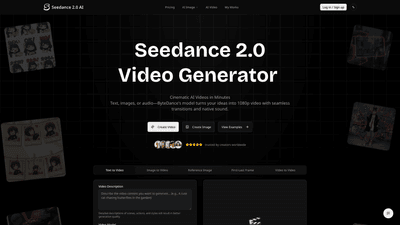
Seedance 2.0 is ByteDance’s cutting-edge AI video generator designed to transform ideas into cinematic, production-ready clips in minutes. Built to handle text prompts, images, and audio, it creates coherent multi-shot videos with native audio, stable character identity, and high-quality visuals (1080p standard, up to 2K in Pro). The model excels in ads, education, social content, and storytelling by bridging sound and vision: you can upload a voiceover or music to drive scenes, or let Seedance generate dialogue, Foley, and ambience that syncs with the visuals. With a focus on fluid motion, realistic dynamics, and consistent facial features across shots, Seedance 2.0 delivers professional results without a full production crew.
What sets Seedance 2.0 apart is its ability to sustain character identity and style across multiple shots, deliver lip-sync accuracy, and export watermark-free, production-ready MP4 files. The platform supports image-to-video, video-to-video, and audio-driven workflows, plus a flexible set of aspect ratios and resolutions, making it suitable for quick social cuts as well as longer explainers and branded content.
Features
- Multi-shot AI video with native audio: maintain consistent characters, actions, and style across scenes.
- Audio-driven generation and lip-sync: upload voiceover or music to drive visuals; automatically generates dialogue, Foley, and ambient sound, or use your own audio in Pro mode.
- Image-to-video and reference framing: control start/end states with one or two reference images for precise transitions (First–Last Frame).
- Localized, production-ready exports: MP4 outputs with watermark-free delivery in Standard (1080p) or Pro (2K) resolutions.
- Broad input methods: text prompts, images, or audio to seed scenes; plus image pairs for start/end control.
- Flexible aspect ratios and resolutions: 16:9, 9:16, 4:3, 3:4, 21:9, 1:1; 1080p standard and up to 2K in Pro.
- Persistent character identity and believable motion: large-scale motion synthesis, stable facial features, clothing, and body types across angles.
- Dedicated templates and quick workflow: three-step workflow (input → parameters → generate/export) with a library of templates for ads, explainers, education, and social content.
- Commercial rights and usage: paid plans include commercial rights and watermark-free exports; access to full Seedance 2.0 capabilities and higher resolution outputs.
- Credit-based pricing and lifetime usage: pay-as-you-go credits with no expiry and the option for ongoing top-ups; lifetime ownership of generated works under paid licenses.
- Speed and efficiency: up to 30% faster generation compared with v1.5, and production-ready exports with minimal post-production.
How to Use
- Choose your input: type a prompt, upload one or two reference images to guide start/end states, or add audio to drive the scene. You can also upload your own voiceover or music to steer visuals and timing.
- Set parameters: select aspect ratio and resolution. For speed, use Standard (1080p) or Pro (2K) modes; Pro mode unlocks higher resolution, faster rendering, and full audio-driven capabilities.
- Generate & Export: log in, click Generate Video, and download the production-ready MP4. The platform emphasizes watermark-free outputs for paid plans, ready for immediate use in campaigns, courses, and social content.
Practical tips for best results:
- Be specific in prompts: describe lighting, camera movement, and character actions to guide the model.
- For image-to-video, provide two clear reference images to define the start and end states.
- In Pro mode, supply clean audio to improve lip-sync accuracy and rhythm alignment.
- Leverage templates for common workflows (ads, education, social Shorts) to accelerate production.
- Plan video length around 8-second defaults (with 5–12 seconds optimization) to balance speed and coherence for ad-friendly outputs.
Pricing Seedance 2.0 offers transparent, tiered pricing with monthly and yearly options. Credits are used for all generation across modes, and there are no hidden fees.
- Starter: USD 13.99 per month (billed annually at USD 167.88; 50% savings on annual billing). Includes 3,000 credits per month for video generation, access to all templates, and ability to download videos forever. Watermark-free exports and basic support are included in paid plans.
- Pro: USD 31.99 per month (annual billing available with savings; higher tier designed for frequent creators). Includes 9,000 credits per month, faster generation queue, access to all templates, higher-quality outputs, and priority support. Pro unlocks 2K exports and advanced features, plus permanent commercial rights.
- Scale: USD 79.99 per month (annual billing available; best for power users). Includes 24,000 credits per month, fastest generation queue, dedicated account management, full Seedance 2.0 features, all premium video features, and full commercial licensing. This tier is built for teams and ongoing production pipelines.
All paid plans provide watermark-free videos and permanent commercial licenses for generated works. New subscribers can start with free credits to try text-to-video, image-to-video, and audio-driven generation, helping you evaluate quality before upgrading.
Tips for pricing decisions:
- If you produce content weekly or monthly and need reliable licensing, Pro or Scale offers better value with higher credits, faster rendering, and priority support.
- For individuals exploring Seedance 2.0, Starter provides a risk-free entry to test workflow and outcomes.
Frequently Asked Questions
- What is Seedance 2.0? A next-generation ByteDance AI video model that creates coherent, multi-shot videos with native audio, persistent characters, and outputs up to 2K in Pro, designed for ads, education, social content, and storytelling.
- Is Seedance 2.0 free to try? Yes. New users receive free credits to explore text-to-video, image-to-video, and audio-driven generation with no upfront cost.
- Can I use generated videos commercially? Yes. Commercial rights are included with paid plans; upgrading unlocks full licensing and watermark-free exports.
- How does Seedance 2.0 differ from other AI video tools? Its strength lies in multi-shot narrative cohesion, persistent character identity across shots, native audio generation, and audio-driven workflows (lip-sync and Foley) that reduce post-production needs.
- Does it support Image-to-Video and Audio inputs? Yes. You can seed from prompts, one or two reference images, or audio to drive scenes.
- What formats and resolutions are supported? Outputs are MP4. Standard = 1080p; Pro = up to 2K. Aspect ratios supported include 16:9, 9:16, 4:3, 3:4, 21:9, and 1:1.
- How long are generated videos? Typical clips range from 5 to 12 seconds, optimized for ads, explainers, and social formats.
- How can I get the best results? Provide specific details on lighting, camera movement, and actions; use two reference images for image-to-video; ensure clear audio in Pro mode for accurate lip-sync.
- Do credits expire? No. Credits bought as one-time options do not expire; you can top up when needed.
- What is the refund policy? New subscriptions come with a 7-day no-questions-asked refund. For renewals, contact support within 72 hours if there are issues.
- How can I get support? Reach Seedance 2.0 support at [email protected] for assistance, questions, or feedback.
In summary, Seedance 2.0 offers a robust, production-ready AI video workflow that blends text, images, and audio into cohesive, high-quality clips. Its multi-shot capabilities, native audio, and persistent character consistency, combined with scalable pricing and commercial rights, make it a compelling solution for creators aiming to produce engaging video content quickly and professionally.