What is it
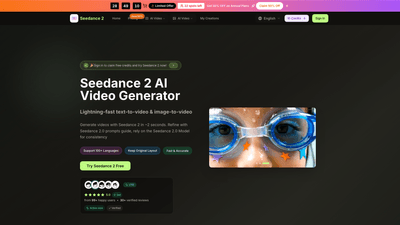
Seedance 2 AI Video Generator is a fast, AI-powered tool that turns text and images into polished videos. Built on the Seedance 2.0 AI Video model and Seedance V2 capabilities, it delivers high-quality, AI-generated videos in seconds and supports image-to-video transformations as well as natural language video creation. Key advantages include character consistency across scenes, native HD outputs, broad language support (100+ languages), and a clear prompt-based workflow guided by the Seedance 2.0 Prompts Guide. It’s designed for creators, marketers, and teams who need quick, professional-grade video content without technical expertise.
Features
- Lightning-fast generation: typical outputs in seconds (with simple prompts) and high-quality results in tens of seconds for more complex requests.
- Text-to-Video and Image-to-Video: convert descriptions or existing images into dynamic video content.
- Seedance 2.0 Model and Seedance V2: advanced AI models with a prompts guide to improve results and consistency.
- Character consistency: maintains the same face, hair, clothing, and expressions across videos for cohesive storytelling and branding.
- High-resolution output: HD video options (720p and 1080p) with professional-quality visuals.
- 100+ language support: create multilingual videos with accurate interpretation.
- Seedream integration: image editing workflow powered by Seedream 5 AI editor for polished 4K artwork in one place.
- AI video enhancer and background remover: tools to refine video quality and clean up scenes.
- Commercial use license included on plans: suitable for agency and client work.
- No watermark on paid plans; watermark policies vary by plan.
- Priority queue and priority support: faster processing and dedicated help for paying users.
- Multiple AI models available: Seedance 2.0, Seedance V2, Veo 3, Sora 2, Wan 2.5 (yearly plans may expose specific models).
- Free credits on sign-in: start exploring Seedance 2 by claiming complimentary credits.
- Flexible aspect ratios: supports common formats (e.g., 16:9, 9:16, 4:3, 2:1) for different platforms.
- Real-world usage and social proof: a thriving community of creators using Seedance 2 for ads, social content, campaigns, and more.
How to Use
- Sign in and claim free credits
- Sign in to try Seedance 2 with free credits and explore the platform before choosing a plan.
- Choose Seedance 2 Video Generator
- Start a new project by selecting the Seedance 2 video generator and setting your preferred output options.
- Enter prompt or upload assets
- Type a natural language prompt using the Seedance 2.0 prompts guide, or upload a reference image to drive the video concept.
- Set video options
- Choose aspect ratio (e.g., 16:9, 9:16, 4:3, 2:1), video quality (720p or 1080p), and duration (5s, 10s, etc.).
- Generate and preview
- Produce the video and preview the result. If needed, refine with additional prompts and adjustments.
- Download and refine
- Download the final video. Use Seedance 2’s editing features (and Seedream 5 editor for images) to tweak colors, details, or composition as needed.
- Manage credits and licenses
- Track your credits and ensure you’re using the Commercial Use License if you’re producing client work or agency content.
Pricing
Note: A limited-time 50% off flash sale is available on annual plans, with 32 spots left at the time of mention. Prices below reflect annual billing and typical promotional pricing.
-
Basic (Ideal for hobbyists and beginners)
- Price: $4.90/month (annual billing; shown as discounted from $9.80/mo)
- Credits: 6,000 credits/year
- Images: Up to 50 images/month
- AI generation: Unlimited Seedance 2 generation and downloads
- Credits: 6,000 Seedance 2 credits per year under annual billing
- License: Commercial Use License
- Models: Seedance 2.0 Model, Seedream model
- Extras: AI video enhancer, background remover; no watermark (on annual plan)
- Support: Priority support available (annual)
- Access: Yearly plan only
-
Professional (For creators and professionals)
- Price: $9.90/month (annual billing; discounted from $19.80/mo)
- Credits: 24,000 credits/year
- Images: Up to 200 images/month
- AI generation: Unlimited Seedance 2 generation and downloads
- License: Commercial Use License
- Models: Seedance 2.0 Model, Seedream model, Veo 3 model, Sora 2, Wan 2.5
- Extras: Priority generation queue, no watermark, priority support
- Access: Yearly plan only
-
Enterprise (For teams and businesses)
- Price: $19.90/month (annual billing; discounted from $39.80/mo)
- Credits: 72,000 credits/year
- Images: Up to 600 images/month
- AI generation: Unlimited Seedance 2 generation and downloads
- License: Commercial Use License
- Models: Seedance 2.0 Model, Seedream model, Veo 3 model, Sora 2, Wan 2.5
- Extras: Priority generation queue, no watermark, priority customer support
- Access: Yearly plan only
-
Free trial and access
- Try Seedance 2 Free with sign-in credits
- Cancel anytime
- Secure payment on annual or flexible terms
Tips
- Start with a clear, specific prompt
- Use the Seedance 2.0 Prompts Guide to craft prompts that align with your vision and desired outcomes.
- Leverage the Seedance 2.0 model for consistency
- If your project involves a recurring character or brand, rely on Seedance 2.0 for consistent appearance across scenes.
- Choose output resolution by need
- Use 720p for quick social posts and 1080p for higher quality campaigns or client work.
- Optimize aspect ratio for platform
- 16:9 for YouTube, 9:16 for Stories/Reels, 4:3 for certain displays, 2:1 for cinematic previews.
- Use the image-to-video flow when you have visual references
- Upload product photos or concept art to derive video concepts quickly, then refine with prompts.
- Take advantage of the commercial license
- If you’re producing work for clients or campaigns, ensure you’re on a plan that includes the Commercial Use License.
- Explore multiple models for best results
- Depending on your needs, switch between Seedance 2.0, Seedance V2, Veo 3, Sora 2, Wan 2.5 to optimize style, speed, and output.
- Utilize editing tools for polishing
- After generation, use the built-in Seedream editor to refine visuals, and the AI video enhancer/background remover to improve quality.
Frequently Asked Questions
-
What can Seedance 2 AI Video Generator do?
- It creates videos from text prompts and also converts images into videos using Seedance 2.0 and related models. It supports language-rich prompts to generate authentic, high-quality videos quickly.
-
How long does it take to generate a video?
- Output times vary by prompt complexity, but the platform emphasizes near-instant results for simple prompts and high-quality outputs in tens of seconds for more detailed requests (and in some cases around 2 seconds for straightforward prompts).
-
What output resolutions are available?
- HD outputs are available, including 720p and 1080p, with professional-quality results.
-
How many languages are supported?
- The service supports 100+ languages for text prompts and video generation.
-
Do I get a watermark with paid plans?
- No watermark is included on paid plans. Watermark policies may vary for free or trial usage; upgrading removes watermarks.
-
Can I use Seedance 2 videos commercially?
- Yes. Paid plans include a Commercial Use License suitable for agency work and client projects.
-
What pricing options are available?
- There are Basic, Professional, and Enterprise annual plans with big discounts (50% off during flash sale). Each plan includes different credit allowances, image limits, and access to models and features.
-
Is there a free trial or free credits?
- Yes. You can sign in to claim free credits to try Seedance 2 before committing to a plan.
-
Can I edit videos after generation?
- Yes. The platform provides editing and refinement tools (including image editing via Seedream for related assets) to polish outputs.
-
What platforms or formats are supported?
- The service supports common video aspect ratios (16:9, 9:16, 4:3, 2:1) and exports standard HD video formats suitable for marketing, ads, and social media.
-
How do I upgrade or cancel?
- Plans are billed annually with the option to cancel. For cancellation or changes, contact support as indicated ([email protected] or the platform’s support channels).
-
Do I need technical expertise to use Seedance 2?
- No. Seedance 2 is designed for users of all skill levels. The Seedance 2.0 Prompts Guide helps non-technical creators generate professional results with minimal effort.
-
What makes Seedance 2 unique?
- The combination of seed-based prompts, Seedance 2.0 model, rapid generation, character consistency, broad language support, HD output, and a commercial license make it a strong option for creators and teams needing scalable AI video production.