What is it
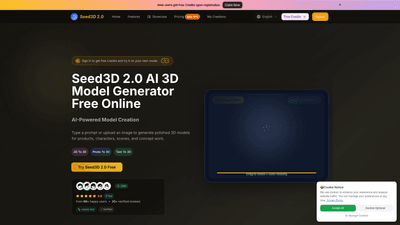
Seed3D 2.0 AI is a free online 3D model generator powered by artificial intelligence. It lets you turn text prompts or reference images into polished 3D assets for products, characters, scenes, and concept work. With Seed3D 2.0, you can generate 3D models quickly, preview them in real time, and export production-ready files. New users receive free credits upon registration to explore text-to-3D and image-to-3D workflows without upfront investment. The tool supports 2D-to-3D, photo-to-3D, and text-to-3D workflows, making it accessible to beginners and valuable for professionals seeking fast concept iterations and consistent results.
Features
- AI-powered 3D generation for text-to-3D, image-to-3D, and production-ready previews
- Multiple input modes: prompts, reference images, or a combination
- Real-time or near-real-time preview with drag-to-rotate and auto-rotating views
- 2D to 3D workflows for products, characters, and scenes
- Photo-to-3D and image-to-3D pipelines for reference-driven modeling
- Part-aware generation to support products, props, and articulated objects
- Consistent styling across variations with a dedicated Style Gallery
- Production-friendly exports in common formats (OBJ, FBX, GLB, STL)
- High-resolution exports and clean first-pass output to reduce post-processing
- Texture and material improvements for more realistic PBR results
- No required 3D experience; suitable for beginners and professionals
- Commercial Use License included with plans
Optional inputs and quality controls include texture levels (Standard, Pro, Ultra) to balance detail and performance, helping you tailor outputs to your specific pipeline.
How to Use
- Step 1: Start with a prompt or upload a reference image. Describe the object, scene, or material you want, or provide an image to guide shape, texture, and lighting.
- Step 2: Generate the model. Seed3D 2.0 converts your input into one or more 3D asset variants with coherent lighting and structure, designed for fast iteration.
- Step 3: Preview, refine, and export. Use the real-time viewer to rotate and inspect results, adjust prompts or inputs if needed, and export the final model in your preferred format for design reviews, product mockups, or production workflows.
Practical considerations:
- Supported upload formats include JPG, PNG, and WEBP (up to 5MB) for image inputs.
- Generated assets are designed for quick export, with clean geometry and materials suitable for mockups, previews, and production use.
- Exports typically include OBJ, FBX, GLB, and STL, ensuring compatibility with common 3D pipelines.
Pricing (New users receive free credits; paid plans unlock more renders and export capacity)
- Free credits on registration to explore text-to-3D and image-to-3D capabilities
- Basic Plan: $9.9/month (annual billing) with 6,000 credits/year, unlimited downloads, and a Commercial Use License
- Professional Plan: $23.9/month (annual billing) with 15,000 credits/year, unlimited downloads, and a Commercial Use License
- Enterprise Plan: $63.9/month (annual billing) with 60,000 credits/year, unlimited downloads, and a Commercial Use License
- All plans provide access to generation and export functionality, with a permanent history of your assets
- Limited-time flash sale: up to 50% off on annual plans, making it especially attractive for studios and teams
- Credits are consumed per model generation; you can replenish credits by upgrading or subscribing to a higher tier
Tips
- Start with a clear prompt for fast concept passes, then switch to image references when you need tighter visual control.
- Use the Style Gallery to begin with a consistent aesthetic and then refine the prompt or image input to lock in the look.
- For products and articulated objects, leverage Part-Level Generation to enable downstream flexibility in the asset structure.
- Utilize the production-ready export formats (OBJ/FBX/GLB/STL) to streamline handoffs to downstream teams (marketing, packaging, game design, AR/VR).
- If you’re iterating on scenes, seed multiple variations to compare lighting, composition, and material coverage without rebuilding from scratch.
- Maintain input image sizes under 5MB for reliable processing and high-quality outputs.
- Take advantage of high-resolution exports for presentation-ready visuals and client reviews.
- Keep commercial use in mind; all paid plans include a Commercial Use License for business use cases.
Frequently Asked Questions
-
What is Seed3D 2.0 AI? A web-based AI 3D model generator designed for text-to-3D and image-to-3D workflows, emphasizing fast previews, consistent structure, and export-ready outputs suitable for production or marketing.
-
How do I use Seed3D 2.0 AI? Enter a clear prompt or upload a reference image, choose an art direction or style, generate variations, then preview, refine, and export the final model.
-
Do I need 3D experience to generate Seed3D models? No. Seed3D 2.0 is designed for both beginners and professionals. Just describe what you want or provide an image reference, and the system outputs a usable 3D result.
-
How does Seed3D 2.0 compare to other 3D tools? Seed3D 2.0 emphasizes end-to-end prompts-to-model output with production-friendly previews and stable styling across variations, enabling faster iteration and cohesive assets compared to tools that offer only partial generation.
-
What formats can I download my models in? Typical exports include OBJ, FBX, GLB, and STL. Availability may vary by plan, but the goal is to provide formats compatible with common 3D pipelines.
-
Are there limits on how many models I can generate? Yes, generation consumes credits, and your ability to generate depends on your credits balance and plan. You can generate while you have credits and top up anytime by upgrading.
-
How long does generation take? Most generations are quick, but speed depends on prompt complexity, image complexity, and current system load. You’ll be able to download results when they’re ready.
-
Why should I choose Seed3D 2.0 AI for 3D generation? It saves time by producing coherent, production-friendly 3D assets from text or images, supports multiple styles, and maintains consistency across iterations, which is valuable for reviews, marketing, and production workflows.
-
Is Seed3D 2.0 AI free? It offers free credits on signup to try text-to-3D and image-to-3D workflows. Ongoing usage requires credits from a paid plan or promotions.
-
Is there a mobile app? Seed3D 2.0 AI is currently web-based. There is no dedicated mobile app, but a mobile browser can access Seed3D model generation functionality.
-
How do I get more credits? You can purchase or upgrade to a higher plan to obtain more credits. Annual billing options provide larger credit pools and additional benefits like unlimited downloads and a Commercial Use License.
-
Are there usage licenses for commercial projects? Yes. All paid plans include a Commercial Use License, enabling use of generated assets in client work, marketing, and production pipelines.
-
What makes Seed3D 2.0 particularly valuable for teams? Part-aware generation, consistent styling across variations, and a production-oriented export workflow help teams maintain creative coherence and speed up reviews and approvals.
This comprehensive overview highlights Seed3D 2.0 AI as a robust, enterprise-friendly solution for text-to-3D and image-to-3D generation. It combines fast, controllable previews with export-ready outputs, making it suitable for product visualization, character concept work, and complex scene creation across diverse industries. Whether you’re a hobbyist testing ideas or a professional team delivering production-ready assets, Seed3D 2.0 offers a scalable, cost-efficient path from prompt and image inspiration to polished 3D models.