What is it
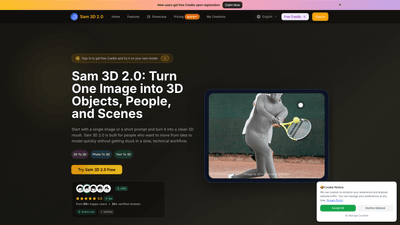
Sam 3D 2.0 is an AI-powered image-to-3D generator designed to turn a single image or a short prompt into a ready-to-use 3D model. Built for speed and practicality, it enables you to move from idea to review-ready asset quickly without getting bogged down in a traditional, heavy 3D workflow. Whether you’re designing objects, body concepts, or scene assets, Sam 3D 2.0 provides a browser-based, export-ready pipeline that supports objects, characters, and environments. Outputs are optimized for common 3D tools, and the platform offers real-time previews, style consistency, and easy iteration.
Key capabilities include single-image 3D reconstruction, image-to-3D and text-to-3D generation, and scene-oriented outputs. The tool works with everyday photos and references, not just studio-shot images, making it suitable for product visuals, pose-driven concepts, games, design reviews, and XR workflows. It’s designed to generate review-ready drafts quickly, with an emphasis on speed, simplicity, and actionable results.
Features
- Single-Image 3D Reconstruction: Turn one reference photo into usable 3D objects, body concepts, or scenes.
- Image to 3D and Text to 3D: Generate 3D models from an image or from a prompt, enabling both visual and descriptive ideation.
- Real-time Browser Preview: Inspect, compare versions, and iterate directly in the browser.
- Object, Body, and Scene Workflows: Supports products, props, people, characters, and environment assets in one workflow.
- Style Gallery: Choose a visual direction and generate consistent results; refine prompts or inputs for a cleaner output.
- Instant Generation with High-Quality Exports: Produce quick drafts that are export-ready for common tools.
- Scene Assets You Can Preview: Rotate and inspect 3D scene elements online before integrating into reviews or XR concepts.
- Real-World Image Compatibility: Works with everyday photos, sketches, and references, not only perfectly staged images.
- Export Formats: OBJ, FBX, GLB, STL (depending on generation type and workflow).
- Web-Based and No Desktop Pipeline Required: Create, preview, and export entirely in your browser.
- Revision-Friendly Workflows: Generate multiple directions, compare results, and refine until you’re ready to export.
- Commercial Use License: Clear licensing for usage in commercial projects (per plan).
How to Use
- Step 1: Upload or Describe
- Upload a single image (JPG, PNG, WEBP; max 5MB) or start with a prompt to explore an object, body, or scene from scratch. You can also drag-and-drop your files into the workspace.
- Step 2: Define the Output
- Guide the model with cues like shape, material, pose, and scene context. This helps keep results aligned with the kind of asset you need—whether it’s a product mockup, a character concept, or a scene element.
- Step 3: Generate, Preview, and Export
- Generate 3D results, review them in-browser, compare versions, and export the best fit for your workflow. Exports are designed to be ready for common tools such as Blender, Unity, and Unreal, with minimal post-processing required.
- Practical Workflow Tips
- Start with one good reference image for a reliable draft, then iterate with prompts or additional inputs.
- Use the Style Gallery to lock in a consistent look across multiple outputs.
- Exploit the browser preview to gather quick feedback from teammates before exporting.
- Choose the appropriate output type (object, body, or scene) based on your project’s needs.
- Pricing and Access
- Sam 3D 2.0 offers plans with annual billing, providing credits for generation and unlimited downloads, plus a commercial use license. A limited-time sale provides 50% off on annual plans, making it more affordable to scale your 3D ideation.
What you get per plan (pricing details shown on the site)
- Basic: 6000 credits/year, unlimited downloads, permanent history, commercial use license.
- Professional: 15000 credits/year, unlimited downloads, permanent history, commercial use license.
- Enterprise: 60000 credits/year, unlimited downloads, permanent history, commercial use license.
- All plans include: web-based access, export-ready outputs, and ongoing access to the Sam 3D 2.0 workflow. The sale currently offers 50% off annual plans.
Pricing
- Limited-Time Offer: 50% off on annual plans. The sale applies to Basic, Professional, and Enterprise.
- Basic: $9.9/month (when billed annually), including 6000 credits per year, unlimited downloads, permanent history, and Commercial Use License.
- Professional: $23.9/month (when billed annually), including 15000 credits per year, unlimited downloads, permanent history, and Commercial Use License.
- Enterprise: $63.9/month (when billed annually), including 60000 credits per year, unlimited downloads, permanent history, and Commercial Use License.
- All plans support an easy upgrade path, with the option to cancel anytime. There is a sign-in free-credits offer to try Sam 3D 2.0 on your next model.
Note: Pricing and credits are subject to the current promotional terms. Check the official pricing page for the latest details.
Tips
- Start with a single high-quality reference image to accelerate the initial draft.
- Use the Style Gallery to establish a consistent visual direction before generation.
- Explore multiple prompts or input variations to quickly surface a range of concept options.
- Preview in-browser and compare several versions to select the strongest concept for export.
- Choose the right output format early (OBJ/FBX/GLB/STL) based on your downstream toolchain.
- Leverage the “Body” workflow for characters and avatars, and the “Objects” workflow for products, props, and non-human subjects.
- Start from real-world photos and references to ensure the outputs translate well to practical use cases like mockups, reviews, and campaign visuals.
- Maintain image sizes and formats within the platform’s guidelines (JPG, PNG, WEBP; max 5MB) to ensure smooth processing.
- Use the browser-based preview to collect fast feedback from teammates before finalizing exports.
Frequently Asked Questions
- What is Sam 3D 2.0?
- An AI image-to-3D generator that turns a single image or a prompt into a usable 3D model, designed to speed up concepting, review, and export.
- How does the workflow work?
- Upload an image or enter a prompt, generate a 3D result, inspect in the browser, compare versions, and export the best fit.
- What can I build with Sam 3D 2.0?
- 3D objects, body-focused concepts, characters, product visuals, and scene assets—ideal for fast first-pass models.
- What is the difference between Sam 3D 2.0 Body and Sam 3D 2.0 Objects?
- Body is optimized for people, pose, and character-oriented work; Objects is better for products, props, furniture, and other non-human subjects.
- Do I need 3D experience to use it?
- No. It’s beginner-friendly for quick image-to-3D exploration, while also accelerating production for experienced teams.
- How is it different from Meta SAM 3D research pages?
- Sam 3D 2.0 focuses on a practical, browser-based workflow: generate, preview, compare, and export with a user-friendly interface for product-focused work.
- What file formats can I export?
- OBJ, FBX, GLB, and STL, depending on the generation type and workflow.
- Does it work with real-world images?
- Yes. It’s designed to handle everyday photos and references, not only studio setups.
- How long does 3D generation take?
- Most generations complete after a short wait; time varies with the input and system load, but the goal is quick review-ready results.
- Why use Sam 3D 2.0 instead of a traditional 3D pipeline?
- It dramatically reduces first-pass reconstruction time and ideation effort, letting you test ideas quickly and refine only what matters.
- Is Sam 3D 2.0 web-based?
- Yes. All generation, preview, and export activities run in the browser.
- Is there a free tier or free credits?
- Sign in to receive free credits to try the platform on your next model. The Basic plan includes credits per year.
- How can I get support?
- For support, contact: [email protected].
- Can I use the generated assets commercially?
- Yes. All plans include a Commercial Use License, with usage aligned to the plan’s terms.
- How do I cancel or upgrade?
- Plans are cancelable anytime. Upgrades and changes can be managed through the pricing page or by contacting support.
This Sam 3D 2.0 product overview highlights how the AI-driven platform accelerates image-to-3D workflows, enables rapid concepting, and provides export-ready results for design, gaming, and XR projects. It emphasizes practical use cases, browser-based convenience, and flexible pricing to suit different teams and individuals seeking fast, review-friendly 3D generation from a single image or prompt.