What is it
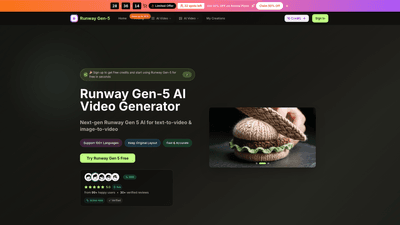
Runway Gen-5 is a next‑generation AI video generator designed specifically for modern creators and production teams. It combines text-to-video and image-to-video capabilities in a single, video-native AI engine to turn scripts, ideas, or reference frames into short, editor-ready clips in seconds. With support for 100+ languages, Runway Gen-5 emphasizes motion, continuity, and camera behavior to deliver high-quality, on-brand footage that can drop directly into your editing timeline. It’s designed for rapid iteration—you describe the shot in plain language or provide reference imagery, choose an aspect ratio, and generate a polished video in moments. The platform also emphasizes consistency across scenes, keeping characters and styling uniform across multiple videos for cohesive campaigns and recurring content.
Runway Gen-5 caters to creators who need fast, cinematic results without sacrificing production readiness. It offers a range of models (including Seedream, Veo 3, Sora 2, Seedance, Wan 2.5) and creative tools (AI video enhancer, background remover) to support professional workflows, licensing for commercial use, and a scalable credit-based pricing structure. The service is accessible in a web browser on desktop or mobile, with free credits on sign-up and annual plans that unlock higher quotas, no watermarks, and priority support. This combination of speed, versatility, and licensing makes Runway Gen-5 a compelling solution for ads, social content, product videos, and storytelling campaigns.
Features
- Text-to-Video and Image-to-Video generation: Create moving shots from simple prompts or reference frames, then refine outputs to your exact needs.
- Character consistency: Maintains the same face, hair, clothing, and style across videos for cohesive storytelling and brand mascots.
- High-resolution output: Produce HD clips suitable for editing timelines and professional delivery (720p and 1080p options).
- Flexible aspect ratios: Export in multiple formats such as 16:9, 9:16, 4:3, 21:9, and 1:1 to fit social, web, and broadcast requirements.
- Quick generation: AI is optimized for rapid iteration, so new options appear in seconds.
- Video-native AI model: A dedicated architecture designed for realistic motion, continuity, and editor-friendly results.
- Text-to-Video & Image-to-Video versatility: Convert scripts, ideas, or still frames into full-motion video with intelligent interpretation of context.
- Language breadth: Supports 100+ languages for prompts and captions, enabling global campaigns.
- Reference-driven workflows: Use reference images to guide camera angles, lighting, and scene composition.
- Models and capabilities: Access a suite of models (Seedream, Veo 3, Sora 2, Seedance, Wan 2.5) for varied styles and capabilities.
- Outputs suitable for editing: Videos are designed to drop cleanly into editors with minimal cleanup.
- Additional AI tools: AI video enhancer and background remover to polish and customize footage.
- Licensing and usage: Commercial use license included on eligible plans, with permanent generation history and no watermark on annual plans.
- Cross-device access: Sign in and work on the same projects from desktop or mobile browsers.
- Credits-based pricing: Flexible plans based on credits per year, with monthly equivalents and significant annual discounts.
- Free credits for first-time users: New users can sign in and begin with free credits to explore Runway Gen-5 quickly.
How to Use
- Step 1: Open the Runway Gen-5 Video Generator. Choose the Gen-5 engine for AI video creation and select your preferred settings.
- Step 2: Provide guidance. Upload a reference image or type a precise description to steer the video’s visuals, motion, and style.
- Step 3: Generate and download. Click generate to produce the AI video in seconds, then download the clip for your project.
- Step 4: Refine and export. Use built‑in controls to adjust pacing, framing, and visual style, then export the final video in your desired format and resolution.
Practical workflow notes:
- Use clear, descriptive prompts to guide motion and camera behavior. Simple English prompts with well-defined actions often yield the most accurate results.
- Leverage reference frames to maintain continuity across scenes and ensure character consistency.
- Experiment with aspect ratios to fit different distribution channels (social feeds, websites, or ad break formats).
- Take advantage of the built-in video editor-like refinements and the AI tools (video enhancer, background remover) to tailor outputs before final export.
- Access is available in desktop and mobile browsers, so you can start a project on the go and finish in your primary editor.
Pricing and free access:
- Free credits are available on sign-up to try Runway Gen-5 without an initial investment.
- Plans are credit-based and billed annually or monthly, with significant savings on annual plans and no watermarks on annual plans.
- Core tiers typically include Basic, Pro, and Enterprise, each with increasing credit limits, image quotas, and additional benefits such as priority generation, higher support levels, and commercial-use licensing.
- Examples (annual billing):
- Basic: Entry-level plan with a substantial credit allowance and basic production needs.
- Pro: For professionals needing more credits, more images per month, and expanded capabilities.
- Enterprise: For teams and businesses requiring the highest quotas, priority support, and full production capacity.
- Each plan includes unlimited AI video downloads and a permanent generation history, along with commercial-use licensing.
Tips
- Start with a simple script or prompt and a single reference image to establish the core motion and character design, then gradually add frames to expand the storyboard.
- Use consistent character attributes (face, hair, clothing) across prompts to preserve character identity across scenes.
- Choose the right aspect ratio early to match distribution channels (e.g., 16:9 for YouTube, 9:16 for Shorts, 1:1 for social feeds).
- Save and reuse high-performing prompts across multiple projects to speed up production and ensure brand consistency.
- Take advantage of the AI video enhancer and background remover to elevate production value without starting from scratch.
- If you’re working in a team, leverage a shared project space and preserve substantial generation history for auditing and iteration.
- Monitor credits during campaigns to avoid interruption; upgrade plans ahead of large launches to ensure sufficient capacity.
Frequently Asked Questions
-
What is Runway Gen-5? Runway Gen-5 is a video-native AI model that turns text prompts and reference frames into moving shots, delivering editor-ready AI videos quickly.
-
How do I use Runway Gen-5? Describe the shot, select styles and aspect ratio, then click generate to create a short clip. It works in desktop and mobile browsers with the same account.
-
What formats can I download? Videos export in standard formats suitable for social media, web, and editing tools, with HD options (720p/1080p).
-
Is there a limit to how many videos I can generate? Generation capacity is governed by your plan’s credits and quota. Higher tiers provide more credits and images per month.
-
How long does generation take? Most clips generate in seconds, depending on length and complexity.
-
Can I use Runway Gen-5 for commercial projects? Yes. The annual plans include a commercial use license, with no watermark and permanent generation history.
-
Is there a mobile app? Runway Gen-5 runs in modern browsers on desktop and mobile; there is no separate mobile app required.
-
Do I need to pay upfront? You can start with free credits to test; ongoing usage is on a subscription basis with credits-based pricing.
-
What makes Runway Gen-5 unique? Its focus on motion, continuity, and camera behavior—paired with text-to-video and image-to-video, character consistency across scenes, high-quality HD outputs, and editor-ready results—delivers quick, production-grade AI videos that integrate smoothly into professional workflows.
If you’re seeking an AI video solution that moves from idea to editor-ready footage in minutes, Runway Gen-5 offers a robust, scalable option with flexible pricing, strong brand-consistency features, and a fast, browser-based workflow designed for today’s AI-enabled video teams and creators.