What is it
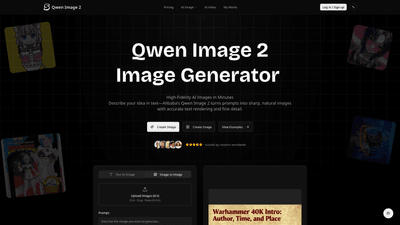
Qwen Image 2 is Alibaba’s advanced AI image generator designed to turn ideas into high-fidelity visuals in minutes. Built to handle complex text rendering with accurate, multi-line and paragraph-level text in both Chinese and English, it delivers natural skin tones, textures, and design-ready output. The tool is optimized for posters, slides, marketing visuals, infographics, and education materials, where typography, branding, and crisp composition matter. Output is PNG, watermark-free on paid plans, and ready for web, print, and social use. Beyond pure generation, Qwen Image 2 supports image editing—style transfer, object add/remove, and detail enhancement—while maintaining scene coherence.
Key strengths include:
- Precise text rendering across large blocks of content (multi-line and paragraph text in Chinese and English)
- Realistic skin, hair, and texture with minimal AI artifacts
- Design-ready outputs suitable for posters, presentations, and marketing visuals
- Flexible output options with multiple resolutions and aspect ratios
- Watermark-free PNGs on paid plans and commercial licensing for professional use
Features
- High-fidelity image generation: sharp, natural results with accurate rendering of text and visuals
- Complex text support: multi-line, paragraph-level typography in both Chinese and English
- Text-to-image and image-to-image workflows: start from prompts or upload reference images
- Image editing capabilities: style transfer, object addition/removal, detail enhancement, and targeted edits while preserving scene coherence
- Platform versatility: supports designers creating posters, PPTs, infographics, ads, and educational materials
- Design-ready output: production-ready, typography-friendly images with clean layouts
- Flexible output formats and resolutions: PNG outputs in multiple aspect ratios (16:9, 9:16, 4:3, 1:1, and more)
- Model variety on a single platform: access to Qwen Image 2 as well as compatible AI models for broader workflows
- Credit-based pricing with transparent tiers: pay-as-you-go credits to unlock generation across all modes
- Commercial rights and licensing: permanent commercial license for paid users, including a certificate
How to Use
- Write Your Prompt
- Describe the subject, style, composition, and any text to render (for example, slogans, labels, or data captions). Be specific to guide the model toward the desired look and avoid ambiguity.
- Set Parameters
- Choose aspect ratio (18:9-like 16:9, square 1:1, portrait 9:16, etc.), resolution, and optional negative prompts to exclude unwanted elements. You can also provide a reference image for image-to-image workflows.
- Generate & Download
- Submit your request to produce a watermark-free PNG you can download immediately. If you need variations, you can iterate with different prompts or settings.
Pricing and usage are based on credits:
- Starter: entry-level plan with access to image generation and templates
- Standard: wider access with higher credit limits and priority support
- Pro: advanced features, higher resolution outputs, faster processing, and full access to all modes
- Scale: for power users needing large-scale generation and dedicated support
All paid plans unlock watermark-free exports and commercial rights. New users can try the service with free credits to explore text-to-image and editing capabilities before committing. Credits purchased through one-time options do not expire, and you can top up as needed.
Pricing
- Starter: $13.99 per month (billed yearly; save with annual plan)
- Pro: $31.99 per month (billed yearly)
- Scale: $79.99 per month (billed yearly)
- All plans provide access to Qwen Image 2 generation, PNG exports, templates, and ongoing access to support
- Perks for paid tiers include higher resolutions, faster queues, priority support, and full commercial rights
- Lifetime usage rights are available for paid users: permanent commercial license and certificate of rights
Tips
- Be explicit in prompts: specify subject, style, lighting, background, and any exact text you want rendered. The more precise you are, the closer the result to your vision.
- Use negative prompts to exclude unwanted elements (e.g., “no blur, no distortion”).
- For editing, provide a clear instruction and reference image to preserve scene coherence while applying changes.
- Experiment with aspect ratios to fit different assets (16:9 for slides, 1:1 for social posts, 9:16 for stories).
- Leverage multi-language text rendering to create bilingual posters or data visuals with clear typography.
- Start with a low-resolution render to test composition, then move to higher resolutions for final outputs.
- Take advantage of design-ready outputs for quick marketing collateral, educational materials, and infographics without extra design work.
Frequently Asked Questions
- What is Qwen Image 2?
- Alibaba’s AI image generation model that excels in complex text rendering, natural skin and texture, and production-ready output suitable for posters, PPTs, marketing visuals, and educational materials.
- Is Qwen Image 2 free to try?
- Yes. New users receive free credits to explore text-to-image and editing capabilities with no upfront cost.
- Can I use generated images commercially?
- Commercial rights are included with paid plans. Upgrading unlocks full commercial use, removes watermarks, and grants higher-resolution exports.
- How does Qwen Image 2 differ from other AI image tools?
- It specializes in accurate, multi-line and paragraph-level text rendering in both Chinese and English, realistic skin/texture, and design-ready outputs, with robust image editing capabilities that keep the scene coherent after edits.
- Does it support image editing?
- Yes. You can modify style, add or remove objects, enhance details, or edit text while preserving overall composition.
- What formats and resolutions are supported?
- Output is PNG with multiple resolutions and aspect ratios (e.g., 16:9, 1:1, 4:3, 9:16) suitable for web, print, and social media.
- How good is the text quality in generated images?
- Text rendering is a core strength: multi-line and paragraph-level text in Chinese and English renders clearly and accurately, making it ideal for posters, slides, and data visuals.
- How can I get the best results?
- Be specific in your prompt, use negative prompts to filter out undesired elements, and provide clear editing instructions or reference images when editing.
- Do credits expire?
- Credits from one-time purchases do not expire; you can top up when needed.
- What are the refund and support policies?
- New subscriptions include a 7-day no-questions-asked refund. For renewals or issues, contact support within the stated timeframes for review and assistance.
Start Creating with Qwen Image 2 to turn ideas into professional visuals—no design software required.