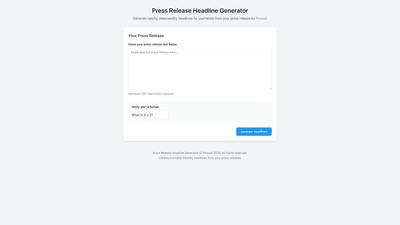
What is it
Press Release Headline Generator is an AI-powered tool by Pressat that helps PR and communications teams craft catchy, journalist-friendly headlines directly from their press releases. By analyzing the full press release text, the system surfaces multiple headline options designed to resonate with editors and newsroom audiences. The tool emphasizes clarity, relevance, and newsworthiness, making it easier to capture attention in crowded news cycles. To use it, you paste your press release (minimum 100 characters) and complete the human verification step, after which you receive a selection of headline options ready for review and publication.
Features
- journalist-friendly headline generation: produces headlines tailored to newsroom conventions and journalist expectations, increasing the likelihood of pickup.
- multiple headline options: receive a variety of angles and styles (neutral, bold, dramatic) to fit different outlets and audiences.
- tone and angle customization: select tone presets or refine headlines to match your brand voice and target publication.
- SEO and newsroom optimization: headlines are crafted with newsworthiness cues and keyword relevance to enhance discoverability.
- input length flexibility: designed to work with standard press releases; the minimum 100-character requirement ensures enough context for meaningful headlines.
- human verification: CAPTCHA-style verification (“Verify you’re human”) to prevent automated abuse and maintain quality.
- streamlined workflow: copy-ready options, quick export, and easy integration into CMS or newsroom workflows.
- branding and licensing: content is produced under Pressat’s branding standards and licensing terms, suitable for distribution through press channels.
How to Use
- Prepare your press release text: ensure it is complete and contains the key angles you want highlighted. The tool requires a minimum of 100 characters.
- Paste the press release into the generator field.
- Complete the human verification step to proceed.
- Click Generate Headlines to receive a set of curated options.
- Review the generated headlines and select the one that best fits your target outlet, audience, and newsroom guidelines.
- Copy the chosen headline or export it to your CMS, newsroom system, or editorial calendar. If needed, repeat to generate additional variations.
- Optional: adjust tone or emphasis and re-run to create more variants for A/B testing or outreach personalization.
Pricing
- Free tier: entry-level access with limited daily use and headline generation capacity, suitable for individuals or small projects to test the tool’s value.
- Paid tiers: higher quotas, priority processing, and additional capabilities such as advanced tone controls, keyword suggestions, and potential API access for broader integration.
- Enterprise options: for organizations seeking team collaboration, centralized governance, and dedicated support.
- Note: exact pricing, feature availability, and limits can vary by region and over time. Please consult the official Pressat pricing page for the most current details.
Tips
- provide rich context: the more informative your press release text, the more accurately the tool can identify newsworthy angles and generate relevant headlines.
- choose tone deliberately: use neutral headlines for formal outlets and bold or dramatic options for trade publications or lifestyle outlets, as appropriate.
- combine and test: generate multiple headlines and test them across outlets or time periods to determine which variants perform best.
- align with the content: ensure the chosen headline accurately reflects the press release’s content to prevent misrepresentation or disappointment upon reading.
- optimize for editors: prioritize headlines that emphasize exclusivity, impact, timeliness, or a clear value proposition for readers.
- maintain brand voice: if you have a defined newsroom or corporate tone, apply tone presets or customize keywords to stay on-brand.
Frequently Asked Questions
-
What is the Press Release Headline Generator used for? It helps transform full press releases into concise, journalist-friendly headlines, streamlining outreach to newsrooms and improving the chances of media pickup.
-
Who should use this tool? PR professionals, communications teams, newsroom editors, and marketers who regularly distribute press releases and want strong headlines quickly.
-
Can I customize the tone of the headlines? Yes. The tool offers tone presets (e.g., neutral, bold, dramatic) and allows refinement to align with brand voice and target outlets.
-
How many headlines can I generate? The number varies by plan. Free tier typically provides a smaller set, while paid tiers offer more options and higher quotas.
-
Is there a free version available? A free tier is offered to allow users to test the service, with limitations on usage and features. Additional capabilities require a paid plan.
-
How is my data handled? The tool processes the input press release to generate headlines. For specifics on data handling, retention, and privacy, refer to Pressat’s data privacy policy.
-
Can I export headlines to my CMS? Yes. Generated headlines can be copied, exported, or pasted directly into most content management systems and newsroom workflows.
-
Does it support languages other than English? The current emphasis is on English-language press releases and headlines. Availability of other languages may vary; check the official product page for updates.
-
Can I integrate this tool with an API or my internal systems? API access is typically available on higher-tier plans or enterprise offerings. Contact sales or check the pricing/plans page for specifics.
-
How do I get started? Visit the Pressat Headline Generator page, paste your press release text (minimum 100 characters), complete human verification, and generate your headlines. Review, select, and publish.