What is it
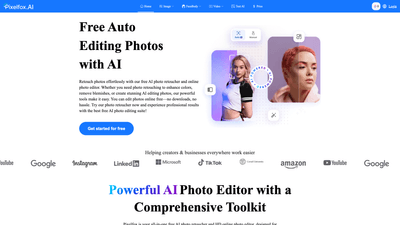
Pixelfox AI Photo Editor is a comprehensive, all-in-one, free AI-powered photo editing suite accessible directly in your web browser. It functions as a powerful AI photo retoucher and HD online photo editor, designed to streamline retouching, background removal, upscaling, and creative transformations without requiring any downloads. The platform emphasizes ease of use for both casual creators and professionals, offering an extensive toolkit that covers everyday retouching (blemish removal, color correction) and advanced AI-driven edits (inpainting, background changes, image enhancement, and AI-generated art). Key metrics highlight its efficiency and reach: millions of images processed, rapid 5-second processing, and a high satisfaction rate, making it a reliable choice for photographers, marketers, e-commerce teams, and content creators.
Features
- Object Remover: Easily highlight and remove unwanted objects, text, or people for cleaner visuals.
- AI Inpaint Tool: Remove or add elements within a selected area using text prompts, enabling seamless edits and repairs.
- Background Removal: AI-powered background erase to deliver clean, transparent subjects in seconds.
- Image Edit with AI Prompts: Edit images by describing changes with natural language prompts, enabling rapid creative experimentation.
- AI Image Enhancer: Improve clarity, color, and overall image quality with minimal effort.
- AI Photo Retoucher: Auto-retouch to enhance beauty and detail in photos.
- Explore All Tools: A broad suite that covers the above and more, including background generation, upscaling, and art generation.
- AI Image Extender: Expand images beyond their original borders while preserving quality and details.
- AI Image Upscaler: Quickly upscale images (including 4x) with options tailored for General, Anime, or Old Photo styles; supports batch processing.
- Background Generator: Generate realistic backdrops to elevate portraits, products, and scenes.
- AI Image Generator: Convert text prompts into high-quality visuals in seconds with multiple art styles and remix options.
- No Download Required / Online Use: Edit anywhere, anytime, without installing software.
- Real-World Use Cases: Photography, ecommerce, fashion, travel, real estate, and more, with a focus on producing professional results quickly.
How to Use
- Access: Open Pixelfox AI Photo Editor in any modern web browser. No downloads or installations required.
- Upload Your Image: Start by uploading a photo you want to edit.
- Choose Your Tool: Select from object remover, inpaint, background removal, AI image enhancer, upscaler, extender, background generator, or image generator.
- Apply Edits: Use prompts for AI-based edits, adjust intensity or style where offered, and preview results in real time.
- Save and Export: Save your edited image locally in your preferred format (typical options include high-quality PNG/JPG). Given its online nature, you can quickly generate versions for different platforms without leaving the browser.
- Pricing and Access: Pixelfox emphasizes a free experience with no subscription requirements for its Select edition, allowing you to use core features at no cost. Many tools are accessible without creating an account, and some features work without sign-up, making it easy to start editing immediately.
Pricing-based usage note:
- Free Access: Pixelfox AI Photo Editor Select is completely free, with no hidden costs or subscription fees.
- No Sign-Up Barriers: Many tools can be used without creating an account, facilitating a frictionless editing workflow.
- Fully Online: Everything operates in the browser, so there are no software downloads and no platform limitations based on device.
Pricing
Pixelfox positions itself as a completely free solution. The AI photo editor and its Select variant are advertised as free—with no subscription fees or hidden costs. As a result, users can access the majority of tools, including object removal, background editing, image enhancement, inpainting, background removal, upscaling, and AI-generated content, without paying. There is a strong emphasis on no sign-up requirements for many features, and the service is designed to be used directly in-browser, with no credit card required. This makes it especially appealing to freelancers, small businesses, and creators who need powerful AI editing capabilities without ongoing costs.
- Free, no-subscription model: All core features are available without payment.
- No sign-up required for many tools: Start editing instantly.
- Browser-based access: Edit anywhere, on any device with internet connectivity.
Tips
- Plan Your Edit Workflow: Start with background removal or object removal to isolate your subject, then apply AI retouching or enhancer to refine skin tones, color, and details.
- Use Inpainting Strategically: For removing distractions or restoring damaged areas, use AI inpaint to fill gaps with context-aware detail.
- Optimize for Platforms: Use AI Image Extender and AI Image Upscaler to adjust aspect ratios and resolutions for Instagram, TikTok, Facebook, and other social channels.
- Experiment with Styles: Leverage the AI Image Generator and remix options to create unique visuals or draft concepts without starting from scratch.
- Save Iterations: Save multiple versions (e.g., original, retouched, and enhanced) to compare results and choose the best output.
- Maintain Consistency: When editing product photos or real estate images, use consistent background removal and color-enhancement settings to ensure a cohesive catalog.
- Privacy and Speed: Rely on the platform’s quick processing (as fast as a few seconds per edit) while keeping your edits in-browser for privacy and efficiency.
- Desktop-Like Results Without Training: The AI tools are designed for both beginners and professionals, enabling high-quality outcomes without specialized photo-editing software or coding.
Frequently Asked Questions
-
Is Pixelfox AI Photo Editor free? Yes. Pixelfox AI Photo Editor Select is completely free—with no hidden costs or subscription fees. You can access a robust set of features for free, including object removal, background editing, image enhancement, and more.
-
How long does it take to edit a photo with Pixelfox AI? Editing is designed for speed. Processing can be as quick as five seconds for many edits, enabling rapid turnaround for quick projects or social posts.
-
What file types does Pixelfox AI support? The editor works with common image formats typical for online editing. While exact formats aren’t enumerated here, expect standard formats like JPEG/PNG to be supported in most online AI editors of this type.
-
Is Pixelfox AI available on my phone? Yes. The editor operates in a web browser, so it’s accessible on mobile devices as well as desktops—no installation required.
-
How accurate is the tool at removing backgrounds? Background removal is powered by AI and aims for high-precision results, delivering clean, professional cutouts suitable for marketing, ecommerce, and creative work.
-
Do I have to subscribe or create an account with Pixelfox AI? No subscription is required. Many tools can be used without creating an account, making it easy to start editing immediately.
-
Is it possible to upscale images with no quality loss? Yes. The AI Image Upscaler provides high-quality upscaling (including 4x) with modes tailored for different content, helping preserve detail and clarity. Batch upscaling is also supported to streamline workflows.
-
Is my data safe with Pixelfox AI? Pixelfox provides a privacy policy and terms of service. For specifics about data handling, storage, and privacy, refer to their policy pages and contact channels.
-
How can I save my edited photos? Edited images can be saved directly from the editor to your device. The platform emphasizes quick, local saving without mandatory cloud storage.
-
Is there a maximum number of photos I can edit? There is no explicit limit stated in the available information. The platform emphasizes a free, unlimited suite of tools, making it suitable for ongoing projects without a fixed cap.
Overall, Pixelfox AI Photo Editor stands out by offering a robust, user-friendly, entirely free online AI editing ecosystem. It combines essential retouching capabilities (AI Photo Retoucher, Object Remover, Inpaint) with powerful enhancement and creative tools (Background Removal, Image Extender, Image Upscaler, AI Image Generator, AI Background Generator) to serve a wide range of use cases—from quick social posts to professional product photography and marketing visuals. By removing the friction of downloads, sign-ups, and paid subscriptions, it delivers immediate value to creators and businesses seeking efficient, high-quality AI-driven image edits.