What is it
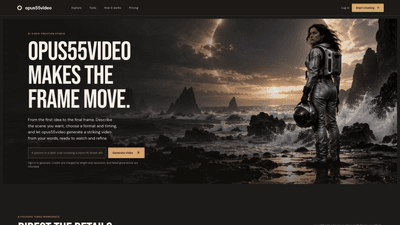
opus55video is an AI video creation studio that turns written ideas into moving shots. From the first idea to the final frame, you describe the scene, choose a format and timing, and opus55video generates a striking video from your words that you can watch and refine. It’s an online workspace for creating short videos from text or starting with a basic image, with no setup required. The workflow is simple and focused: write, direct, generate, and refine in one place. Frame formats span widescreen, vertical, square, and other common ratios, with durations ranging from 4 to 15 seconds to match your concept. Credits power every generation, and if a generation fails, the credits are refunded automatically.
Features
- Text-to-video storytelling: Describe a scene, movement, and mood; the AI translates your prompts into motion.
- Flexible frame formats: Choose from widescreen (16:9), vertical (9:16), square (1:1), plus 4:3, 3:4, cinematic 21:9, or auto ratio. Generate in 480p, 720p, or 1080p.
- Short-form pacing: Set shot durations from 4 to 15 seconds to fit opening hooks, social clips, or storyboard references.
- Creation history: Access your recent generations, review the finished shots, and return to prompts to adjust pace, composition, or mood.
- All-in-one studio: No camera setup or editing project required. Open the studio, enter prompts or upload a starting image, pick format and duration, and submit.
- Image-to-video option: Optional starting image to guide the opening frame; you can also upload a last frame and describe the in-between.
- Continual evolution: New models and styling options arrive over time, keeping visuals fresh while maintaining the same write-direct-generate-refine workflow.
- Visual direction control: Decide who is in frame, what happens, how the subject moves, and the overall feel; the AI translates these cues into motion.
- Creation collaboration: Save and compare multiple directions side by side, useful for social content ideas, brand concepts, or team discussions.
- Synced audio (optional): Generate synced audio to accompany the video if desired.
- Refunds for failed generations: If a generation doesn’t work, the credits are refunded automatically.
How to Use
- Describe it
- Write a concise scene description in one or two plain sentences. Include who is in frame, what action occurs, and the mood or atmosphere.
- Direct it
- Choose the frame format and duration that fit your idea and the platform where it will be shown. Decide on camera direction and atmosphere (e.g., push in, follow, wide/static; soft light or high contrast).
- Generate it
- Create, review, and refine your shot in the opus55video studio. Track progress in Your Creations, and once ready, open the result to assess and iterate.
- Refine or explore variants
- Return to your prompt to explore another pace, composition, or mood. Compare different directions side by side to converge on the best visual approach.
Optional image-to-video path:
- If you want to control the opening frame, switch to image-to-video and upload a starting frame (and optionally a last frame). The prompt then describes what happens in between.
Key guidance for prompts:
- Scene: Start with the subject and setting, then specify the action (e.g., “a person in a dark coat crossing a neon-lit street after rain”).
- Camera: Add direction and mood (e.g., “camera pushes in slowly; wide frame; soft lighting”).
- Frame: Match the platform with the right ratio (landscape, portrait, or square) and keep actions simple for the initial seconds while reserving mood and camera movement for longer sections.
Where to find and manage videos:
- Your Creations area stores recent requests and their status. It may take several minutes to generate, after which you can review the video and refine your next prompt.
Pricing
- opus55video uses a credit-based system. Each video is charged by resolution and duration, and the exact cost is shown before submission. Credit packs never expire, and failed generations are refunded automatically.
- Starter Pack: 1,420 credits (about 3 × 720p, 5s videos or 6 × 480p 5s videos; plus model/export options). Price around $19.90.
- Pro Pack: 3,800 credits (roughly 8 × 720p 5s or 17 × 480p 5s videos; plus image credits). Price around $49.90.
- Studio Pack: 10,500 credits (roughly 22 × 720p 5s videos or 47 × 480p 5s videos; plus image credits). Price around $129.
- Trial option: A trial is available (listed as $4.99) to try the platform before committing to a bigger pack. If you upgrade to a larger pack, the trial amount is deducted from the upgrade cost, and credits never expire.
- Platform fairness: Credits are charged by resolution and duration before you submit; if a generation fails, its credits are refunded automatically.
Practical use cases and benefits
- Quick concept visualization: Create short opening shots for social video, vertical storytelling, or concept pitches to establish location, mood, and pacing without filming.
- Storyboarding and pre-production: Generate multiple visual directions to clarify visual direction, lighting, camera movement, and framing for a shoot day or storyboard reference.
- Brand and product exploration: Translate abstract proposals into concrete scenes—where the product sits, how light hits it, and how the camera approaches it—so teams can discuss visual direction before budgeting.
- Personal visual experiments: Experiment with science fiction landscapes, intimate portraits, rainy streets, or surreal spaces by tweaking time of day, weather, color, and camera moves—efforts can be compared side by side.
- Rapid testing for social content: Use short clips to test visuals and tone before committing to a longer shoot, ensuring alignment with audience preferences.
Tips for getting the most from opus55video
- Be explicit about the moment: Include who is in frame, the action, and the mood to help the AI produce a clear, testable result.
- Start with a strong opening frame: If using image-to-video, craft the first frame carefully to set the scene while you describe the action that follows.
- Play with aspect ratios: Choose a frame format that fits the viewing destination (e.g., 9:16 for vertical social clips, 16:9 for wides) and review how it affects composition.
- Build prompts incrementally: Define the most important elements first (subject, setting, action), then add camera movement and lighting as needed.
- Leverage creation history: Review past generations to identify successful directions, then refine prompts to converge on the desired look and feel.
- Test multiple directions: Use side-by-side comparisons to explore different moods, pacing, and camera moves before committing to a final version.
- Plan with the platform in mind: Consider where the video will live and choose resolution and frame rate accordingly; the cost preview shows before you submit.
Frequently Asked Questions
- What can I use opus55video for? Use it to turn written concepts or a still image into short video shots for creative exploration, storyboard references, social content ideas, and conversations about visual direction. The results depend on your prompts and the generation process, so trying several variations helps clarify the envisioned image.
- Do I need an image before generating a video? No. Text to video only requires a scene description. An image can guide the opening frame if you switch to image-to-video, but it’s optional.
- Which formats and durations are available? opus55video supports widescreen 16:9, vertical 9:16, square 1:1, 4:3, 3:4, cinematic 21:9, or an automatic ratio, at 480p, 720p, or 1080p, with durations from 4 to 15 seconds. Synced audio can be generated with the video.
- Where do I find a video after submitting? Videos appear in the Your Creations area of the opus55video studio, where you can monitor progress and open completed results to review and refine.
- How much does opus55video cost? It uses a credit system. Credit packs start at modest prices, and monthly or yearly plans add bonus credits. Each generation’s cost is shown before submission; failed generations are refunded automatically.
- How long does generation take? Generation can take several minutes, depending on the prompt and system load. You can review progress in the creation history and open results when complete.
Opus55video makes the next frame yours. It’s designed for rapid idea-to-motion workflows that keep creative direction in your hands while providing AI-generated visuals you can watch, compare, and refine. Whether you’re testing opening shots for social content, building a storyboard, or exploring brand concepts, opus55video offers a focused, flexible, credit-powered path from description to moving image.