What is it
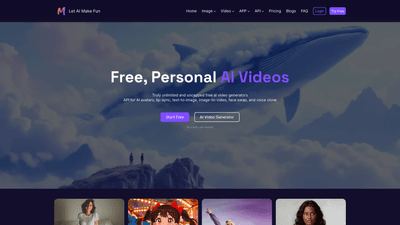
MakeFun is an all-in-one AI video generator designed to empower anyone to create professional, engaging videos without mic checks, cameras, or actors. Harnessing advanced AI models, it supports ultra-realistic image-to-video, head swap, face swap, and lifelike lip-sync, enabling you to produce high-quality videos from text, images, or existing footage. Key capabilities include AI avatars, voice cloning, text-to-image, image-to-video, video-to-audio, and actor animation, all served through a developer-friendly API and flexible deployment options. The platform emphasizes privacy and reliability, with a personal-friendly approach and global data centers to meet regional compliance, plus a 99.99% SLA for production-grade performance. Whether you’re creating product explainers, e-learning content, marketing videos, or multilingual communications, MakeFun helps you bring ideas to life with speed and scalability.
Features
- AI Video Generator and Avatar Capabilities
- Text to Image: turn prompts into realistic photos, digital art, and designs.
- Image to Video and Video to Audio: convert visuals or silent footage into polished videos with AI-generated soundtracks.
- AI Avatar: create talking avatars with ultra-low latency, capable of speaking in multiple languages.
- Voice Clone: clone voices across 50+ languages for multilingual outputs.
- Lip-sync: ultra-accurate lip-sync and natural mouth movements for believable talking videos.
- Advanced Face and Head Manipulation
- Head Swap: replace the entire head with another for full-face and head transformations.
- Face Swap: state-of-the-art face replacement with smooth, indistinguishable results.
- Video Enhancement and Styling
- Wan 2.6: longer, steadier AI videos at lower cost (Alibaba’s image/video model).
- Veo 3.1: fast AI video generation from text or image-driven animation.
- Cloth Swap/Product Avatar: realistic product placement and apparel customization within scenes.
- Interactive AI Experiences
- AI Avatar streams and live interactions, designed for diverse use cases.
- Text to Image and Talking Photo/Video: combine natural language prompts with high-resolution face rendering and accurate expression.
- Actor Animation (V2V): animate still images into dancing or performing sequences.
- Translation and Localization
- Video Translation: translate videos across languages while preserving voice and tone.
- Cross-language support for multilingual production workflows.
- Developer-Friendly and Scalable
- MCP-ready with native AI programming and simple docs.
- Easy API integration to generate avatars, voices, and videos in your apps.
- On-premise deployment option with Docker-based installation for enterprise control.
- Safety and Reliability
- Personal and privacy-first design with multiple global data centers and regulatory compliance.
- High SLA (99.99%) to ensure dependable video production at scale.
- Free and Flexible Access
- Free trial options available; no credit card required for initial testing.
- Starter pricing from $9.9 and usage-based subscriptions, with enterprise and dedicated-server options.
How to Use
- Getting Started
- Sign up and start with a free or trial plan to explore AI video generation capabilities, including avatar creation and lip-sync features.
- Use the user-friendly UI to generate videos from text prompts, upload images for image-to-video, or select prebuilt avatars.
- Integrations and Deployment
- For developers, leverage the API to power interactive avatars, streaming avatars, and video generation in your apps.
- Use the MCP (Minecraft-Content Protocol) style server for quick integration, allowing you to deploy talking avatars and related features with minimal coding.
- If you need full control, deploy on-premise with Docker images to keep algorithms and data in your own environment.
- Use Case Workflow
- Create an AI avatar and define its voice using a chosen language.
- Provide a script or prompt for lip-synced talking visuals.
- Enhance with image-to-video or text-to-image to craft scenes, then translate or localize as needed.
- Export high-quality videos ready for marketing, training, or education.
- Pricing and Plans
- Start with a free tier for experimentation, then move to a starter plan from $9.9.
- Choose per-usage subscriptions for scalable needs or enterprise/dedicated-server options for large teams.
- On-premise deployments are available for organizations requiring local processing and data control.
Pricing
- Free trial: Access to core features with no credit card required to explore MakeFun’s capabilities.
- Starter Package: From $9.9, designed for individuals and small teams to experiment with AI video generation, avatars, and lip-sync.
- Per-Usage Subscriptions: Flexible pricing aligned to usage volume, suitable for growing content production needs.
- Enterprise and Dedicated Servers: Scalable solutions with priority support and custom deployments.
- On-Premise: Full algorithm and system deployment within your own infrastructure using Docker, offering maximum data privacy and control.
- API Access: Pay-as-you-go or subscription-based API usage to power avatars, lip-sync, and video generation in third-party apps.
Tips
- Plan scripts and prompts carefully to maximize lip-sync accuracy and natural facial movements.
- Use high-quality input images for better head and face swap results; ensure consistent lighting and angles.
- Leverage Wan 2.6 and Veo 3.1 models for longer, steadier videos and fast generation to meet tight deadlines.
- Consider translation and voice cloning for multilingual campaigns to expand global reach without reshooting content.
- For teams: adopt the MCP or API solution to integrate talking avatars into your product or learning platform, enabling scalable customer experiences.
- Data privacy: take advantage of region-specific data centers and on-premise options to meet regulatory and security requirements.
Frequently Asked Questions
- What is MakeFun?
- A comprehensive AI video generation platform that enables text-to-video, image-to-video, lip-sync, head and face swaps, voice cloning, avatar creation, and multi-language video production, with developer-friendly APIs and on-premise options.
- Is there a free plan?
- Yes, MakeFun offers free trial access to core features, with paid tiers available for expanded usage and enterprise deployments.
- Can I use it in my app?
- Absolutely. The API and MCP-ready infrastructure let developers embed talking avatars, video generation, and lip-sync into applications with minimal coding.
- Do you support on-premise deployment?
- Yes. On-premise deployment with Docker is available for organizations requiring local processing and strict data control.
- How many languages are supported for voices and translation?
- Voice cloning supports 50+ languages, with video translation capabilities to preserve tone and flow across languages.
- How reliable is the service?
- MakeFun provides a 99.99% SLA and a privacy-first design with global data centers to meet regional compliance and reliability needs.
- What are typical use cases?
- Product marketing explainers, e-learning and training videos, internal presentations, customer-facing avatars, multilingual content, and rapid social media videos.
- Can I use it for enterprise-scale projects?
- Yes. Enterprise solutions include dedicated servers, scalable API access, on-premise options, and priority support to meet large-team requirements.
- How do I start integrating today?
- Sign up for a free trial, review the API documentation, and choose a plan that fits your usage. If needed, contact sales for enterprise and on-premise arrangements.
This MakeFun-based product overview highlights the core value: a powerful, privacy-conscious AI video toolset that blends realistic avatars, precise lip-sync, and flexible deployment to accelerate creative workflows, scale multilingual content, and deliver engaging video experiences across marketing, education, and product communications.