What is it
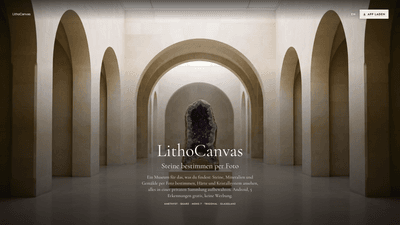
LithoCanvas is an Android app designed to help you identify stones, minerals, gemstones, and paintings from a simple photo. Built for curious collectors and learners, the app provides AI-assisted suggestions about what the item might be, along with a clear indication of how confident the guess is. It functions as a private, private-collection tool rather than a public catalog, storing your findings securely with photos, notes, and voice memos.
Key differentiators include: five identifications included at no cost, an ad-free experience, and data that is stored in the European Union. The app covers mineral data such as Mohs hardness, crystal system, color, and luster, and it also offers painting-related guidance (style, technique, epoch, and composition) so you can place artworks alongside minerals in your collection. It emphasizes user control over decisions—every identification result can be accepted or rejected by you, while you curate a private gallery that travels with you.
LithoCanvas integrates practical identification features (Mohs hardness testing indicators, crystal system categories like trigonal or monoclinic, and gloss descriptions) with a user-friendly glossary that explains terms in simple language. This makes it not only a tool for identification but also an educational resource for understanding mineralogy and art history.
Features
- Photo-based identifications with confidence scoring: Upload a photo of a stone, mineral, gemstone, or painting; the app suggests what it could be and shows how certain the estimate is.
- Mineral data at a glance: For each mineral, see Mohs hardness, crystal system, color, and gloss (e.g., glassy, metallic, silky).
- Mohs hardness and scale reference: The app highlights hardness values, and you can simulate a hardness check in your process (the scale is presented to help you verify yourself).
- Size estimation with a scale object: A coin or similar reference is used to give you a sense of the specimen’s size in the photo.
- Glossary and explanations: Terms like trigonal, monoclinic, and glassy are explained in plain language to help you understand the identification results.
- Private collection hub: Save every find with photos, notes, and a voice memo about its provenance. Your private collection can be organized, browsed, and enriched over time.
- Compare and wishlist: Compare two or more finds side by side; create a wishlist of pieces you’d like to revisit or acquire.
- Export your data: Your collection and findings can be exported whenever you want, enabling easy sharing or backup.
- Art recognition capabilities: Paintings and drawings get suggestions about style, technique, epoch, and composition, so you can place art in the same private collection as minerals.
- EU data storage and privacy: Your data is stored in the EU, with account-related controls and privacy terms to manage your information.
- Ad-free experience: The app emphasizes a clean, distraction-free interface.
Practical use cases include field collecting, classroom or museum-like cataloging for learners, private study of mineralogy, and integrating artwork observations with mineral finds for a broader visually rich collection.
How to Use
- Download LithoCanvas from Google Play and install it on an Android device.
- Open the app and capture a photo of a stone, mineral, gemstone, or painting. Ensure good lighting and focus for the best result.
- Review the app’s suggested identification and the accompanying confidence indicator.
- Explore mineral data (Mohs hardness, crystal system, color, gloss) and, if applicable, use the suggested self-checks (e.g., scale reference) to compare with your own observations.
- Save the item to your private collection with photos, a note about its origin, and a voice memo describing where you found it or any context you have.
- Use the compare feature to place items side by side, add items to a wishlist, and export your collection when needed.
- For paintings, review the suggested attributes (style, technique, epoch, and composition) and link the painting to your mineral entries within the same private collection.
- Your data is stored in the EU, and you can manage privacy settings, account controls, and export options within the app.
Pricing: LithoCanvas offers 5 identifications included at no cost and an ad-free experience. The source does not specify any additional paid tiers or in-app purchases beyond the free 5 identifications. For the latest pricing and options, consult the Google Play listing.
Tips
- Illumination matters: Take photos in bright, diffuse light without harsh shadows to improve identification confidence.
- Clear close-ups help: Capture close, in-focus shots of key features (crystal faces, luster, color variations, surface textures).
- Include a scale reference: Place a common coin or ruler in the frame to give a sense of size.
- Multiple angles increase accuracy: If the first photo is inconclusive, retake from different angles or lighting angles.
- Use the glossary: Familiarize yourself with terms like trigonal, monoclinic, and glassy to better understand each result.
- Build a rich private collection: Add notes about provenance, location, and date of discovery; record a voice memo for quick context.
- Cross-link with paintings: When you identify an artwork, add it to the same private collection as minerals to build a cross-domain learning resource on style, technique, and era.
- Export regularly: Keep backups of your collection data and notes for personal reference or future sharing.
Frequently Asked Questions
-
What can LithoCanvas identify? LithoCanvas identifies stones, minerals, gemstones, and paintings from photos, providing suggestions and confidence levels. It also offers style and technique cues for paintings.
-
Does LithoCanvas authenticate items or provide price estimates? No. The app provides identifications and educational information, along with a confidence score. It does not offer authentication or price judgments for items.
-
How many identifications are free? Five identifications are included at no cost, and the experience is ad-free.
-
Where are my data stored? Your data are stored in the European Union (EU) and are managed under standard privacy and account controls.
-
Can I store my findings privately? Yes. Findings can be saved to a private collection with photos, notes, and voice memos. You can compare items, maintain a wishlist, and export data.
-
Is there an option to identify paintings? Yes. In addition to minerals, LithoCanvas provides painting-related suggestions for style, technique, epoch, and composition, allowing artworks to be cataloged alongside minerals.
-
Are there any age restrictions? The product notes indicate it is intended for adults (18+).
-
Do I need an internet connection to use LithoCanvas? The source does not specify offline versus online requirements. Availability of identifications may depend on current app capabilities and data access.
-
How do I delete my data or account? The app provides account controls, including the option to delete your account, in line with its privacy policy and terms.
-
Is there ongoing support or updates? The app is published by Senorit ( © 2026 Senorit ). Regular updates are common for Android apps of this type, but you should check the Google Play listing for the latest feature additions and policy updates.
LithoCanvas positions itself as a practical, educational, and privacy-conscious tool for anyone fascinated by minerals, gemstones, and paintings. Its combination of photo-based identifications, mineral data, glossary explanations, a private collection, and cross-domain art recognition creates a unique, centralized resource for building a personal, well-documented collection. With five free identifications and an ad-free experience, it caters to both casual hobbyists and serious learners who want to explore the natural and artistic world through a single, organized mobile platform.