What is it
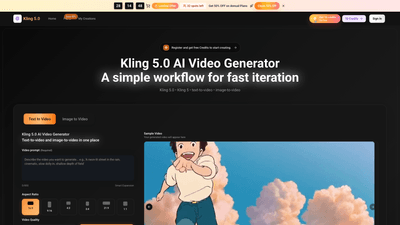
Kling 5.0 AI Video Generator is a unified, modern workflow that quickly turns textual briefs and even images into high-quality short videos. Built to support fast iteration, Kling 5.0 keeps framing and motion consistent across takes, enabling creators and teams to generate multiple variations in minutes and export ready-to-publish clips. With a single interface for text-to-video and image-to-video, it simplifies production: write a brief, set style and camera directions, generate several takes, pick the best one, and export. It’s designed for both solo creators and teams, with a Pro tier that accelerates throughput for higher-volume production. New users can start free, then scale to Pro for larger campaigns, ensuring brand consistency across episodes or campaigns.
Practical use cases include product demos, ads, explainers, short-form hooks, cinematic concept tests, tutorials, training modules, social posts, and multi-platform campaigns. Kling 5.0 is built to deliver export-ready clips with consistent look and pacing, so teams can publish faster without sacrificing visual identity.
Features
- Text-to-video and image-to-video in one platform
- Turn prompts or visuals into short clips quickly, with output designed for web and social use.
- Fast, repeatable workflow
- Generate multiple takes from a single brief, compare, and export the best, then reuse a prompt recipe for consistency across episodes.
- Consistent framing and motion
- The Kling 5 model maintains camera intent across takes, reducing time spent redoing prompts.
- Style, mood, and camera controls
- Specify angle, motion, lighting, mood, and pacing to align with your brand and campaign needs.
- Export-ready clips
- Outputs are optimized for web and social platforms; flexible export options depend on plan and settings.
- Aspect ratios and video quality
- Supports common formats and quality levels (e.g., 720p HD, 1080p Full HD) with various aspect ratios to fit different platforms.
- Prompt recipes and series look
- Create repeatable series with saved recipes to ensure a cohesive look and pacing across episodes or campaigns.
- Free starter credits and scalable plans
- Kling 5.0 is free to start; upgrade to Kling 5.0 Pro for higher volume, priority queues, and faster generation.
- Commercial-use licensing
- Paid plans include commercial-use licenses, suitable for ads, brand content, and client work.
- Credits-based system
- Generations consume credits; plans include annual credits with varying totals and allowances.
- Multiple AI models and features
- Access additional models (e.g., Veo 3, Sora 2, Seedance, Wan 2.5) and capabilities like video enhancement and cleanup tools.
- Mobile-friendly and cloud-based
- Works in a mobile browser with cloud-based generation and downloadable exports.
- Priority queues and no watermark (on paid outputs)
- Pro and enterprise tiers offer priority generation and watermark-free outputs.
How to Use
- Step 1: Sign in or register
- Create an account to receive free credits to start creating right away.
- Step 2: Set your goal and choose the path
- Open Kling 5.0, select text-to-video or image-to-video, and decide the clip’s purpose (ad, demo, explainer, story beat).
- Step 3: Define style and direction
- Add style cues and camera direction: angle, motion, lighting, mood, and pacing to ensure consistency across variations.
- Step 4: Generate variations and refine
- Produce several takes, compare them, keep the best one, and export for web or social. For higher volume, switch to Kling 5.0 Pro for faster queues and more generations.
- Step 5: Export and reuse
- Export clean, export-ready clips and reuse prompt recipes to maintain a repeatable look across a series or campaigns.
- Ready to scale
- When you need more throughput, unlock Kling 5.0 Pro for priority generation, larger quotas, and production-ready scale.
Who it’s for
- Built for solo creators, marketing teams, and production teams
- Suitable for product marketers, educators, course creators, real estate professionals, and e-commerce brands
- Pro tier is ideal for teams with higher output demands and collaborative workflows
Pricing and plans
- Start with the free Kling 5.0 tier to explore capabilities and generate initial outputs
- Annual plans offer significant savings (Flash Sale 40% off across plans)
Pricing
- Basic (Annual): $17.9/month (regularly $29.9/month)
- Includes 12,000 credits per year
- Up to 100 videos per month
- AI video generation (annual), unlimited downloads
- 6,000 Kling 5 credits included annually
- Commercial-use license, seedream model, video enhancer, cleanup tools
- Priority queue and other core features
- Professional (Annual): $29.9/month (regularly $49.9/month)
- Includes 24,000 credits per year
- Up to 200 videos per month
- Kling 5 credits included (annual)
- Pro features: history saved all year, no watermark on outputs, priority throughput
- Access to Kling 5.0 Pro tools and support
- Enterprise (Annual): $59.9/month (regularly $99.9/month)
- Includes 72,000 credits per year
- Up to 600 videos per month
- Enterprise-specific features: team workflows, unlimited team downloads, organization access
- Commercial-use license (enterprise), priority enterprise support, and full scale for teams
- All paid plans offer no watermark on outputs and commercial-use license (subject to plan terms)
- Availability of the 40% annual discount reflects ongoing promotions; prices and terms are subject to change
Note: Kling 5.0 also emphasizes a free-to-start path with credits to explore the platform, and upgrading to Pro unlocks higher throughput, larger queues, and production-grade features.
Tips
- Start with a clear mini-brief
- A concise prompt helps Kling 5.0 generate more relevant takes from the start.
- Use prompt recipes for consistency
- Save and reuse recipes across episodes or campaigns to maintain visual identity and pacing.
- Leverage hooks for A/B tests
- Generate multiple hooks and test pacing and framing across platforms without rebuilding concepts.
- Plan for multi-platform deployment
- Create variations tailored to each platform (short-form for social, longer explainers for websites) and reuse core prompts.
- Iterate efficiently
- Generate several takes quickly, choose the best, then make small edits to refine. Upgrade to Pro if you need more batches and faster queues.
- Maintain brand consistency
- Use consistent mood, lighting, and camera language across a series or campaign to keep a strong, recognizable look.
- Use the right aspect ratios and quality
- Align output settings with the platform requirements (e.g., 16:9, 9:16, 1:1) and desired video quality (720p, 1080p).
- Leverage extra models and tools
- Explore Veo 3, Sora 2, Seedance, Wan 2.5, and features like video enhancement and cleanup to polish outputs.
- Cloud-based and mobile-friendly workflow
- Work from a mobile browser when convenient and download exports for publishing.
Frequently Asked Questions
- What is Kling 5.0 and how does it work?
- Kling 5.0 is an AI video generator that turns text prompts (and optional images) into short clips. Generate multiple takes, select the best, and export, while reusing prompt recipes for consistency.
- What makes Kling v5 different from other AI video tools?
- It emphasizes fast iteration with a model that keeps framing and motion consistent, reducing rework and helping you ship videos faster.
- How do I create my first video?
- Sign in, write a prompt, choose a style, and generate. Refine with small edits, then export. Start with the free Kling 5.0 tier to explore.
- What export formats are available?
- Exports are optimized for web and social platforms; exact options depend on your plan and settings.
- Can I use Kling 5.0 videos commercially?
- Yes. Paid plans include commercial-use licenses suitable for ads, brand content, and client work (subject to plan terms).
- How fast does Kling 5.0 generate videos?
- Speed depends on settings and queue; higher throughput and priority generation are available with Kling 5.0 Pro.
- Is Kling 5.0 mobile-friendly?
- Yes. It works in a mobile browser; generation runs in the cloud and exports are downloadable.
- What types of videos can I create?
- Product clips, ads, social videos, explainers, story scenes, cinematic shots, and variations for testing and multi-platform exports.
- How do credits work?
- Each generation uses credits based on settings. New users get free credits; subscriptions replenish credits on schedule; some packs are one-time and non-expiring.
- Is Kling 5.0 Pro worth it?
- For frequent publishers or teams producing high volumes, Pro provides faster queues, more generations, and priority access—worth it if you scale production.
- How do I get started?
- Start with Kling 5.0 free to explore, then upgrade to Kling 5.0 Pro when you need greater capacity and faster delivery.
Ready to elevate your AI-powered video production with Kling 5.0? Start with the free tier to test the workflow, then scale to Pro or Enterprise to meet higher output demands while keeping your brand look consistent across all clips.