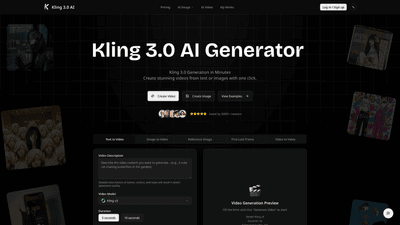
What is it
Kling 3.0 AI Generator is a next-generation, unified multimodal AI video platform designed to turn text or images into cinema-quality clips in minutes. Built on the Omni One architecture, it combines 3D spacetime attention with chain-of-thought reasoning to deliver physically plausible motion, native audio-visual synchronization, and output up to 1080p/4K with cinematic quality. Kling 3.0 supports image-to-video, video-to-video workflows, and precise editing within one seamless engine. It also offers a 7-in-1 multimodal editor, lossless editing, and professional export options, making it suitable for social content, product demos, and creative projects alike. New users can explore Kling 3.0 with free daily credits, while paid plans unlock commercial licenses, higher output quality, and advanced features.
Features
-
Omni One: The World’s First Unified Multimodal AI Engine
- Unified architecture that handles text, images, and video prompts in one system.
- 3D Spacetime Attention plus Chain of Thought reasoning for realistic motion and planning.
-
Realistic Motion and Physics
- Physics-driven motion with gravity, balance, deformation, collision, and inertia.
- Zero motion artifacts and frame-accurate synchronization.
-
Native Audio Generation & Sync
- Generate synchronized audio directly in the clip: voiceovers, lip-synced dialogue, SFX, ambient sound, and music.
- Frame-precise lip syncing and context-aware sound effects without post-dubbing.
-
7-in-1 Multimodal Editor
- Edit scenes with text or image prompts: add/remove objects, replace backgrounds, restyle, extend clips, and maintain character consistency.
- Lossless editing and seamless integration with your existing assets.
-
High-Quality Output and Professional Workflows
- Native 1080p and 4K video, 30fps, 16-bit HDR color.
- Export MP4 for quick sharing; export 16-bit HDR color and linear EXR sequences for Nuke, After Effects, and DaVinci Resolve.
- Cinematic HDR output and EXR sequence export for professional pipelines.
- Video extension capability extends base clips beyond 5 or 10 seconds up to 3 minutes while preserving consistency.
-
Reference Images and Multiple Models
- Image-to-Video guidance with reference images to maintain character consistency.
- Access to Kling v3 and other AI models across different quality/price tiers.
-
Use Case Versatility
- From social media clips to product demos and creative projects, Kling 3.0 provides professional-grade content generation with an easy workflow.
How to Use
-
Step 1: Describe Your Idea
- Type a detailed description of the scene or upload a reference image to guide the generation. Kling 3.0 translates your prompts into motion, composition, and style.
-
Step 2: Choose Your Settings
- Aspect Ratio: 16:9 for landscape, 9:16 for vertical formats.
- Mode: Kling 3.0 Fast for quick results, or Kling 3.0 Pro for higher quality and additional features.
- Model: Select Kling v3 or other available AI models based on your needs.
- Optional: Enable Video Extension to extend duration up to about 3 minutes with consistent visuals.
- Duration presets: Base clips can be created in 5 seconds or 10 seconds increments; longer projects can be built by extending the length.
-
Step 3: Generate & Download
- Click Generate to create your clip, then download MP4 (and HDR/EXR outputs if needed). A login is required to generate videos.
- Credits are consumed per generation and vary by model and duration; credits can be purchased in packs and do not expire.
-
Practical tips
- Use the Captain’s Log prompting style for clearer camera angles, lighting, and movement.
- For complex scenes, utilize the Motion Brush in the editor to guide object trajectories and interactions.
- If maintaining character consistency is crucial, provide reference images and repeatedly refine prompts.
Pricing
-
Free Access
- New users receive free daily credits to explore Kling 3.0 capabilities, including generating videos, trying modes, and evaluating features without upfront costs.
-
Paid Plans (monthly and yearly options with savings)
- Starter
- $13.99 per month (annual option: $167.88, with savings)
- Includes 3,000 credits per month for video generation
- MP4 downloads, access to all templates, permanent access to your videos, email support within 24 hours, community access
- Kling 3 Fast & Pro mode support, additional AI models, priority support
- Pro
- $31.99 per month (annual option: $383.88)
- 9,000 credits per month
- All Starter features plus faster generation queue, higher-resolution outputs, priority support, access to all Kling3 Pro features
- Scale
- $79.99 per month (annual option: $959.88)
- 24,000 credits per month
- All Pro features plus fastest generation queue, dedicated account manager, full access to all Kling3 modes and premium features
- All-advanced-video features, full Kling3 access, priority processing
- Starter
-
Commercial Rights
- Lifetime usage rights are included with paid plans. After payment, you own all works generated through Kling 3.0—forever.
- Permanent Commercial License is available to paid users to enable commercial use of generated content, with a certificate provided.
-
Refund Policy
- 7-day no-questions-asked refund for new subscriptions; for renewals, support can assist if there are issues within 72 hours.
Tips
- Plan with prompts
- Use precise, descriptive prompts for camera angles, lighting, and movements to improve generation quality.
- Leverage the 7-in-1 editor
- Experiment with adding/removing objects, background replacement, and restyling to achieve the desired mood and narrative.
- Maintain character consistency
- Provide reference images and repeat prompts for key characters to reduce variation across scenes.
- Optimize for output format
- For professional workflows, export EXR sequences and 16-bit HDR outputs to integrate smoothly with Nuke, After Effects, or DaVinci Resolve.
- Use video extensions for longer projects
- Extend base clips to build longer narratives while preserving continuity in motion and style.
- Experiment with templates and models
- Try Kling v3 and alternative models to compare performance across different content needs.
Frequently Asked Questions
-
What is Kling 3.0?
- Kling 3.0 is a unified multimodal AI video generator powered by the Omni One architecture, capable of 1080p/4K outputs with native audio synchronization and realistic physics simulation.
-
Is Kling 3.0 free to use?
- Yes, new users receive free daily credits to explore capabilities, create short clips, and test modes without upfront costs.
-
Can I use generated content commercially?
- Commercial rights are available with paid plans. Upgrading unlocks commercial licenses, watermark removal, and advanced export options such as EXR sequences.
-
What new features does Kling 3.0 offer?
- Features include 3D Spacetime Attention, Chain of Thought reasoning for physics, native audio generation, and a 7-in-1 multimodal editor that allows comprehensive editing within one platform.
-
Does Kling support Image-to-Video and Audio?
- Yes. You can upload reference images to guide character consistency, and Kling 3.0 generates synchronized audio, including dialogue and SFX.
-
What export formats are supported?
- MP4 for quick sharing; 16-bit HDR color and linear EXR sequences for integration with major compositing tools (Nuke, After Effects, DaVinci Resolve).
-
How long can Kling 3.0 clips be?
- Base clips are 5 or 10 seconds, with a Video Extension option to extend up to approximately 3 minutes while preserving scene details and character continuity.
-
How can I get the best results?
- Use specific prompts (camera angles, lighting, movement) and utilize the Motion Brush for precise control over object trajectories. Reference images help maintain consistency.
-
Do credits expire?
- Credits purchased through one-time options typically do not expire; you can top up as needed.
-
What about refunds?
- New subscriptions come with a 7-day refund window; for renewals, contact support within 72 hours for review.
If you’re seeking a powerful, professional-grade AI video solution that handles text, images, and video in one workflow, Kling 3.0 offers a compelling combination of advanced AI technology, high-quality outputs, and flexible licensing suitable for creators, marketers, and production teams alike. Start with free daily credits to explore and then scale with plans that match your production needs and commercial ambitions.