What is it
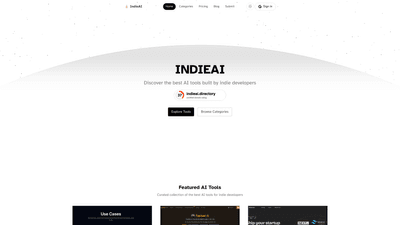
IndieAI is a curated directory of AI tools developed by indie creators and small teams. It serves as a centralized marketplace and discovery hub where developers, product builders, marketers, and designers can explore, compare, and adopt indie-built AI solutions across multiple categories. The platform highlights a broad spectrum of tools—from AI image generation and coding helpers to productivity boosters, marketing assistants, video creation, and data analytics—curated to showcase innovation outside of large incumbents. Examples featured in the directory demonstrate the breadth of use cases, such as viral idea discovery with Nano Banana AI, free high-fidelity image generation with Raphael AI, rapid startup shipping with ShipFast, and many more. IndieAI is designed to accelerate ideation, prototyping, and go-to-market efforts by connecting creators with the right indie AI tools and integrations.
Features
- Comprehensive AI tools directory built for indie developers and startups
- Category-based browsing and intelligent discovery across AI Image Generation, AI Coding, AI Productivity, AI Marketing, AI Video Generation, AI Data & Analytics, AI Chatbots, AI Design, and more
- Curated collections and a dynamic feed of newly added tools
- Detailed tool pages with use cases, capabilities, pricing information, and potential integrations
- Emphasis on tools that enable rapid product launch and practical workflows (e.g., ShipFast for fast AI SaaS scaffolding, MkSaaS-style boilerplates, and open integrations)
- Focus on accessibility and experimentation—many tools offer free or freemium access, facilitating low-risk exploration
- Examples of tools across categories to illustrate the spectrum of capabilities and real-world use cases
Core keywords: indie AI tools, AI tools directory, AI tools for indie developers, AI SaaS, AI image generation, AI coding, AI productivity, AI marketing, AI video generation, AI data analytics
How to Use
- Explore by category or search by keywords
- Start by selecting a category that matches your current need (image generation, coding assistance, productivity, marketing, etc.). Use the search to pinpoint tools by capability, model, or integration (e.g., “image generation,” “Next.js boilerplate,” “AI outreach,” “SEO analytics”).
- Review tool pages for practical details
- Open individual tool pages to understand use cases, core features, and how it can fit into your workflow. Look for notes on pricing, supported models, integration options (APIs, Zapier, webhooks), and any starter templates or boilerplates mentioned (e.g., ShipFast, MkSaaS-style foundations).
- Compare and shortlist
- Compare tools based on relevance to your project, required integrations, ease of use, and pricing. Consider starting with tools that address immediate pain points (e.g., rapid prototyping, content generation, or automated outreach) to validate concepts quickly.
- Try and adopt
- Leverage any free tiers or trials to experiment. If you’re building an AI-powered product, consider pairing a rapid-start tool (like a boilerplate or framework) with a purpose-built AI capability from the directory.
- Plan for scale
- For teams, identify tools that offer collaboration features, multi-user access, or enterprise-ready integrations. Use the directory to map out a multi-tool workflow (example: content generation with AI Flow Chat, SEO optimization with SEOUtils, outreach with Artemis or Gojiberry AI).
Pricing
- Pricing is tool-specific and managed by each indie developer or vendor listed in the directory. IndieAI itself emphasizes discovery and comparison rather than collecting a single pricing plan.
- Many tools offer free tiers or freemium access to explore core capabilities. Others provide paid plans with additional features, higher usage limits, or professional-grade integrations.
- Notable example mentioned in the ecosystem: Raphael AI is described as the world’s first completely free AI image generator, illustrating that free-access entries exist within the directory. Always check the individual listing for the latest pricing details, trial options, and any usage caps.
Tips
- Start with free or low-friction tools to validate a concept before committing to paid plans.
- Use category filters and the newest tools feed to discover trending or emerging solutions that fit your niche.
- For teams, look for tools with collaboration features or shared workspaces to streamline onboarding and cross-functional use.
- Mix and match tools to build end-to-end workflows (e.g., AI content generation for marketing, paired with SEO analytics for optimization, and outbound outreach for conversion).
- Prioritize tools with clear documentation, example templates, and integration capabilities with your existing stack (APIs, webhooks, or platform connectors).
- Track ROI by mapping a simple workflow: time saved, quality improvements, and faster time-to-market when combining multiple indie AI tools.
- Stay updated with the latest additions to the directory to capture fresh capabilities and novel use cases from indie developers.
Frequently Asked Questions
-
What is IndieAI?
- IndieAI is a curated directory of AI tools created by indie developers. It helps users discover, compare, and adopt AI solutions across multiple categories, enabling faster prototyping, product development, and go-to-market activities.
-
How do I decide which tool to choose?
- Start by defining your goal (e.g., image generation, coding assistance, marketing automation). Filter by category and price, read the tool’s use cases and integration options, try any free tier, and compare against your requirements and budget.
-
Are all tools in IndieAI free?
- No. Pricing varies by tool. Some offer free tiers or freemium access, while others are paid. Always verify the pricing on the individual tool page.
-
Can IndieAI help me launch an AI-powered product quickly?
- Yes. The platform highlights tools and boilerplates designed to accelerate development and deployment (e.g., ShipFast-style Next.js boilerplates, AI SaaS foundations), enabling faster prototyping and go-to-market.
-
Is IndieAI suitable for solo founders and small teams?
- Absolutely. The directory emphasizes indie developers and startups, making it a strong resource for solo founders and small teams seeking practical, accessible AI solutions.
-
How often is the directory updated?
- IndieAI continuously adds new indie AI tools and updates existing listings to reflect current capabilities and pricing. It’s best to check the feed for the latest additions.
-
Can I contribute or request a tool addition?
- The platform invites discovery from the community of indie developers. If you have an AI tool you want to feature, look for submission or contact options on the site to propose your project.
-
Do tools require coding skills to use?
- It depends on the tool. Some are designed for developers and integrate via APIs, while others offer no-code or low-code interfaces suitable for non-technical users. Check each listing for prerequisites and ease of use.
-
What categories are covered?
- The directory spans AI Image Generation, AI Video Generation, AI Coding, AI Productivity, AI Marketing, AI Data & Analytics, AI Chatbots, and related design, automation, and collaboration tools, with many sub-niches and use cases highlighted by indie creators.
-
How can I maximize value from IndieAI?
- Use filters to find tools aligned with your immediate needs, explore new additions for innovative approaches, test free tiers first, and map out a workflow that combines complementary tools to achieve faster, higher-quality outcomes.