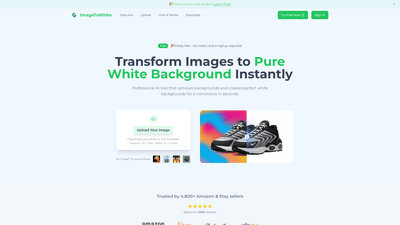
What is it
ImageToWhite is a free, AI-powered online tool that instantly removes image backgrounds and replaces them with a pure white backdrop (RGB 255,255,255). Designed for e-commerce, it delivers professional, marketplace-ready product photos in seconds, enabling sellers on Amazon, Etsy, Shopify, and other platforms to present clean, consistent visuals without any software installation or complex editing. The service is entirely free to use—no signup, no credit card required—and supports a wide range of image formats while preserving high resolution. With features such as 95%+ background removal accuracy, one-click simplicity, and batch processing, ImageToWhite helps you streamline your workflow and scale your image-ready listings quickly.
Features
- AI-powered background removal with precise subject isolation and clean edges
- Pure white background output (RGB 255,255,255) for marketplace compliance
- High-resolution output in high-quality JPG or PNG
- Fast processing: most images convert in 3–5 seconds
- Supports JPG/JPEG, PNG, WebP, and GIF uploads up to 10MB per image
- One-click, skill-free interface—no technical expertise required
- Amazon-ready, e-commerce compliant white backgrounds
- Batch processing: upload up to 100 images at once and export as a ZIP
- No cost, no signup, no hidden fees; completely free to use
- Real-world trust signals: widely used by 4,800+ Amazon & Etsy sellers, with 500K+ images processed and 25K+ active users
How to Use
- Step 1: Upload Your Photo
- Drag and drop your image or click to browse. The tool accepts JPG, JPEG, PNG, WebP, and GIF files up to 10MB.
- Step 2: AI Removes Background & Fills White
- The advanced AI detects the subject, removes the existing background, and fills the canvas with a pure white backdrop. The result features sharp edges and clean subject isolation suitable for online marketplaces.
- Step 3: Download Your Compliant Image
- Save the edited image as a high-quality JPG or PNG. For bulk work, export results as a ZIP file containing all processed images.
Additional notes:
- The platform emphasizes “no technical skills required,” making it accessible to product photographers, merchants, and small businesses.
- The white background is designed to meet major marketplace standards (Amazon, eBay, Etsy, Shopify), ensuring consistency across listings.
Pricing
- Totally free to use. No signup, no credit card, and no hidden fees. All conversions are available at no cost, allowing individuals and businesses to transform images into clean, white-background photos without financial commitment. While there are no paid tiers advertised, the emphasis remains on free, accessible, and scalable background removal for image-to-white workflows.
Tips
- For best results on complex subjects (like hair, fur, or intricate edges):
- Review the auto-removal result and reprocess if needed. The tool reports 95%+ accuracy on most images, so small refinements may be beneficial for highly detailed subjects.
- If edges look soft, re-run the process or adjust the image quality by re-uploading a higher-resolution source when possible.
- Batch optimization:
- Leverage the 100-image batch capability to prepare large catalogs for Amazon or Etsy in a single session. Export the batch as a ZIP to streamline your asset delivery workflow.
- Consistency and compliance:
- Use the pure white background consistently across all product photos to maintain a cohesive storefront appearance and meet marketplace standards.
- File formats and quality:
- Choose JPG for smaller file sizes or PNG when you need transparent area handling elsewhere in your workflow; the tool outputs high-quality JPG or PNG with the white background preserved.
- Commercial use:
- Processed images can be used for commercial purposes, including e-commerce listings, marketing materials, and portfolios, without additional licensing fees.
Frequently Asked Questions
- How does the image to white background conversion work?
- The AI automatically detects the subject, removes the existing background, and fills the canvas with a pure white background (RGB 255,255,255). The process takes seconds and aims for clean, professional edges.
- What image formats are supported, and what are the size limits?
- Supported formats include JPG/JPEG, PNG, WebP, and GIF, with a maximum file size of 10MB per image.
- How long does processing take?
- Most images are processed in about 3–5 seconds, enabling quick bulk conversions without sacrificing quality.
- Is the white background suitable for Amazon and other marketplaces?
- Yes. The output is marketplace-compliant white (RGB 255,255,255) designed to meet the requirements of Amazon, eBay, Etsy, Shopify, and similar platforms.
- Can I use the processed images for commercial purposes?
- Absolutely. Images processed with ImageToWhite can be used for e-commerce listings, marketing materials, and professional portfolios without extra licensing costs.
- What if the background removal isn’t perfect?
- The tool delivers 95%+ accuracy for most images. For more challenging photos, you can reprocess the image or reach out to support for assistance.
- Are there any hidden costs or signup requirements?
- There are no costs or signups required—the service is completely free to use with no credit card needed.
ImageToWhite offers a practical, high-velocity solution for transforming diverse images into professional white-background assets. Its combination of AI-driven precision, user-friendly workflow, fast processing times, and cost-free accessibility makes it a compelling choice for individuals and teams managing large-scale product photography for online marketplaces.