What is it
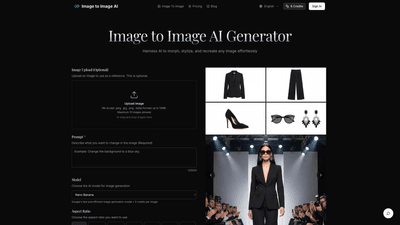
Image to Image AI Generator is an online AI-powered image transformation tool that lets you morph, stylize, and recreate any image with ease. Start from an existing photo (optional) and apply transformative prompts to alter style, colors, time of day, or surrounding environment while preserving the original composition and key elements. Designed for designers, marketers, and creative enthusiasts, this platform delivers professional-quality results quickly, enabling rapid exploration of multiple creative directions without specialized design skills.
Key ideas:
- Upload an image or use one as a reference
- Describe exactly how you want to transform it with prompts
- Choose from multiple AI models, aspect ratios, and output formats
- Generate and download high-quality, ready-to-use images
Features
- Image upload (optional): Accepts JPEG, JPG, PNG, and WEBP files up to 10MB. You can upload up to 10 images for transformation.
- Prompt-based transformation: Describe what you want to change in the image (up to 5000 characters) and let AI apply the changes.
- AI models: Access various image generation engines, including Nano Banana, Nano Banana Pro, GPT-4o ImageFlux Kontext, and Google’s image generation model for different styles and performance characteristics.
- Aspect ratio options: Flexible aspect ratios including 1:1, 9:16, 16:9, 4:3, 3:2, 2:1, 5:4, 2:5, and auto to suit different use cases (social posts, banners, prints, etc.).
- Output formats: PNG or JPG, ensuring broad compatibility for web and print workflows.
- Speed and efficiency: Generate multiple variations in seconds, enabling fast iteration and exploration of creative directions.
- Structure-preserving transformations: The tool maintains the basic composition and key elements of the source image while applying transformations, helping keep recognizable results.
- High-resolution, production-ready results: Outputs are suitable for marketing materials, product visuals, website content, and social media campaigns.
- 4-step workflow: A simple, guided process—upload, prompt, adjust settings, generate and download.
How to Use
- Upload Your Photo (optional): Select an image from your device. For best results, use a clear photo with good lighting and resolution that matches your desired output aspect ratio. Supported formats include .jpeg, .jpg, .png, .webp, up to 10MB per image; you can work with up to 10 images.
- Describe Your Changes: Enter a detailed prompt describing how you want to transform the image. Be specific about style, colors, modifications, or effects you want to apply.
- Adjust Settings: Fine-tune transformation parameters such as aspect ratio, number of outputs, and transformation strength to control how closely the result follows your source image.
- Generate and Download: Click generate to see AI-driven transformations, browse the results, select preferred variations, and download high-quality versions ready for use.
Pricing
- Credit-based model: Each image transformation consumes credits. Generating one image typically uses 3 credits.
- Starting credits: A default credit balance (e.g., 6 credits) may be included or visible after signing in.
- Free vs. paid: The platform is described as a free online editor with a credits system, meaning you can start using it without upfront payment, with additional credits or features available via sign-in and potential paid tiers.
- How to manage: Sign in to view your credits, manage usage, and access any additional pricing options offered by the service.
Tips
- Use high-quality source images: Clear lighting and resolution help the AI preserve essential details while applying transformations.
- Be specific in prompts: The more precise you are about style, colors, and modifications, the more accurately the output aligns with your vision.
- Choose appropriate aspect ratios: Pick an aspect ratio that matches your intended use (e.g., 16:9 for banners, 1:1 for social posts, 9:16 for stories).
- Experiment with models: Different AI models yield different aesthetics and performance—test multiple options to find the best fit for your project.
- Balance transformation strength: If you want subtle changes, use lower strength; for bold styling, increase strength while monitoring the preservation of the core image.
- Consider output quality and file types: PNG often preserves quality for complex edits, while JPG can be suitable for lightweight web use.
- Commercial use readiness: The tool targets professional-quality results suitable for marketing materials, product visuals, and web content; ensure you comply with any licensing terms for commercial projects.
Frequently Asked Questions
- How does Image to Image differ from Text to Image generation?
- Image to Image starts from an existing image and applies transformations based on your prompts, preserving the source’s basic structure and key elements. Text to Image generates visuals from scratch, without relying on a reference photo.
- What types of images work best with the transformation?
- Clear images with good lighting and resolution that align with your desired output aspect ratio tend to produce the best results.
- How much control do I have over the transformation process?
- You can control the result by uploading a source image, writing a detailed prompt, selecting the AI model, adjusting aspect ratio, setting the number of outputs, and tweaking transformation strength.
- How long does the transformation take?
- Transformations are generated in seconds, enabling rapid iteration and exploration of multiple concepts.
- What image formats and sizes are supported?
- Input formats: .jpeg, .jpg, .png, .webp up to 10MB per image; up to 10 images. Output formats: PNG or JPG.
- Can I use transformed images for commercial purposes?
- Yes, the platform emphasizes professional-quality results suitable for commercial use, such as marketing materials and website content.
- Is there a limit to how many images I can transform?
- The platform supports transforming up to 10 images in a session, though specifics may vary by account and pricing plan.
- Are there free and paid tiers?
- The tool is described as free online, using a credits-based system. You can use it without payment, but credits (e.g., 3 credits per image) are consumed per transformation, with additional credits available by signing in or via paid options.
Start transforming your images today: upload your first image, craft a precise prompt, and unlock AI-driven variations that preserve what matters while delivering fresh, professional visuals.