What is it
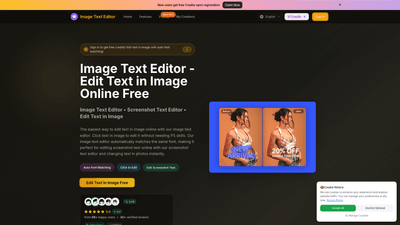
Image Text Editor is a web-based AI-powered tool designed to edit text directly within images. Users can click on any text in a photo or screenshot, instruct the system on what changes to make, and the platform automatically detects and matches the original font to preserve typography, color, and background consistency. No Photoshop skills required. The tool supports JPG, PNG, and WEBP formats up to 5MB (with higher resolution supported on desktop; some mobile limits apply). It offers an easy workflow from upload to text editing and download, with instant previews and a permanent edited-image history for registered users.
Features
- Auto Font Matching: The editor automatically identifies and matches the original font’s style, size, and color to ensure natural, professional results.
- Click-to-Edit Text: Simply click the text in the image to begin editing, making the process intuitive even for non-designers.
- AI-Powered Text Edits: Describe the desired change in natural language, and the AI applies the edit to the correct area with minimal manual tweaking.
- Screenshot Text Editor: Special optimization for editing text in screenshots from apps, websites, and social media posts.
- High-Quality Output: Edits preserve image quality with high-resolution downloads.
- Cross-Device Compatibility: Works on web browsers across desktop and mobile devices.
- Global Formats Support: JPG, PNG, WEBP up to 5MB (image compression applied for larger files).
- Real-Time Preview: Instant rendering of edits for quick validation before downloading.
- Permanent Edited Image History (for paid plans): Track and revert to previous edits as needed.
- Commercial Use License: Available on paid plans for professional use.
- Flexible Pricing and Time-Limited Offers: Multiple tiers with a prominent 50% off promotion during flash sales.
How to Use
- Step 1: Upload Your Image
- Supported formats: JPG, PNG, WEBP.
- Maximum file size: 5MB (desktop usage supports larger work, while mobile may have size constraints).
- Step 2: Enter Your Instruction
- Type precise instructions for the text changes you want (e.g., “Change ‘50% OFF’ to ‘60% OFF’” or “Replace ‘New York’ with ‘Los Angeles’”).
- The AI analyzes the selected text, detects the font, and applies the edit with font matching.
- Step 3: Preview and Download
- Preview the edited image; if satisfied, download in high quality.
- Access to the permanent edited image history available on higher-tier plans.
- Pricing (typical tiers and notable offer)
- Basic Yearly: $9.9/month (billed annually) with 12,000 credits/year (~1,200 images). Includes unlimited text edits and commercial use license.
- Professional Yearly: $23.9/month (billed annually) with 30,000 credits/year (~3,000 images). Adds more credits, expanded history, and professional features.
- Enterprise Yearly: $63.9/month (billed annually) with 120,000 credits/year (~12,000 images). Includes all features plus team-oriented capabilities.
- Note: A 50% flash sale is highlighted, reducing standard monthly pricing during the promotion. Subscribers can cancel anytime.
- Free Credits for New Users
- New users can register and receive free credits to start editing.
- Platform Convenience
- Web-based and mobile-friendly interface, with a simple “click to edit” workflow and AI-assisted font matching.
Use Cases
- E-commerce and Product Images
- Update prices, descriptions, or labels directly on product photos and catalog images without recreating graphics.
- Marketing Materials
- Edit promo dates, callouts, or discount information in banners, flyers, and social posts while preserving brand typography.
- Social Media and Memes
- Quickly adjust captions or text overlays in memes or post visuals to stay current with trends or campaigns.
- Screenshot and UI Edits
- Edit app screenshots or website captures by replacing outdated text with new messaging, ensuring the font looks native.
- Old Photo Restoration
- Restore or modernize text in vintage or damaged images, keeping the original style intact.
- Internal Communications
- Update training materials, notices, or diagrams embedded with text, without needing design software.
Advantages and Unique Value
- Natural Typography with Automatic Font Matching
- Unlike generic editors, this tool emphasizes font consistency, producing edits that blend seamlessly with the surrounding image.
- No Design Skills Required
- Aimed at marketers, product teams, and creators who need precise edits quickly without learning Photoshop or complex software.
- AI-Driven Precision
- Text detection, contextual understanding, and prompt-based edits deliver fast, accurate results with minimal manual adjustments.
- Cross-Platform Accessibility
- A web-first solution that works smoothly on both desktop and mobile browsers, enabling on-the-go edits.
- Version History and Commercial Licensing
- Paid plans offer permanent edit history and commercial-use rights, which are essential for professional workflows.
Target Audience
- Marketers, social media managers, and content creators seeking to update text within images rapidly.
- E-commerce teams updating product visuals and promotional assets.
- Designers and agencies needing a rapid text-edit solution without heavy software.
- Small businesses and freelancers who require cost-effective, scalable text-editing in images.
Frequently Asked Questions
- How do I edit text in image online free?
- Upload your image, click the text to edit, and instruct the AI to apply changes. Font matching happens automatically, and you can download the edited image after previewing.
- Can I edit text in screenshots?
- Yes, the tool includes a dedicated screenshot text editor mode to modify text in app screens, websites, or social media captures.
- Do I need Photoshop skills?
- No. The platform is designed for users without design expertise; you simply click the text and provide instructions.
- What formats are supported?
- JPG, PNG, and WEBP up to 5MB per image. Large images may be compressed on upload.
- Is there a mobile app?
- The service is web-based and accessible via mobile browsers; there is no dedicated mobile app at this time.
- How does font matching work?
- The editor identifies the original font style, size, and color and applies changes with the same or closely matching typography.
- Can edits be undone?
- Paid plans include permanent edited image history. Basic plans support immediate previews and downloads, with revisions handled per session.
- What about licensing for commercial use?
- Commercial Use License is included with higher-tier plans, suitable for business activities and client work.
- What is the maximum image size?
- The editor supports up to 2560x2560 pixels per image; larger images may be compressed for processing.
- How quickly are edits generated?
- Text edits are processed rapidly with a near-instant preview, enabling fast iterations.
If you want a focused product description with strong SEO alignment, consider emphasizing keywords such as: image text editor, edit text in image, edit text in image online, font matching, AI text editing, screenshot text editor, edit product images, edit text in photos, no design skills required, commercial use license, instant text edits, web-based text editor, mobile-friendly image editing.