What is it
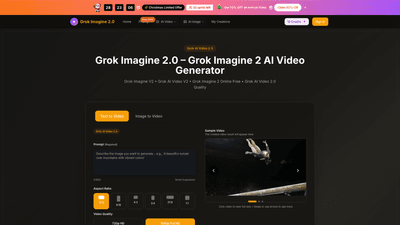
Grok Imagine 2.0 is a next-generation AI video platform that turns text prompts or static images into high-quality 1080p videos. Built for multi-shot storytelling, it preserves character consistency and visual style across scenes, so your narrative flows from start to finish without manual editing. The platform offers two intertwined capabilities: Grok Imagine 2.0 (text-to-video and image-to-video) and Grok AI Video 2.0 (the video engine that executes those prompts). Outputs are cinema-grade 1080p with smooth motion, crisp detail, and cinematic lighting, making them ideal for social content, marketing, ads, presentations, and creative projects. Access is browser-based—no installation required—and you can start with free credits. Annual plans currently feature a limited-time offer with up to 50% off, along with benefits like no watermark, commercial use licenses, and priority support.
Features
- 1080p HD quality output: native 1080p video from prompts or images, with crisp details and cinematic lighting.
- Text & Image to Video: convert text prompts or single images into cohesive videos, with intelligent motion, camera movement, and smooth transitions.
- Multi-shot storytelling: maintain characters, visual style, and atmosphere across multiple shots and scene changes.
- Diverse visual styles: create in various aesthetics—from photorealism to anime, cyberpunk, watercolor, and more.
- Advanced semantic understanding: precise control over multi-agent actions, complex sequences, and dynamic camera moves.
- Ultra-fast processing: industry-leading generation speed that delivers results quickly without sacrificing quality.
- Easy three-step workflow: choose Grok Imagine 2.0, upload image or enter prompt, generate and download.
- Commercial Use License: ready for marketing, ads, and business use.
- Video history and model access: permanent Grok Imagine 2.0 video history and access to Grok Imagine 2.0 and Grok AI Video V2 models.
- No watermark with annual billing: yearly plans include no watermark and priority support.
- Free starter credits and flexible pricing: sign in to receive free credits; scalable plans to fit hobbyists, creators, teams, and enterprises.
- Browser-based, on any device: use Grok Imagine 2.0 directly in your browser, including on mobile, with no app installation required.
Use Scenarios
- Social media videos: quick 1080p clips for Instagram, TikTok, YouTube Shorts, and other platforms created from simple prompts or images.
- Marketing and ads: cinematic-quality videos that showcase products with smooth motion and professional lighting.
- Presentations and demos: narrative, cohesive videos built from a single concept or image, reducing production time.
- Creative prototyping: explore multiple visual styles and story sequences rapidly to iterate concepts.
- Educational content: engaging explanatory videos created from concise prompts or illustrative images.
How to Use
- Choose Grok Imagine 2.0: select text-to-video or image-to-video (Grok AI Video V2) and set your desired aspect ratio (4:3, 16:9, 9:16, etc.).
- Upload an image or enter a text prompt: provide a clear description or upload a reference image to guide motion, camera angles, and transitions.
- Generate and download: hit generate, review the result, and download your 1080p video. Reference video results are accessible for viewing and refinement.
- Access and pricing: sign in to obtain free credits; explore annual plans to maximize value and unlock additional features like no watermark and priority support.
Pricing (overview)
- Limited-time offer: Christmas deal with 32 spots left, 50% off on Annual Plans. Annual billing is encouraged to maximize value.
- Basic: $9.9/month (annual plan details shown as 800 credits per month, totaling 9,600 credits/year). Up to 80 videos per month, unlimited Grok Imagine 2.0 downloads, 9,600 Grok Imagine 2 Online Free credits with annual billing, commercial use license, and related features. Includes permanent video history and access to Grok Imagine 2.0 models.
- Professional: $19.9/month (annual plan details show 2,000 credits per month, totaling 24,000 credits/year). Up to 200 videos per month, unlimited Grok Imagine 2.0 downloads, permanent video history, commercial use license, priority generation queue, no watermark with annual billing, priority customer support.
- Enterprise: $49.9/month (annual plan details show 6,000 credits per month, totaling 72,000 credits/year). Up to 600 videos per month, unlimited Grok Imagine 2.0 downloads, permanent video history, commercial use license, priority generation queue, no watermark with annual billing, priority customer support.
- All annual plans: No watermark, priority support, and access to the Grok Imagine 2.0 and Grok AI Video V2 models. Free starter credits apply when you sign in.
Tips
- Start with clear prompts: well-defined actions, characters, and settings yield more accurate results.
- Leverage multi-shot storytelling: plan scenes to preserve consistency across shots and transitions.
- Experiment with styles: test different visual aesthetics to identify the most effective look for your message.
- Optimize aspect ratio for the platform: choose 16:9 for desktop and 9:16 for mobile/social formats.
- Manage credits wisely: take advantage of annual plans to maximize credits per dollar and enable features like no watermark.
- Use your mobile browser: Grok Imagine 2.0 supports in-browser generation on mobile devices—no app install required.
- Review and refine: iterate prompts or reference images to improve motion, camera movement, and scene coherence.
Frequently Asked Questions
- What is Grok Imagine 2.0? A browser-based AI video platform that creates 1080p videos from text prompts or images, with multi-shot storytelling and professional quality outputs.
- How do I access Grok Imagine 2.0 online? Use Grok Imagine 2 Online Free in your browser; sign in to receive free credits. Grok Imagine V2 and Grok AI Video V2 handle text-to-video and image-to-video creation with advanced features.
- What formats can I download? MP4 is the primary format for marketing and social content; Grok Imagine 2 Online Free supports standard formats suitable for sharing.
- Are there limits on video creation? Videos consume credits; free users receive starter credits, and plans renew credits monthly. The same credit system applies to Grok AI Video 2.0.
- How long does generation take? Grok Imagine 2.0 is fast, typically producing results within minutes with high success rates for Grok AI Video V2.
- Is there a mobile app? No dedicated app is required; Grok Imagine 2.0 works in your mobile browser as well as desktop—no installation needed.
- Who should use Grok Imagine 2.0? Creators, marketers, agencies, teams, and businesses seeking professional 1080p videos without prior video production skills.
- What about licensing and usage rights? The plans include a Commercial Use License, enabling business and marketing use of generated videos.
- Can I remove watermarks? Yes, no watermark is included with annual billing on relevant plans.
- How do I cancel or upgrade? You can manage subscriptions and plan changes within your account; for assistance, contact support as indicated on the site.
If you’re looking to accelerate 1080p video production with minimal skill and maximal flexibility, Grok Imagine 2.0 and Grok AI Video 2.0 offer a streamlined, professional solution for modern marketing, storytelling, and creative projects.