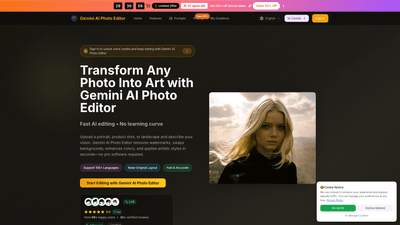
What is Gemini AI Photo Editor
Gemini AI Photo Editor is a browser-based, user-friendly AI-powered imaging studio designed to transform any photo into polished, production-ready visuals. Users upload JPG, PNG, or WebP images up to 24MB, describe the desired edits, and Gemini’s advanced Gemini models handle watermark removal, background replacement, color enhancement, and creative stylization in seconds. The tool emphasizes fast, high-quality results (including 4K output), with intelligent image understanding and robust batch processing to support teams and creators who require consistent, on-brand visuals without complex software.
Key Features
- Watermark removal and background cleanup: Achieve clean, professional exports without logos or distracting elements.
- Portrait and product retouching: Brighten eyes, refine skin, balance lighting, and sharpen details while preserving character.
- Background swaps and object removal: Replace backgrounds or remove distractions to create branded canvases.
- Creative style transformations: Seamless transitions between photorealism, anime, oil painting, sketches, and other artistic styles.
- Brand- and marketing-ready outputs: Generate visuals that align with typography, color palettes, and lighting guides for campaigns.
- 4K resolution and high-quality exports: Outputs are suitable for professional use, including e-commerce and marketing.
- Intelligent image understanding: Detects objects, fabrics, lighting, and emotions to maintain natural results.
- Smart prompt assistance: Built-in guidance helps users craft precise prompts to minimize trial-and-error.
- Batch processing: Process multiple images with consistent style guides for cohesive campaigns.
- Multi-language support: Works across 100+ languages for global teams and creators.
- Secure, browser-based workflow: No software installation required; files are processed in a secure online environment.
How to Use
- Upload: Drag and drop or click to upload a photo (JPG, PNG, or WebP up to 24MB). The platform optimizes without compression.
- Describe: Enter a brief describing the edit (e.g., remove watermark, switch background to studio scene, enhance colors, apply oil painting style).
- Preview and Adjust: Review multiple generated variations, tweak intensity, and compare results.
- Download: Export high-resolution results (PNG/JPEG) with the option to maintain original layout and aspect ratios.
- Save/Share: Keep an editing history, share previews with teammates, and apply consistent styles across batches.
Pricing and plans:
- Free tier: 10 free credits to start, allowing quick experimentation and basic edits.
- Annual plans: Substantial credits for ongoing use, including 12,000–120,000 credits per year depending on the plan, enabling thousands of image edits and batch projects.
- Paid tiers include Basic, Professional, and Enterprise:
- Basic: Suitable for hobbyists and beginners; 12,000 credits/year (~1,200 images); 12000 credits per year; commercial use license.
- Professional: Popular for creators and professionals; 30,000 credits/year (~3,000 images); commercial use license.
- Enterprise: For teams and businesses; 120,000 credits/year (~12,000 images); commercial use license; dedicated support.
- Limited-time offer: 50% off annual plans (promo details show up to date discount during the sale period).
Usage tips for best results:
- Be specific about colors, lighting, and style (e.g., “warm skin tones, high-contrast studio lighting, photorealistic”).
- Include composition and mood notes (e.g., “centered portrait with natural blur in background”).
- Mention art styles to guide transformations (e.g., “oil painting style with rich textures” or “cinematic, sci-fi concept art”).
- Utilize quality keywords like “high resolution,” “detailed,” and “4K output” to guide the model.
- For batch campaigns, define a consistent style guide and apply it across all assets to maintain brand coherence.
Use Cases and Practical Benefits
- E-commerce and product photography: Remove watermarks, clean backgrounds, adjust lighting, and produce uniform, on-brand imagery for catalogs and marketplaces.
- Portrait and headshot retouching: Subtle skin refinement, eye brightening, and color balance to create professional profiles for LinkedIn, portfolios, and resumes.
- Marketing campaigns: Generate campaign visuals that align with typography, color palettes, and lighting guides; create UGC remixes and ad variants rapidly.
- Branding and lookbooks: Batch process large sets of images, ensuring consistent framing, typography, and color tone across campaigns.
- Creative transformations: Turn ordinary photos into stylized artworks (sketches, oil paintings, anime) for editorial or social content.
- Content creators and agencies: Quick, reliable output that reduces reliance on traditional photo editing software, enabling faster turnaround times and scalable workflows.
Advantages and Unique Value
- Speed with quality: Edits complete in seconds, including 4K-quality outputs, enabling rapid iteration and delivery.
- No software learning curve: A browser-based workflow that eliminates the need for complex desktop tools; ideal for both individuals and teams.
- Comprehensive image understanding: The AI analyzes objects, lighting, fabrics, and mood to ensure edits feel natural and cohesive.
- Rich prompt guidance: Built-in prompt suggestions reduce guesswork and improve first-pass results.
- Strong batch and consistency features: Keep style guides uniform across large image sets, which is essential for campaigns and catalogs.
- Commercial licensing: Clear usage rights with licenses appropriate for business and marketing use.
Suitable For Who Should Use It
- Creators, freelancers, and social media influencers seeking rapid, high-quality visuals.
- E-commerce teams and product photographers requiring consistent branding across thousands of images.
- Marketing agencies and in-house teams needing scalable, fast production of visuals for campaigns.
- Brands launching lookbooks, catalogs, or multi-channel campaigns that demand cohesive imagery.
- Enterprises and teams that require secure, browser-based editing with enterprise licenses and support.
Frequently Asked Questions (FAQ)
- How do I start using Gemini AI Photo Editor?
- Sign up, access the web-based studio, upload a photo up to 24MB, describe your edit, and download the result. New users receive 10 free credits to begin.
- What file formats are supported for exports?
- Exports are available in high-quality PNG and JPEG formats, suitable for personal and commercial use, including 4K resolution outputs.
- How many credits does an image edit cost?
- Each image generation or significant edit costs 10 credits. Credits are available via Free trials and paid plans ranging from enough for thousands of images per year.
- Can I batch process multiple images at once?
- Yes, Gemini AI Photo Editor supports batch processing to deliver consistent edits across large sets of images.
- Do I need artistic skills to use this tool?
- No. The platform is designed for users of all skill levels, with intuitive prompts and smart suggestions to guide edits.
- Is there a mobile app?
- Gemini AI Photo Editor is primarily a web-based tool with mobile browser support. There is no standalone mobile app announced yet.
- Can I use edits for commercial purposes?
- Yes. Paid plans include a Commercial Use License, allowing business and marketing use of edited assets.
- What makes Gemini AI Photo Editor different from other AI editors?
- It emphasizes 4K outputs, precise prompt-based control, advanced color processing, robust background and watermark removal, and strong batch capabilities, all within a secure browser-based environment.
- How long does it take to render an edit?
- Most edits finalize in under 15 seconds, depending on the complexity of the description and style.
- Are there licensing or subscription terms I should know?
- Plans are annual, with the option to cancel anytime. The Enterprise tier includes added support and licensing suitable for teams and organizations.
Summary
Gemini AI Photo Editor delivers a powerful, user-friendly solution for transforming images into professional, on-brand visuals in minutes. With capabilities ranging from watermark removal and background edits to advanced color processing and creative style transformations, it supports a wide array of use cases for individuals and teams alike. The combination of 4K outputs, intelligent image understanding, batch processing, and commercial licenses positions Gemini AI Photo Editor as a compelling choice for those who need fast, reliable, and scalable AI-powered image editing without the complexity of traditional software. Pricing includes a free trial and discounted annual plans, making it accessible for hobbyists, professionals, and enterprises seeking to streamline their visual content workflows.