What is it
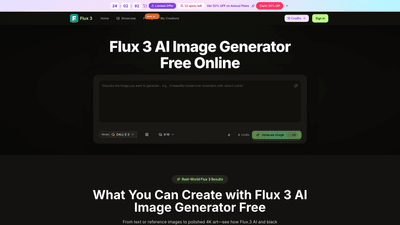
Flux 3 is an AI image generation and editing tool powered by Black Forest Labs Flux 3 and the Flux.3 AI engine. Accessible directly in your browser (no install required), it turns prompts and reference images into polished, camera-ready 4K visuals. Flux 3 offers two main tiers—the free Flux 3 AI Image Generator Free and the paid Flux 3 Pro—with the same core engine and different capacity limits. The platform supports a wide range of creative tasks, from product shots and avatars to image restoration and visual experimentation, all while maintaining consistent composition, lighting, and style across variations.
Features
- Multi-Image Blend: Feed Flux 3 three inputs—subject, scene, and style—and let the AI blend them into a cohesive, professional image. The underlying Flux.3 AI ensures harmony between elements.
- Text-to-Image with Smarter Prompts: Type a prompt and Flux 3 AI Image Generator Free improves lighting, composition, and overall vibe. Flux 3 Pro adds additional fine-tuning controls for professionals.
- Style Transfer & Creative Remix: Pull look and feel from reference assets and apply it to new subjects. Supports realistic, anime, painterly, and other styles via Flux 3 AI and Flux 3 Pro.
- Ready to Create: Upload subject, scene, and style images or simply type a prompt. The same engine powers both Flux 3 AI Image Generator Free and Flux 3 Pro, with upgraded capacity for Pro users.
- 4K-Ready Output: Produce sharp, detailed 4K visuals suitable for web, print, and campaigns.
- Scene-Smart Understanding: Flux 3 reads prompts and references to keep subject, layout, and style in sync.
- Balanced Lighting & Tone: Automatic adjustments for exposure, color, and composition, ensuring polished results.
- One-Click Style Swaps: Switch between photorealistic, anime, painterly, and more without losing the core concept.
- Background Replacement: Remove or replace backgrounds for clean layouts ideal for catalogs and campaigns.
- In-Image Text Updates: Edit or add text inside images (prices, dates, captions) without rebuilding the whole design.
- Profile Avatars: Create consistent character looks across poses and styles for profiles and branding.
- Fast Delivery: Most generations finish in under 30 seconds; rapid iteration speeds up workflows.
- Cloud-Based & Accessible: Runs in the browser, on desktop, tablet, or mobile—no app installation required.
- Commercial Use License & History: Includes licenses and a persistent history to support professional workflows.
- Flexible Model Backbone: Built on Flux 3 and Seedream, Veo 3, Sora 2, Seedance, and Wan 2.5 models, enabling varied generation capabilities and style options.
How to Use
- Open the Flux 3 AI Image Generator Free in your browser. It runs in the cloud, so there’s no installation.
- Add your content: upload a subject image, scene image, and/or provide a plain-language prompt.
- Generate: click Generate. If you need more control, upgrade to Flux 3 Pro for advanced options.
- Edit & Save: refine details, then download your high-resolution 4K image. Both Flux 3 AI Image Generator Free and Flux 3 Pro support export at high resolution.
Quick note on usage and tiers: start with the free Flux 3 AI Image Generator Free to test ideas and get a feel for the workflow. When you need higher volume, more control, or commercial-scale output, Flux 3 Pro unlocks additional capacity and professional-grade tools. The process is designed to be straightforward—the heavy lifting is handled by Black Forest Labs Flux 3 and Flux.3 AI, while you focus on ideas.
Pricing (overview)
- Flux 3 Basic (Yearly): Clear starter plan with credits and image limits designed for hobbyists and beginners. Includes up to 50 images per month and thousands of credits annually.
- Flux 3 Pro (Yearly): Designed for creators and professionals seeking more output (up to ~200 images per month) and higher credit counts.
- Flux 3 Enterprise (Yearly): For teams and businesses, up to 600 images per month and the highest credit allowance, plus premium support and additional licenses.
Limited-time offer highlighted on the pricing page: Save 50% on Annual Plans with 32 spots left. This promotion applies to annual billing, with the option to cancel anytime. All plans include access to the Flux 3 engine, with no required installation and cloud-based generation.
Tips
- Start simple: Begin with a straightforward prompt and a basic subject image to establish baseline results before layering in multiple references.
- Leverage multi-input blending: Use subject, scene, and style inputs to maintain consistent composition across iterations.
- Test styles quickly: Use One-Click Style Swaps to explore different aesthetics (realistic, anime, painterly) while preserving core concept.
- Refine with prompts: Use smarter prompts to nudge lighting, mood, and camera angle; upgrade to Flux 3 Pro if you need finer control.
- Restore and remix: Use the Photo Restoration and Creative Remix features to update old photos or reimagine them in modern contexts.
- Plan for scale: If your workflow involves campaigns or catalogs, consider the Enterprise tier for higher output and priority support.
- Export quality matters: Take advantage of 4K export for campaigns, product shots, and high-quality social visuals.
- Keep assets consistent: Use the same initial subject and scene references to preserve brand identity across images.
- Test on the go: Since Flux 3 runs in the browser, you can experiment from desktop, tablet, or mobile devices.
- Respect licenses: Ensure your use aligns with the commercial use licenses included in your chosen plan.
Frequently Asked Questions
- What is Flux 3? Flux 3 is an AI image tool that turns text or photos into high-quality 4K images. It runs on Black Forest Labs Flux 3; you can use the Flux 3 AI Image Generator Free in your browser or upgrade to Flux 3 Pro. Flux.3 AI powers the experience.
- How does Flux 3 work? You enter a prompt or upload an image, and Flux 3 generates or edits a picture to match. The Flux 3 AI Image Generator Free and Flux 3 Pro share the same Flux 3 engine—Flux.3 AI handles the rest.
- Is Flux 3 free to use? Yes. Start with the Flux 3 AI Image Generator Free and starter credits—no card required. When you need more volume or control, Flux 3 Pro is available.
- Do I need design experience to use Flux 3? No. Describe what you want in plain language; Flux 3 handles composition, color, and style. Flux.3 AI and the Flux 3 AI Image Generator Free help beginners get good results quickly, while Flux 3 Pro adds professional-grade fine-tuning.
- What can I create with Flux 3 AI Image Generator Free? Product shots, avatars, concept art, social visuals, and more—all in 4K. The free and Pro versions use Black Forest Labs Flux 3 and Flux.3 AI, with consistent output across styles.
- Can I use Flux 3 on my phone? Yes. Flux 3 works in the browser on desktop, tablet, and mobile—no app install needed.
By focusing on Flux 3’s cloud-based, browser-first approach and its robust blend of multi-input generation, style remix, and 4K output, this product is positioned as a versatile solution for designers, marketers, and creators seeking fast, professional visuals without traditional photo shoots. Whether you’re producing campaign-ready product images, avatars, or restored photos, Flux 3 offers a scalable, easy-to-use workflow with options that fit both beginners and professionals.