What is it
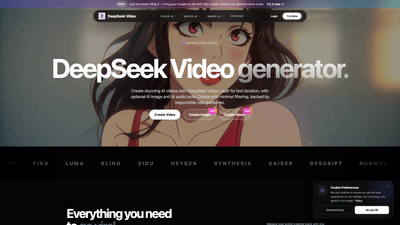
DeepSeek Video is an end-to-end AI video studio designed to turn your ideas into high-quality video content quickly. Built for fast iteration, it enables you to create videos from text prompts or images and enhances the process with optional AI image and AI audio tools. Targeted at social media creators, advertisers, and storytellers, DeepSeek Video consolidates video production, asset creation, and audio generation into a single, intelligent platform. Uploads are encrypted in transit, and data handling follows a privacy policy that emphasizes control over what you publish or share. In practice, you can produce AI-generated videos, craft AI image assets, and generate AI audio (music, voice, and sound effects) all within one studio, helping you move from concept to viral content with fewer handoffs and faster iterations.
Features
- AI Video Generator (Video Lab): Convert text prompts or images into smooth, high-definition DeepSeek Video content optimized for social, ads, and storytelling. Designed for rapid iteration and easy experimentation.
- AI Image Generator: Generate high-fidelity images, upscale visuals, and apply style control to populate DeepSeek Video scenes with compelling assets.
- AI Audio Generator: Create music from text prompts, clone voices, and produce sound effects tailored for your videos.
- Image-to-Video, Video-to-Video, Text-to-Video, and Video-to-Audio workflows: Flexible pipelines that cover end-to-end production, enabling you to move seamlessly from concept to finished clip.
- Rich model ecosystem: Access powerful AI models such as Kling 3.0, Grok Imagine Video, Grok Imagine Image, Vidu Q3, Flux2 Pro, GLM Image, and others to suit different styles and tasks.
- Community assets: Explore creations from the DeepSeek Video community, including cinematic scenes and hyper-realistic AI image assets to accelerate your projects.
- Production-ready features: A dedicated Video Lab for production, with the ability to generate end-to-end videos, AI-generated images, and AI-generated audio in one place.
- Privacy and security: Uploads are encrypted in transit; usage and data handling follow the platform’s privacy policy, with clear rights and controls over published content.
- Uncensored mode (model-specific): The DeepSeek Video model supports an “uncensored” generation option, while third-party models follow their own safety and policy filters.
How to Use
- Get started: Sign up or log in to access the DeepSeek Video studio. Begin with a key workflow—Text to Video or Image to Video—and build your project from there.
- Create a video: Provide a text prompt or upload an image to generate a DeepSeek Video. Refine prompts, adjust styles, pacing, and visual details, then render a high-definition clip suitable for social or ads.
- Add AI assets: Use the AI Image Generator to craft assets that fit your scene, then enhance with AI Audio (music, voice, SFX) to produce a cohesive clip without leaving the platform.
- Explore AI tools: Leverage additional tools like Image to Video, Text to Image, and Image to Music to populate your project with assets that align with your creative vision.
- Pricing and access: DeepSeek Video offers a free tier with core features to start experimenting. Paid plans unlock higher resolution, batch processing, and priority queues to accelerate production.
- Practical workflow example: Start with a textual concept, generate a cinematic video scene, create supporting AI images for cutaways, add AI music and voiceovers, then assemble and export a finished video optimized for social formats.
Pricing and tiers are designed to balance accessibility and production power. The free tier provides core functionality suitable for personal projects and experimentation. Upgraded plans extend resolution, enable batch processing for larger campaigns, and offer priority processing to speed up production when deadlines loom.
Pricing
- Free tier: Core features included, suitable for personal and non-commercial use. Access to basic resolution and standard processing times.
- Paid plans: Higher resolution outputs, batch processing capabilities, and priority queues to speed up production. Paid subscriptions grant broader usage rights and enhanced performance to support commercial workflows.
- Commercial use: Usage rights vary by plan. Free users are generally limited to personal use, while paid subscribers receive broader usage rights aligned with their plan terms. Always review the licensing details in your plan to ensure compliance with commercial goals.
- Data and privacy: Data handling is described in the privacy policy, with options for users to manage what they publish or share. If you handle sensitive content or require enterprise-grade controls, consider the appropriate plan level.
Tips
- Start simple: Use short prompts to establish core concepts, then progressively add details for nuance and pacing.
- Build asset libraries: Generate AI images and audio assets ahead of time to accelerate future video iterations.
- Use batch processing: For campaigns or multiple variations, leverage batch processing in paid tiers to scale production efficiently.
- Combine workflows: Mix Text-to-Video, Image-to-Video, and Video-to-Audio to create cohesive campaigns with minimal manual editing.
- Respect safety and rights: While some models offer uncensored options, be mindful of platform policies and ensure you own rights to uploaded content.
- Optimize for platforms: Export in formats and resolutions aligned with your distribution channels (social, ads, websites) for fastest publishing.
- Protect privacy: Use encryption and adhere to the platform’s privacy guidelines to safeguard your content and data.
Frequently Asked Questions
- What is DeepSeek Video? DeepSeek Video is an AI studio for creating videos from text prompts and images, with optional AI image and AI audio tools for end-to-end creation.
- Is DeepSeek Video free to use? Yes. DeepSeek Video includes a free tier with core features. Paid plans unlock higher resolution, batch processing, and priority queues.
- Can I use generated content commercially? Commercial use depends on your plan and terms. Paid subscribers get broader usage rights; free users are limited to personal and non-commercial use.
- How does DeepSeek Video protect my data? Uploads are encrypted in transit. Data handling follows the privacy policy, and you control what you publish or share.
- What can I create with DeepSeek Video? You can create AI videos from text or images, generate AI image assets, and produce AI audio such as music, voice, and SFX.
- How fast is generation? Typical generation times: videos in minutes, images in seconds, and audio in under a minute. Actual times depend on workload and plan.
- Which models support uncensored mode? The DeepSeek Video model supports uncensored generation. Third-party models follow their own policies and may apply additional safety filters.
- How do I get support? You can reach the support team through the DeepSeek Video platform for assistance, guidance, and troubleshooting.
- Can I replace my entire creative stack with this platform? Yes. DeepSeek Video positions itself as an all-in-one platform to handle video production, AI image assets, and AI audio, enabling end-to-end creation in one place.
This comprehensive overview highlights how DeepSeek Video empowers creators to produce engaging AI-generated videos efficiently, with a robust set of tools, scalable workflows, and flexible pricing designed for both beginners and professional teams. Whether you’re crafting social clips, ads, or cinematic reels, DeepSeek Video aims to replace multiple tools with a single, intelligent studio.