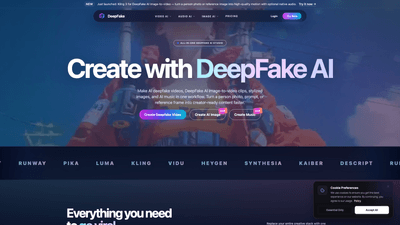
What is it
DeepFake AI Studio is an all-in-one platform by VaVa AI Labs designed to streamline the creation of AI-driven deepfake content. It combines AI deepfake video, AI image-to-video, face exchange, AI-generated images, and AI-generated music into a single creator-friendly workflow. With DeepFake AI Studio, you can turn a consented person’s photo or a reference frame into motion-ready content, add native audio, and produce share-ready clips in minutes. The tool supports face-exchange, avatar videos, stylized images, and music-backed short form content, all within one cohesive studio. It’s built for creators who want to produce high-quality deepfake videos, image-to-video scenes, and multimedia assets without juggling multiple apps or platforms. Safety and consent controls are built in to protect everyone involved.
Features
- DeepFake Video creation from prompts or reference photos
- Generate AI deepfake videos that preserve face identity, motion, and style across scenes.
- Face Exchange (face swap) workflows
- Consent-based face swaps for swaps, edits, and variations while maintaining identity and realism.
- AI Image Generator
- Create portraits, reference frames, thumbnails, and storyboards for deepfake workflows, avatars, and campaigns.
- AI Audio Generator
- Produce music, voiceovers, and cloned dialogue to finish deepfake videos and avatar clips without leaving the platform.
- AI Image-to-Video and Image-to-Video workflows
- Convert a single image or prompt into motion with consistent faces and smooth transitions.
- AI Music integration
- Build complete creator pipelines with music accompaniment tailored to clips.
- Video Lab and Creator Workflows
- Manage end-to-end projects, from concept to publish-ready videos, with built-in safety controls.
- Wide library of AI effects
- Access 60+ video effects and tools to stylize and animate content, including motion, expression, and dynamic scenes.
- Safety and consent controls
- Clear guidelines and protections to block non-consensual content and impersonation risks; rights and permission required for uploaded media.
- High-resolution outputs and scalable processing
- Starter credits for quick tests; paid plans unlock higher resolutions, longer generations, batch runs, and priority processing.
These features enable creators to replace multiple tools and stitching methods with a single, intelligent studio that covers video, image, and audio generation in one place.
How to Use
- Sign up and explore the starter option
- DeepFake AI Studio offers a starter tier with credits that let you experiment with face exchange, image-to-video, AI images, and AI music. This lets you test core workflows before upgrading.
- Choose your workflow
- DeepFake Video: Upload a consented photo or reference frame and generate a motorized video with consistent face motion.
- Face Exchange: Swap faces in videos or stills using consent-based inputs.
- AI Image Generator: Create portraits, reference frames, thumbnails, or storyboard images for campaigns.
- AI Audio Generator: Add music, voiceovers, or cloned dialogue to finish the clip.
- Upload and configure
- Upload consented media (photos or reference frames). You can also start from prompts for AI-generated visuals.
- Adjust motion controls, face consistency, lighting, and style to align with your desired output.
- Generate and refine
- Run the generation to produce AI deepfake video clips, image-to-video scenes, or avatar animations.
- If needed, add AI audio or adjust visual effects and motion to polish the final product.
- Review, download, and publish
- Preview the result, apply final tweaks, then download or export for social platforms or campaigns.
- Pricing and tiers
- Starter tier provides credits for initial tests across face exchange, image-to-video, AI images, and AI music.
- Paid plans unlock higher resolutions, longer generations, batch runs, and priority queues for faster turnaround.
Pricing specifics
- Starter tier: Includes credits to experiment with core tools (face exchange, image-to-video, AI images, and music).
- Paid plans: Unlock higher resolutions, longer generation limits, batch processing capabilities, and priority queues to accelerate production timelines.
Tip for best results: Begin with a high-quality consented photo, ensure good lighting and clear facial features, and plan your reference frames to maintain consistency across motion. Combine AI-generated images with audio thoughtfully to match the tone and pacing of your video.
Tips
- Prioritize consent and rights: Always use media for which you have rights or explicit permission, in line with the platform’s safety guidelines.
- Prepare reference frames: For smoother face exchange and motion, supply multiple reference frames that show the subject from different angles and expressions.
- Start with short clips: Use the starter credits to test short deepfake videos before scaling to longer formats or higher resolutions.
- Pair motion with audio: Leverage the AI Audio Generator to add voiceovers or music that complements the visuals and pacing.
- Leverage effects strategically: Use the library of 60+ video effects to enhance storytelling, not overwhelm the content.
- Maintain realism with controls: Utilize motion, lighting, and face-consistency controls to keep outputs believable and brand-appropriate.
- Monitor safety: Respect rights and ensure you’re not creating impersonation or misleading content that could cause harm.
Frequently Asked Questions
Q: What is DeepFake AI Studio? A: It is an all-in-one DeepFake AI platform for AI deepfake video, DeepFake AI image-to-video, face exchange, AI-generated images, and AI-generated music, designed for integrated creator workflows.
Q: Is DeepFake free to try? A: Yes. The starter tier provides credits to test face exchange, image-to-video, AI images, and music. Paid plans unlock higher capabilities and outputs.
Q: Can I make AI deepfake videos from one photo? A: Yes. You can upload a consented photo to generate AI deepfake video, talking-avatar content, and image-to-video scenes with motion and face-consistency controls.
Q: Do you support face exchange and face swap? A: Yes. DeepFake Studio includes consent-based face exchange tools for swaps, edits, and variations, with starter credits to test short clips.
Q: What can I create with DeepFake Studio? A: You can create AI deepfake videos, short-form clips, avatar content, stylized image sets, music-backed reels, and image-to-video scenes all within one platform.
Q: How does content safety work? A: The platform blocks non-consensual sexual content, impersonation scams, misinformation campaigns, and other AI-powered harms. You must have rights and permission for any media you upload.
Q: Do I need to use multiple tools for different tasks? A: No. DeepFake AI Studio consolidates video, image, and audio generation, including face exchange and image-to-video, into a single workflow to streamline production.
Q: How can I get support? A: If you still have questions after exploring the starter credits, contact the support team for assistance and guidance on best practices and safety guidelines.
Use this DeepFake AI Studio overview to understand the platform’s core value: an all-in-one, consent-first, creator-friendly studio that accelerates the production of AI deepfake videos, image-to-video scenes, facial swaps, and music-backed content, all within one integrated environment. It’s ideal for creators seeking efficient workflows, high-quality outputs, and scalable production—from short social clips to more ambitious avatar-driven campaigns.