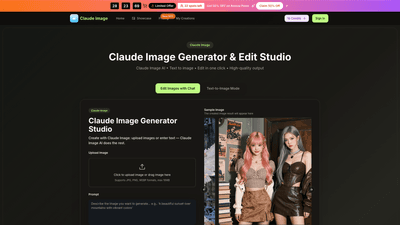
What is it
Claude Image Generator & Edit Studio is an AI-powered image creation and editing platform designed for speed, quality, and versatility. It lets you generate images from text or input an image, then refine and perfect them with an integrated editor. Key advantages include high-resolution, pro-ready output, no watermark on paid plans, and a commercial use license. The tool supports a range of input methods (image upload or text prompts) and offers built-in style transfers, background removal, text in images, avatar creation, photo restoration, and more. With Claude Image, creators can produce concept art, product visuals, portraits, marketing assets, and campaign visuals quickly—all in one streamlined workflow.
Features
- Text to Image and Image Input in one seamless interface
- Edit in one click with Claude Image Editor (natural language style changes)
- High-quality, pro-ready output suitable for marketing, social, design, and branding
- No Watermark on paid plans; commercial use license included
- Flexible input: upload JPG, PNG, or WEBP up to 10 MB; or describe your image
- Style Transfer and Claude Image Styles for multiple looks on a single subject
- Background removal and background swap for product shots and headshots
- Text in Images: add or modify text with natural-language prompts
- Avatar Creator: craft custom avatars from descriptions
- Photo Restoration: restore colors and details on damaged photos
- Virtual Try-On: test looks for apparel, glasses, or accessories
- Multiple AI models: Seedream 5, Veo 3, Sora 2, Seedance, Wan 2.5 (yearly only for certain plans)
- Seedream AI Generation and unlimited Seedream 5.0 downloads
- Priority generation queue and fast generation speeds
- No watermark, priority support with higher-tier plans
- Commercial Use License included across paid plans
- Historical designs: Claude Image History permanently stored
- Cross-workflow compatibility: suitable for product photos, social visuals, branding, and concept art
- Ready-to-use or customize: upload references or describe what you want, Claude combines them into a new image
How to Use
- Step 1: Choose Claude Image Generator
- Open Claude Image. The editor consolidates generator and editor in one place for easy access.
- Step 2: Upload or Describe
- Upload a photo (JPG/PNG/WEBP up to 10 MB) or type a text prompt. You can use both image input and text-to-image together.
- Step 3: Generate and Download
- Click Generate. The image appears in seconds with a preview, then you can download.
- Step 4: Refine with Claude Image Editing
- Use the Claude Image Editor to fine-tune details, colors, and composition. Output remains high resolution.
- Pricing and tiers (free/paid)
- Claude Image Online Free to start: no card required; try the tool at no upfront cost.
- Annual plans offer a 50% discount during flash sale; limited spots (e.g., 32 spots left) are highlighted in promos.
- Paid plans unlock higher credits, more images per month, commercial use license, no watermark, and priority support.
Pricing (annual plans) overview:
- Basic (Yearly): ~$9.80 original price, now $4.90/month equivalent when billed annually
- 6,000 Credits/year
- Up to 50 images/month
- Seedream 5.0 AI Generation; unlimited Seedream 5.0 downloads
- 6,000 Claude Image credits with annual billing
- Commercial Use License; No Watermark
- Seedream 5 Model, Veo 3, Sora 2, Seedance, Wan 2.5 (Yearly only)
- Priority generation queue; Priority customer support
- Professional (Yearly): ~$19.80 original price, now $9.90/month equivalent when billed annually
- 24,000 Credits/year
- Up to 200 images/month
- All Basic features plus additional credits and capabilities
- Commercial Use License; No Watermark
- Seedream 5 Model; Seedream 5 AI Generation; AI image enhancer; AI background remover
- Priority queue and support
- Enterprise (Yearly): ~$39.80 original price, now $19.90/month equivalent when billed annually
- 72,000 Credits/year
- Up to 600 images/month
- All Professional features plus more credits and high-volume support
- Commercial Use License; No Watermark
- Advanced model access (Seedream + Veo/Sora/Seedance/Wan variants)
- Priority generation queue; Priority customer support
Note: Pricing reflects a limited-time flash sale offering 50% off on annual plans. Full details and current pricing can be found on the Claude Image pricing page.
Tips
- Be specific in prompts: define colors, lighting, mood, and style (e.g., photorealistic, anime, oil painting) to guide output.
- Include composition details: subject position, background, focal points, and desired atmosphere.
- Use style transfers to explore multiple looks on the same subject; leverage Claude Image Styles for consistency.
- Combine image input with text prompts for hybrid results (e.g., “hero shot of product in a sunset environment”).
- Experiment with variations: create multiple versions quickly to choose the best option.
- Leverage the Editor for quick refinements: adjust colors, contrast, and textures without re-generating.
- Consider the commercial use license when producing assets for clients or campaigns.
- Save and reuse favorite settings or prompts to speed up future iterations.
- For high-volume projects, take advantage of the priority queue and enterprise-level features.
Frequently Asked Questions
- What is Claude Image Generator & Edit Studio?
- A comprehensive AI image tool that can generate images from text or an uploaded image, then edit and refine with an integrated editor. It supports high-quality output, style transfer, background work, text placement, avatar creation, and more.
- How can I input images or prompts?
- You can upload JPG, PNG, or WEBP images up to 10 MB, or describe what you want with text prompts. You can use image input, text-to-image, or a combination.
- Are there watermarks or licensing restrictions?
- No watermark on paid plans. Claude Image includes a Commercial Use License on paid tiers.
- What input formats and size are supported?
- JPG, PNG, WEBP; max 10 MB per upload.
- What are the pricing options?
- Free to start with no card required. Paid annual plans (Basic, Professional, Enterprise) offer increasing credits, higher monthly image limits, commercial licensing, and priority support. Flash sale discounts may apply (e.g., 50% off annual plans).
- How many images can I create per month?
- Varies by plan: up to about 50 images/month (Basic), up to 200/month (Professional), up to 600/month (Enterprise).
- Can I edit after generating an image?
- Yes. The built-in Claude Image Editor lets you refine details, colors, and composition after generation.
- Do you provide a trial or free tier?
- Yes, Claude Image offers a Free-to-start option to try the tool before upgrading.
- Is there an API or developer access?
- The platform mentions Claude Image API availability as an option for extended workflows.
- Can I use the images commercially?
- Yes. Paid plans include a Commercial Use License suitable for marketing, ads, and client work.
- How do I cancel or upgrade my plan?
- Plans can be managed through the account settings; cancellation and upgrades are supported. Contact [email protected] for assistance if needed.
- Where can I find more information or support?
- Access the pricing page for plan details and the support channel for help with subscriptions, usage limits, and feature requests.
- Is historical work preserved?
- Claude Image History is available, storing past creations for reference and reuse.
This guide provides a clear, SEO-friendly overview of Claude Image Generator & Edit Studio, focusing on its capabilities, practical use cases, pricing, and user tips to help you decide how it fits into your AI-powered image workflows.