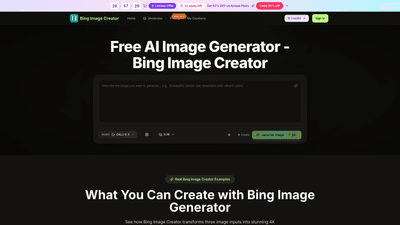
What is it
Bing Image Creator is a powerful AI image generation tool from Microsoft that combines advanced image synthesis with practical editing capabilities to create professional 4K artwork in seconds. It supports generating images from text prompts, as well as blending multiple image inputs (subject, scene, and style) to produce cohesive, high-quality visuals. Built on cutting-edge AI models (including DALL-E 3 technology in the ecosystem), Bing Image Creator emphasizes fast results (typically 15-30 seconds), no watermark output, and a commercial-use license suitable for creators, marketers, and agencies. It’s designed to streamline workflows for product visuals, marketing assets, concept art, e-commerce imagery, and more, while offering flexible pricing plans and a generous credit system.
Key capabilities include multi-input image blending (subject + scene + style), enhanced text-to-image generation with automatic professional prompts, AI-assisted remixing and style transfer, and a robust suite of image-editing tools such as background removal and background swap, avatar creation, and in-image text editing. The platform also prioritizes user experience with quick generation, simple steps, and a history/log for ongoing projects.
Features
- 4K professional quality output: Create crisp, print-ready 4K images suitable for campaigns, product pages, and branding assets.
- Multi-input fusion: Upload a subject image, a scene reference, and a style example to blend three inputs into a cohesive new image.
- Text-to-image with enhanced prompts: The AI automatically enriches descriptions with professional terminology, lighting details, and composition guidance to improve results.
- Creative remix & style transfer: Extract key features from references and apply them to transform subjects into different artistic styles, environments, or visual treatments.
- Image input support: Accepts images as prompts for more accurate visual concept alignment.
- Auto-analysis & enhancement: AI analyzes composition, lighting, and style to optimize results.
- 4K speed: Typical generation time is 15-30 seconds for fast, production-ready outputs.
- Background removal & swap: Cleanly remove or swap backgrounds in 4K for versatile asset creation.
- Text editing in images: Edit text and captions directly within images after generation.
- Avatar creator: Generate custom 4K avatars from descriptive prompts.
- Image blending & AI remix: Creative blending of concepts for complex visuals.
- No watermark: Output remains clean for professional use.
- Commercial Use License: Included with select plans to support agency and client work.
- Flexible input methods: Work with image prompts, text prompts, or a combination of both.
- History & priority features: Access past creations and benefit from priority generation if available.
- Access to seasonal/seeded AI models: Includes evolving AI generation capabilities and enhancements.
How to Use
- Choose Bing Image Creator: Open the Bing Image Creator editor and select the Bing Image Generator for 4K artwork.
- Upload or Describe: Upload a subject image, a scene reference, and a style example, or enter a detailed text description to guide the AI.
- Generate and Download: Click generate to produce a 4K image in seconds; preview and download the result.
- Refine and Perfect: Use editing tools to fine-tune composition, lighting, backgrounds, and other details for professional results.
Practical workflow examples:
- Product images for e-commerce: Create high-quality 4K product visuals in seconds, with consistent lighting and branding.
- Restorations and enhancements: Restore old photos and upscale to 4K with improved detail.
- Virtual try-ons: Visualize apparel or accessories in 4K to support catalogues and campaigns.
- Background swaps and portrait work: Swap backgrounds or edit in-image text to produce marketing-ready visuals.
- Avatar and concept art: Generate 4K character art or concept visuals directly from descriptions.
Pricing overview (free/paid tiers)
- Free credits and plans: Start with free credits to test Bing Image Creator before subscribing. Limited offers and promotional pricing are available.
- Basic (annual billing with 50% off during flash sales): Approximately $4.90 per month (billed annually). Includes up to 6,000 credits per year with access to features like up to 50 images per month, commercial use license, history, and no watermark.
- Professional (annual billing with 50% off during flash sales): Approximately $9.90 per month (billed annually). Includes about 24,000 credits per year, up to 200 images per month, commercial use license, and priority support.
- Enterprise (annual billing with 50% off during flash sales): Approximately $19.90 per month (billed annually). Includes about 72,000 credits per year, up to 600 images per month, commercial use license, priority generation queue, and priority customer support.
Note: Prices shown reflect discounted annual plans during time-limited offers (e.g., “Save 50% on Annual Plans”). Always verify current pricing on the official site when subscribing.
Benefits and use cases
- Efficient production: Generate professional 4K visuals in minutes, accelerating design, marketing, and creative workflows.
- Brand consistency: Maintain style and lighting across multiple images with enhanced prompts and style transfer.
- Versatility: From product photography to concept art, avatars, and thumbnails, Bing Image Creator covers a wide range of creative needs.
- Accessibility: No advanced technical skills required—describe what you want, or upload references, and the AI handles the rest.
- Commercial-ready: With a commercial-use license included in plans, you can confidently use assets for client work and campaigns.
- Time savings: Quick generation times (15-30 seconds) reduce iteration cycles and speed up approvals.
Tips
- Leverage multi-input fusion for complex ideas: Combine subject, scene, and style to create nuanced visuals that align with your concept.
- Use enhanced prompts for better results: Let the AI refine lighting, composition, and terminology to boost realism and impact.
- Mix image prompts with text prompts: For best results, blend image references with descriptive text to guide composition and style.
- Exploit background tools: Use background removal or swap to tailor assets for product pages, catalogs, and social media.
- Create avatar assets: Use the Avatar Creator to produce brand-consistent 4K avatars for marketing or UI elements.
- Maintain brand consistency: Save and reuse preferred prompts and styles to keep visuals cohesive across campaigns.
- Test and optimize: Start with free credits to experiment with different inputs and quickly refine your approach.
- Leverage commercial license: Ensure your use case remains compliant and client-ready with the included license.
Frequently Asked Questions
- What is Bing Image Creator?
- A Microsoft AI image generator that creates 4K images from text prompts or blended image inputs (subject, scene, and style), with editing tools and a commercial-use license.
- How fast does it generate images?
- Typically 15-30 seconds per 4K image, enabling rapid iteration.
- Can I use the images commercially?
- Yes. Most plans include a commercial-use license suitable for agencies, marketers, and clients.
- What input options do I have?
- You can upload subject images, scene references, and style examples, or simply enter descriptive text prompts.
- Is there a free tier?
- There are free credits available to start; paid plans unlock more credits, higher image quotas, and additional features.
- Can I edit after generation?
- Yes. Bing Image Creator includes editing tools such as background removal, background swap, text editing in images, and refinement steps.
- Do I get a watermark-free output?
- Yes, outputs are watermark-free on eligible plans (including annual/bundled options).
- How do I pay and cancel?
- Subscriptions are billed annually or monthly, with an option to cancel. Contact support if needed for cancellation or plan changes.
- What makes it different from other AI image tools?
- 4K output, fast generation, multi-input fusion (subject, scene, style), a strong emphasis on commercial use, and a broad suite of editing features designed for professional workflows.
If you’re seeking a capable, fast, and commercially friendly AI image solution for product visuals, marketing assets, or creative concept art, Bing Image Creator offers a powerful set of tools to produce high-quality 4K images with flexible pricing to match your needs.