What is it
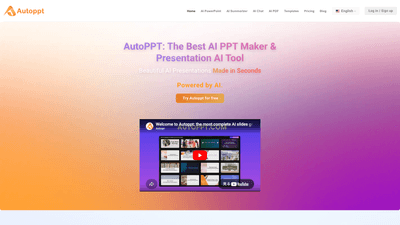
Autoppt is an AI PowerPoint generator and AI Presentation Maker designed to transform your ideas into polished, professional slides in seconds. Simply enter a topic or upload a document (PDF, Word, TXT, Excel, PPT, or image formats), and Autoppt’s AI-driven engine creates a fully designed slideshow. It also offers an extensive library of beautiful PowerPoint templates, enabling you to switch styles with ease. With support for converting documents to slides (PDF to PPT, Word to PPT), online editing, and publishing across devices, Autoppt makes creating impactful presentations fast, accessible, and language-friendly (100+ languages). No advanced design skills are required—just your content and a template, and Autoppt does the rest.
Features
- AI-powered slide generation from topic or document
- Quickly generate entire presentations from a prompt or uploaded files
- Rich template library
- Extensive, premium PowerPoint templates across multiple themes
- Document-to-PPT conversion
- Convert PDFs, Word documents, and other formats into editable PPT slides
- Template switching
- Easily swap templates to match different tones and audiences
- Online editor
- Customize fonts, colors, layouts, tables, and more in an intuitive editor
- Export and sharing
- Download as PowerPoint (.pptx) or generate shareable links for collaboration
- Multi-language support
- Create presentations in 100+ languages
- Cross-device accessibility
- Online editing and presentation across devices with responsive design
- Commercial-use-ready templates
- Templates and slides designed for professional, business, and educational use
- Free trial and subscription options
- Start with a free trial to explore capabilities before subscribing
How to Use
- Choose Your Topic or Upload Your Document
- Start by typing a topic or uploading a file (PDF, Word, TXT, Excel, PPT, JPG). Whether you’re preparing for a business meeting, a study report, or a knowledge-sharing session, Autoppt handles the rest. A free trial option lets you experiment before committing to a plan.
- Pick a Template
- Browse a diverse collection of design styles and themed templates. Select the one that best aligns with your presentation’s purpose and audience.
- Customize Your AI Slides
- Use the built-in online editor to refine fonts, colors, layouts, and add elements like tables or charts. Tweak the generated slides to ensure they match your brand and tone.
- Download and Share
- Export your finished presentation as a PowerPoint file (.pptx) or generate a shareable link to collaborate with teammates. Your slides are ready to present on any device.
Pricing
- Free Trial: Autoppt offers a free trial so you can evaluate the AI PPT generator and its templates before subscribing.
- Subscriptions: Paid plans provide extended access to templates, faster generation, and additional features. Pricing details, payment terms, and plan benefits are outlined in the account area and FAQs.
- Payment Methods: A variety of payment methods are supported, with secure processing and encryption for your transactions.
- Auto-Renewal and Cancellations: Subscriptions typically renew automatically, with options to cancel or manage renewal settings through your account.
- What’s Included: Subscribers gain unlimited access to editable templates, enhanced export options, and priority support (subject to plan terms). No hidden charges beyond the chosen plan.
Tips
- Start with a clear topic brief: The more precise your topic, the more focused and cohesive the generated slides.
- Leverage templates to set tone quickly: If you’re short on time, pick a template that matches your audience and quickly personalize it.
- Upload source documents for speed: Converting PDFs or Word documents into PPT slides can save hours—use this for summaries, reports, and onboarding decks.
- Use the online editor to tailor branding: Align fonts, colors, and logos with your brand guidelines for a consistent look.
- Take advantage of multilingual support: If you’re presenting to an international audience, create slides in multiple languages to improve comprehension.
- Share early, collect feedback: Generate a shareable link to gather colleague input before finalizing the deck.
- Optimize for different devices: Ensure your slides look great on laptops, projectors, and mobile devices by testing across screens.
Frequently Asked Questions
-
Does Autoppt offer a free trial?
- Yes. A free trial is available to explore the AI PPT generator and templates before subscribing.
-
What are the benefits of a subscription?
- Subscriptions unlock extended template access, faster generation, more export options, and additional features designed for professional and educational use.
-
What payment methods are available?
- A range of common payment methods are supported, with secure processing.
-
Are there any additional charges after purchasing my subscription?
- No hidden fees are typically charged beyond the chosen plan; see the plan details for exact inclusions.
-
Is payment through your website secure?
- Yes. Autoppt uses secure payment processing and encryption to protect your information.
-
Will my subscription renew automatically?
- Subscriptions generally renew automatically unless you choose to cancel; you can manage renewal settings in your account.
-
Can I change my password?
- Yes. You can update your password in your account settings.
-
Do I need special access to use the templates in Autoppt?
- No special access is required. Templates are available to subscribers and can be edited within the online editor.
-
Are the templates fully editable?
- Yes. The templates are designed to be fully editable to fit your content and branding.
-
Can I use the templates for commercial purposes?
- Templates are intended for professional use, including commercial presentations, subject to the plan’s terms.
-
How do I use the templates?
- After choosing a template, customize content, layout, and visuals using the online editor to tailor slides to your needs.
Overall, Autoppt stands out as a comprehensive AI-powered PowerPoint solution that dramatically reduces the time and effort required to create polished, publication-ready presentations. By blending AI-driven generation, a rich template library, document-to-PPT conversions, and multilingual support, it serves professionals, educators, and teams seeking high-quality, scalable AI presentations with minimal design friction. Whether you’re preparing a quick briefing, a detailed sales deck, or an instructional module, Autoppt’s combination of automation and customization provides a unique value proposition in the AI presentation space.