What is it
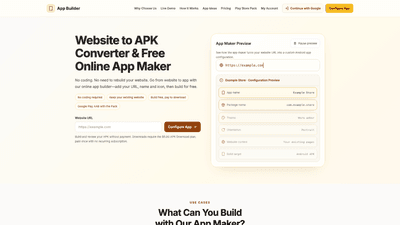
App Builder is an online website-to-Android app converter and app maker that lets you transform your published website into a native Android app without writing code. By simply entering your website URL, choosing an app name and icon, and customizing basic settings, you can build an APK (and optionally an AAB for Google Play) directly in your browser. The platform keeps your existing site content and pages intact, enabling real-time content updates without rebuilding the APK for every change. With options to add a branded icon, theme color, and screen orientation, App Builder makes it easy to launch your website as a dedicated Android app while using your existing website as the content source.
Features
- No-coding website to APK conversion: Turn a live website (WordPress, Shopify, or generic sites) into an Android app without Android Studio or native development.
- Live content sync: Your app loads updates from your website in real time, so new articles, products, or pages appear without repackaging.
- Brandable app shell: Set your app name, upload your own icon (PNG/JPEG), choose a theme color, and pick portrait, landscape, or automatic orientation.
- Content integration: Keep your website’s pages, navigation, login, checkout, forms, and external links inside the app; use Android’s back button to navigate.
- File uploads from phone: Allow users to upload files through your site’s existing upload forms via the device’s file picker.
- App testing and signing: Build online and unlock a signed APK for direct installation and testing on Android devices.
- AAB for Google Play: Optional Play Store Pack to generate an Android App Bundle (AAB), with upload key, store graphics, and a submission checklist for Google Play.
- Compatible with multiple site types: Ideal for stores, blogs, courses, travel guides, menus, events, portfolios, and more.
How to Use
- Step 1: Enter Your Website URL
- Paste your public URL into the website-to-APK converter. The app maker loads your live site, so there’s no need to upload HTML or configure Android Studio.
- Step 2: Customize Your Android App
- In the online app builder, set your app name, package name, upload your icon, pick a theme color, and choose screen orientation. The app will wrap around your existing website content.
- Step 3: Build, Preview, and Publish
- Build online and preview how the app behaves. When you’re ready, unlock the APK for direct installation, or opt for the Google Play-ready package (AAB) with the Play Store Pack.
- Pricing for downloads: APK download and Play Store Pack are one-time payments (no recurring subscription). You publish the AAB through your own Google Play developer account. Google’s review process applies.
Supported platforms and formats
- WordPress and Shopify sites are explicitly supported, with WordPress sites allowing live articles, WooCommerce products, and member pages to remain on the site while the app provides access on Android.
- The converter packages your published URL for Android, preserving login, checkout, and navigation to test on a real device.
Who it’s for
- Small business owners, bloggers, course creators, real estate agents, travel publishers, restaurants, fitness communities, and freelancers who want an Android app without building from scratch.
- Founders and indie developers who want to prototype an Android app using an existing web tool or MVP before committing to a native build.
Pricing overview (typical structure)
- Free to configure and preview: Build your app within service limits without paying, for initial experimentation.
- APK Download: $5.90 (one-time) to unlock a signed APK for direct installation on Android devices. No ongoing subscription.
- Google Play Package (Play Store Pack): $69 (one-time) for one app build, including signed APK, AAB, upload key, store graphics, and a submission checklist to prepare for Google Play. Google Play submission and approval are performed through your own Google Play account, and Google’s review decision is separate from this service.
Tips
- Choose a clear app name and upload a recognizable icon to help users find your brand on their home screen.
- Pick a theme color that aligns with your brand identity while ensuring good contrast with the app shell.
- Test with real device previews to verify navigation, login, and checkout flows work as expected.
- Ensure your website includes a privacy policy and other required disclosures; you’ll manage submission requirements through your own Google Play account.
- Keep content in sync by updating your site; the app will reflect new articles or products without needing a new APK for every change.
- If you operate a WordPress or Shopify site, test key actions (reading, login, cart, and checkout) within the app to confirm a smooth user experience.
Frequently Asked Questions
- Can I turn a website from an AI app maker into an Android app?
- Yes. The platform converts your published website URL into a configured Android app, maintaining your site’s content and navigation.
- How does the app maker turn my website into an app?
- It loads your live site in an online builder, lets you customize the app shell (name, icon, color, orientation), then builds a signed APK (and optionally an AAB) for distribution.
- Does this app builder support Android and iPhone?
- The primary focus is Android (APK/AAB). Apple iOS (App Store) support is not included in the described workflow.
- Is the website to APK converter free to use?
- You can configure and preview for free. APK downloads and Play Store packaging are paid, one-time options.
- Can I publish a website to app project on Google Play?
- Yes, via the Play Store Pack. It provides the necessary APK/AAB, upload key, and store graphics for submission through your own Google Play Console.
- Can the app maker convert WordPress, Shopify or Lovable sites?
- WordPress and Shopify sites are explicitly supported; these platforms’ live URLs are packaged for Android, preserving content like articles, products, forms, and pages.
- Does website to APK conversion include offline access or push notifications?
- The core conversion focuses on converting live website content to an Android app shell. Offline access and push notifications depend on your website’s capabilities and how you configure in-app behavior; these features are not guaranteed by the basic conversion.
- Are the download plans subscriptions?
- No. APK download and Play Store Pack are one-time payments. Future rebuilds or updates may incur additional charges if you need a new build.
- Can I use someone else’s website?
- Yes, you can convert any publicly accessible website URL. Ensure you have permission to use and distribute the site’s content in an app format.
This comprehensive overview highlights the core value of App Builder: a fast, code-free path to turn existing websites into Android apps, with optional signing and Play Store readiness, while preserving the original site content and user experience.