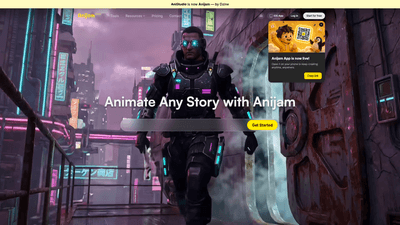
What is it
Anijam (formerly AniStudio) is an AI-powered, all-in-one animation platform from DzineToolsResources. The app brings idea-to-screen production into a single, cohesive workflow, combining a rich set of AI tools, a timeline editor, and an AI-powered agent to streamline the creation of animated content. Available on both web and a fully functional iOS app, Anijam lets creators start for free and continue crafting on the go—open the app on your phone to keep animating anytime, anywhere. Key capabilities include lip-sync for animation, character creation and consistency, a professional style library, text-to-animation, and 3D animation tooling, all designed to accelerate production from concept to publish-ready video.
Features
- All-in-One Animation Creation: A comprehensive suite that covers ideation, design, animation, and final output in one platform.
- AI Agent-Driven Production Workflow: An AI assistant guides the project from idea to screen, orchestrating tasks, assets, and scenes to speed up production.
- Timeline Editor: An intuitive timeline to organize scenes, transitions, and timing for a polished final product.
- Lip Sync for Animation: A robust lip-sync system with a rich voice library, customizable vocal identities, and animation-optimized timing for expressive performances.
- Character Design and Consistency: Create unique characters and maintain consistency across scenes and storylines, ensuring cohesive behavior and appearance.
- Professional Style Library: Access a wide range of creative styles, from classic to modern, with the ability to train and apply your own signature style.
- Text to Animation and 3D Animation Tools: Convert scripts and text into animated sequences and leverage 3D animation capabilities for more dynamic visuals.
- Character and Avatar Generators: Create detailed characters and avatars, then animate them with tools designed for repeatable, studio-grade results.
- AI Tools and Canvas Production Workflow: A robust set of AI-enabled tools integrated into a visual canvas to plan, iterate, and produce efficiently.
- Cross-Platform Accessibility: Desktop web access plus an iOS app, enabling on-device creation and editing on the go.
- Collaboration and Ecosystem Integrations: Partnerships with multiple AI animation tools and platforms to enrich your production workflow.
Use cases and practical benefits:
- Short-form content and social videos with synchronized dialogue and expressive characters.
- Explainer videos and educational content featuring consistent character behavior and style.
- Storyboarding and rapid prototyping of animated concepts before committing to full production.
- Character-driven narratives that require consistent design, voices, and movements across scenes.
- Rapid prototyping of 2D/3D animation with an AI-assisted pipeline that reduces manual overhead.
How to Use
- Get started for free: Sign up on the web or download the iOS app to begin without upfront cost. 2) Create your first project: Open the canvas, define your idea, and let the AI Agent outline a plan. 3) Design your characters: Use the Character Generator to create unique leads and ensure identity consistency. 4) Pick a style: Explore the Professional Style Library or train your own signature look for a cohesive aesthetic. 5) Add audio and lip-sync: Utilize the Lip Sync for Animation feature with a voice library and customizable vocal identities. 6) Build scenes with the timeline editor: Arrange scenes, apply transitions, and timeline-based cues. 7) Iterate with AI tools: Refine assets, dialogue timing, and actions using AI-assisted suggestions. 8) Preview and export: Review the animation, then export to your preferred formats and share or publish. 9) Pricing and access: Depending on your plan, unlock additional features, higher resolutions, and collaboration options. 10) Community and support: Join the Discord community for tips, feedback, and collaboration.
Pricing
- Start for Free: Accessible onboarding and a baseline set of AI animation tools to begin creating without cost.
- Paid Tiers: Upgraded plans unlock advanced capabilities, higher-quality exports, expanded asset libraries, priority processing, and team collaboration features. Details on exact pricing and plan features are available on the official pricing page.
Tips
- Start with a strong concept: Use the AI Agent to translate a simple idea into a storyboard and key character notes to guide design.
- Maintain visual consistency: Design your character once and apply consistent behavior, poses, and dialogue timing across scenes.
- Leverage the style library: Experiment with multiple styles to find a unique look; consider training a signature style that matches your brand or film tone.
- Optimize lip-sync early: Align vocal timing with key character beats from the outset to reduce back-and-forth edits later.
- Plan with the timeline: Build a rough storyboard first, then refine timing, effects, and transitions in the timeline editor for a smoother pipeline.
- Use mobile for on-the-go edits: The iOS app enables quick updates, voice-over recording, and quick scene adjustments away from a desktop.
- Engage the community: Join Discord to learn workflows, get feedback, and discover use cases from other creators.
- Explore AI-assisted assets: Utilize AI tools to generate characters, avatars, and props that align with your chosen style, then refine them for production-ready quality.
Frequently Asked Questions
- What is Anijam? Anijam is an all-in-one AI-powered animation platform that supports idea-to-finish production with tools for lip-sync, character design, style customization, text-to-animation, 3D animation, and an AI agent-guided workflow.
- Is Anijam free to start? Yes, Anijam offers a Start for Free option to begin creating without cost, with paid tiers offering advanced features and higher capabilities.
- Can I use Anijam on my iPhone? Yes, Anijam provides an iOS app that lets you open projects and continue creating on your phone, ideal for on-the-go edits.
- What formats can I export? Anijam supports standard animation formats suitable for sharing and publishing, with higher-tier plans offering additional export options and resolutions.
- Do I need design experience to use it? Anijam is designed to be accessible to beginners while offering advanced tools for professionals, enabling rapid iteration and professional results with AI assistance.
- Can I train my own style? Yes, the Professional Style Library supports training and applying your own signature artistic style to ensure a cohesive film look.
- Is collaboration supported? Paid plans typically include enhanced collaboration features for teams, enabling multiple artists to work within the same project.
- Which devices are supported? Anijam is accessible via web on desktop and through the iOS app for mobile workflows.
- How does the AI Agent help me? The AI Agent guides the project from idea to screen, coordinating tasks, assets, and scenes to streamline production and reduce manual overhead.
- Is there a community or support resource? Yes, you can join the Discord community for discussions, tutorials, feedback, and networking with other creators.
This detailed overview highlights Anijam as a comprehensive AI animation platform designed to accelerate production while enabling creative control over character design, style, lip-sync, and animation workflows. By combining powerful AI tools with a robust timeline editor and an app experience, Anijam aims to serve both aspiring creators and professionals seeking efficient, high-quality animation production.