What is it
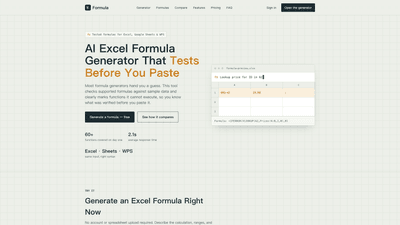
The AI Excel Formula Generator is a purpose-built assistant that turns plain-English descriptions of calculations into working formulas for Excel, Google Sheets, and WPS Office. What sets it apart is that it tests the generated formula against sample data before you paste it, clearly marking which functions can be executed and which cannot. This verification step helps you trust the result before you risk your spreadsheet. You describe the calculation in your own words, select the target app, and receive a ready-to-use formula, a line-by-line explanation, and a live preview of how it behaves with sample data. It works across Excel, Google Sheets, and WPS with the same input while adapting to the right syntax for each platform.
Features
- Cross-platform formula generation: Excel, Google Sheets, and WPS Office formats are all supported, with syntax adapted automatically.
- Test-before-paste: Each generated formula is tested against sample data; unsupported functions are flagged so you know what was verified.
- 60+ functions available on day one: Broad coverage for common business calculations, including VLOOKUP patterns, conditional sums, percentages, date calculations, and more.
- Instant results: Average response time around 2.1 seconds, enabling rapid experimentation.
- Plain-English input: Describe the calculation in any language you prefer (English, Chinese, Spanish, Japanese, etc.); the tool translates your description into standard English function names.
- Multiple modes for robustness: Generate, Debug, Explain, and Guided Builder help you shape complex logic before generation. Structured mode clarifies multi-condition requests.
- Explain mode and debugging: Get a line-by-line explanation of each argument, fix broken formulas, and understand why a result differs from expectations.
- Language flexibility with stable syntax: While input can be in many languages, the generated formula uses standard English function names for compatibility.
- No sign-up barrier for basic use: You can try generating formulas with minimal friction; paid plans unlock ongoing workflow support.
- History, favorites, and workspace features: Save useful formulas, revisit past work, and build a personal formula library.
How to Use
- Describe your goal: Enter what you want the formula to do in plain language (e.g., “Sum column C where column A equals ‘West’”).
- Pick the target app: Choose Excel, Google Sheets, or WPS Office to ensure the right syntax is produced.
- Choose a mode: Use Generate for a new formula, Debug to fix an existing one, Explain for a thorough argument-by-argument breakdown, or Guided Builder to structure multi-condition requests.
- Review and test: You’ll receive the formula, a detailed explanation, and a live test preview using sample data. The verification status helps you know what’s been checked.
- Paste with confidence: Copy the tested formula into your spreadsheet and adapt ranges as needed. If the formula doesn’t behave as expected, use Debug or Explain to diagnose and revise.
- No data upload required for starter use: You can generate formulas and test logic without uploading your own spreadsheets, making the learning curve gentle and fast.
Pricing
- Free Access: Free tier designed for trial use. Includes a short trial window and limited anonymous runs per day. A Google sign-in unlocks additional daily runs and basic features like history and favorites.
- Free Trial: A limited trial period (e.g., a few days) to evaluate the Generate, Debug, Explain, and test preview capabilities without committing.
- Free account (post-sign-in): Typically offers around 10 daily runs, with access to Generate, Debug, Explain, History, and Favorites features.
- Pro Plan: $6.99 per month. Includes a higher daily run quota (about 300 runs per day soft limit), workspace history, favorites, and the standard formula generation and testing workflow.
- Annual Pro: $59 per year (approximately 30% savings vs. monthly). Best for recurring spreadsheet work, with the same 300-run per day soft limit and full feature access.
- Credit Pack: $4.99 for 300 credits. Each successful generation consumes 1 credit; refused requests do not spend credits. One-time credits are useful for overflow usage when you hit daily quotas.
- What you get: Access to Generate, Debug, and Explain modes; live test previews; cross-app syntax; history and favorites; and in-depth explanations to help you learn as you build.
Tips
- Use structured mode for complex, multi-condition requests: This helps the AI clarify the logic before generating the formula, reducing back-and-forth.
- Leverage explain and debug modes: If a result isn’t what you expect, use Explain mode to understand argument roles, then adjust your description or ranges and re-run.
- Validate across platforms: Remember Excel, Sheets, and WPS share most functions but have nuances. Use the syntax-respecting output to avoid cross-platform errors.
- Start with plain-English goals: Describe the business intent (e.g., “calculate margin percentage where region is East and product type is A”) rather than trying to craft function nesting from memory.
- Test with sample data first: The live preview helps you catch issues like division by zero, mismatched ranges, or logical fallacies before applying the formula to real data.
- Use the history and favorites: Save reliable formulas for reuse, especially for recurring analyses like sales funnels, inventory days on hand, or KPI calculations.
- Language flexibility, stable syntax: You can describe needs in your preferred language; the tool returns formulas with standard English function names suitable for Excel, Sheets, or WPS.
Frequently Asked Questions
- What is an AI Excel formula generator? It’s a smart assistant that converts a plain-English description of a calculation into a working spreadsheet formula, then tests and explains the formula so you can trust and reuse it.
- Does it work with Google Sheets and WPS, or only Excel? It supports Excel, Google Sheets, and WPS Office, with the correct syntax adapted for each platform.
- How accurate are AI-generated formulas? Generated formulas are tested against sample data and explained line-by-line. Accuracy improves when you provide precise descriptions and use the testing preview to verify results.
- Can it fix a formula that’s already broken? Yes. In Debug mode, you can paste a broken formula and receive a corrected version along with explanations of the fixes.
- Do I need an account to start? You can try basic generation with a free tier. For ongoing use, paid plans unlock higher daily limits, history, favorites, and extended capabilities.
- How do I paste the formula safely into my sheet? After reviewing the formula and its explanations, copy the exact formula from the tool and paste it into your spreadsheet, adjusting ranges as needed.
- Are there limits on usage? Free tiers have daily run quotas and anonymous access. Paid plans increase or remove these limits, enabling more extensive, recurring use.
This AI Excel Formula Generator delivers a practical, value-driven workflow for creating, testing, and understanding formulas across Excel, Google Sheets, and WPS. By combining natural-language input, cross-platform syntax, live testing, and detailed explanations, it minimizes guesswork, speeds up spreadsheet work, and helps you build robust, maintainable formulas.