What is it
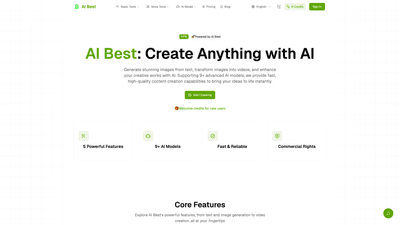
AI Best is a comprehensive AI-powered image and video generation platform designed to turn ideas into high-quality visuals quickly. With 9+ advanced AI models at your fingertips, it supports powerful workflows—from text-to-image and image-to-image transformations to AI-assisted video creation and editing. New users receive welcome credits to start creating right away, and you can choose from a range of models to balance speed, quality, and cost. Whether you’re a social media creator, designer, or marketer, AI Best provides fast, reliable content generation with professional output and flexible licensing options.
Features
- Text to Image: Generate stunning images from text prompts using multiple AI models (Nano Banana, Nano Banana Pro, GPT-4o Image, Flux Kontext, and more). Options include multiple aspect ratios and 1K/2K/4K resolutions for versatile outputs.
- Image to Image: Transform or upgrade existing images with AI-powered conversion. Supports multi-image processing, style preservation, and high-quality output.
- Image Editing: AI-assisted editing to enhance photos with intelligent adjustments, precise enhancements, and professional results.
- Text to Video: Create dynamic videos from text descriptions using fast and high-quality models (Veo 3.1 Fast, Veo 3.1 Quality, Sora 2, Sora 2 Pro, Kling 2.6, Wan 2.5, etc.).
- Image to Video: Turn still images into engaging videos with scene animation, smooth transitions, and strong output quality.
- Face Swap: Realistic face-swapping with AI-powered accuracy and speed for entertainment, content creation, and branding.
- AI Models Showcase: Access a curated library of supported models, each with its own strengths, pricing, and capabilities.
- All Models and Output Variables: Ten supported aspect ratios (1:1, 2:3, 3:2, 3:4, 4:3, 4:5, 5:4, 9:16, 16:9, 21:9) plus 1K/2K/4K resolutions and PNG/JPG formats. Up to 8 reference images can be uploaded for multi-image processing.
- Commercial Rights: Usage rights are determined by your chosen plan and local regulations, with clear license notices and terms within the app.
How to Use
Three simple steps to begin creating with AI Best:
- Choose Feature: Select from Text to Image, Image to Image, Image Editing, Text to Video, or Image to Video depending on your goal.
- Choose Model: Pick the AI model that best balances speed, quality, and cost (e.g., Nano Banana for cost efficiency, GPT-4o Image for OpenAI-level understanding, Veo 3.1 for video, Sora 2 for latest video generation, etc.).
- Generate & Download: Enter a natural-language prompt, adjust relevant parameters (aspect ratio, resolution, style), generate the output, and download in seconds.
Pricing is credit-based. New users receive 5 welcome credits to start exploring. Each model has its own credit cost, and generation consumes credits. Example model credits (illustrative from the platform’s catalog): Nano Banana (3 credits), Nano Banana Pro (6–12 credits), GPT-4o Image (6 credits), Flux Kontext (4 credits), Veo 3.1 Fast (20 credits), Veo 3.1 Quality (150 credits), Sora 2 (8–12 credits), Sora 2 Pro (75–315 credits), Kling 2.6 (55–110 credits), Wan 2.5 (60–200 credits). Credits can be topped up as needed to continue creating, and plans may offer different ceilings and licensing options.
Use Scenarios
- Social Media Content: Generate eye-catching images and short AI-powered videos tailored for platforms like Instagram, TikTok, and YouTube Shorts, using fast models and adjustable aspect ratios.
- Commercial Design: Create product visuals, marketing banners, and branding assets with high-quality 2K/4K outputs, while preserving consistent style across assets.
- Creative Art and Prototyping: Experiment with photorealistic portraits, landscapes, and abstract art, leveraging multiple models to compare styles and likenesses.
- Video Marketing: Build marketing videos from text or imagery, employing scene transitions and native audio support to accelerate campaigns.
- Entertainment and Branding: Use Face Swap for fun, Kirkify-themed content, or other creative edits that align with a brand voice or campaign concept.
Advantage Features
- Speed and Quality: Most outputs render in seconds, with optimized models delivering sharp 2K imagery and intelligent 4K scaling where supported.
- Model Diversity: Access 9+ AI models across image and video domains, enabling flexible workflows for different industries and budgets.
- Flexible Outputs: Ten aspect ratios, multiple resolutions, and common formats (PNG, JPG) to fit various use cases and publication needs.
- Multi-Image Processing: Upload up to eight reference images for coherent multi-image transformations and editing.
- Comprehensive Tools in One Platform: Text-to-image, image-to-image, editing, and video capabilities integrated under a single interface for streamlined production.
- Commercial Rights and Compliance: Clear licensing terms tied to your plan, with policy alignment and license notices inside the app.
- Beginner-Friendly: No coding or technical skills required; simply describe what you want in natural language and let the AI handle the rest.
Target Audience
- Content creators and social media managers seeking rapid, scalable visual content.
- Designers and marketers needing mockups, branding assets, and marketing visuals.
- Small businesses and startups looking for cost-effective, fast video and image production.
- Agencies handling multiple client projects requiring diverse styles and outputs.
- Anyone exploring AI-powered image and video generation without a steep learning curve.
Pricing
- Welcome and Free Tiers: New users start with 5 welcome credits to explore core features.
- Credit-Based System: Each model has its own credit cost, and generation consumes credits. Model-specific credits include ranges such as:
- Nano Banana: ~3 credits
- Nano Banana Pro: ~6–12 credits
- GPT-4o Image: ~6 credits
- Flux Kontext: ~4 credits
- Veo 3.1 Fast: ~20 credits
- Veo 3.1 Quality: ~150 credits
- Sora 2: ~8–12 credits
- Sora 2 Pro: ~75–315 credits
- Kling 2.6: ~55–110 credits
- Wan 2.5: ~60–200 credits
- Credits Top-Ups and Plans: Users can purchase additional credits to continue creating, with pricing and plan options typically outlined in the account.
Note: Always check the latest terms, licensing, and pricing within the AI Best platform, as terms may update and regional differences may apply.
Tips
- Start with a clear prompt: A precise textual description yields higher-quality outputs; experiment with style cues, lighting, and context.
- Choose the right model: For quick drafts or lower budgets, start with Nano Banana; for high-detail 4K outputs, use GPT-4o Image or Veo 3.1 Quality.
- Optimize aspect ratios and resolution early: Pick the target platform (e.g., 16:9 for video thumbnails, 1:1 for social posts) and set 2K/4K when needed.
- Use reference images: Leverage up to eight reference images for multi-image processing to guide style, color, and composition.
- Leverage image editing: Combine editing with text-to-image to refine details, color grading, and retouching in a single workflow.
- Plan licensing and usage: Review Terms of Service and license notices for commercial use, especially when creating content for clients or public campaigns.
- Save and reuse templates: Create reusable prompts and model configurations to speed up recurring projects.
- Monitor credits: Track credit usage per model to manage costs and optimize your budget across campaigns.
Frequently Asked Questions
- What exactly is AI Best and how does it work? AI Best is a comprehensive AI image and video generation platform that leverages multiple advanced models to produce hyper-realistic visuals. Users describe what they want in natural language, and the platform generates images or videos with options for upscaling, style transformation, and editing.
- Do I need any technical skills to use AI Best? No. AI Best is designed to be user-friendly for everyone. You simply provide a text prompt or upload/edit assets, and the AI handles the rest—no coding required.
- What types of images can I create with AI Best? You can create virtually any hyper-realistic image—from photorealistic portraits to fantasy landscapes, product mockups to abstract art. The platform supports style transformations, high-quality outputs, and consistent character rendering across workflows.
- How long does it take to generate an image? Most generations occur in 2–8 seconds, depending on complexity, model, and aspect ratio. The platform prioritizes fast, reliable results without sacrificing quality.
- Can I use the generated images commercially? Yes, but usage rights depend on your plan and local laws. Review the Terms of Service and license notices within the app for commercial usage guidelines.
- What aspect ratios, resolutions, and formats are supported? AI Best supports 10 aspect ratios (1:1, 2:3, 3:2, 3:4, 4:3, 4:5, 5:4, 9:16, 16:9, 21:9), 1K/2K/4K resolutions, and output formats PNG and JPG. You can also upload up to eight reference images for multi-image workflows.
- Is there a free trial or welcome credits? Yes, new users receive welcome credits (5 credits) to start exploring the platform before committing to paid plans.
Whether you’re crafting social-ready visuals, marketing assets, or engaging videos, AI Best offers a versatile, model-rich platform to bring your creative ideas to life quickly and professionally. Start creating today with your welcome credits and discover how AI-powered generation can elevate your content workflow.